Turn on suggestions
Auto-suggest helps you quickly narrow down your search results by suggesting possible matches as you type.
Showing results for
Even though doing the yes it me and still not connecting. Worked about 8 weeks ago but hasn't worked since
Hi there, uka77. Thank you for bringing this to our attention. Since you’re experiencing connection issues, I recommend first logging in to your bank’s website to check if there are any ongoing maintenance or service disruptions.
If the bank doesn’t report any maintenance issues, I suggest reaching out to our QuickBooks Support team for further assistance. They can investigate further and identify the cause of the bank connection problem.
Here's how:
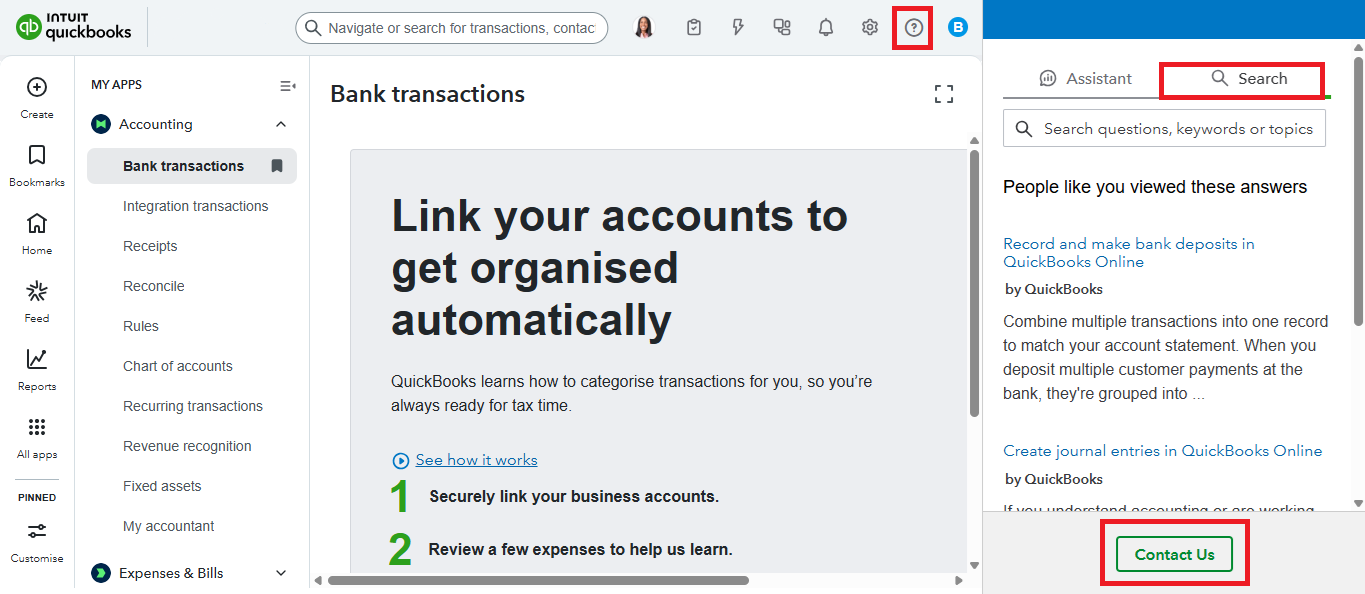
For additional guidance, you may refer to this article: Troubleshoot unknown bank connection issues.
In the meantime, I recommend manually uploading your bank transactions into QuickBooks so you can continue categorising them without delays.
Additionally, if you’re using a standard bank connection with Multi-factor Authentication (MFA), switching to a direct bank feed can help simplify the process by eliminating the need for MFA. Direct feeds provide a more seamless and secure connection.
For more information, refer to our article: Connect Commonwealth Bank Direct Feeds.
If you have more concerns related to QuickBooks, don't hesitate to reply here. We're here to help.
You have clicked a link to a site outside of the QuickBooks or ProFile Communities. By clicking "Continue", you will leave the community and be taken to that site instead.
For more information visit our Security Center or to report suspicious websites you can contact us here


