Hi there, @Ldangelo.
Let me help you accomplish your task in QuickBooks Online.
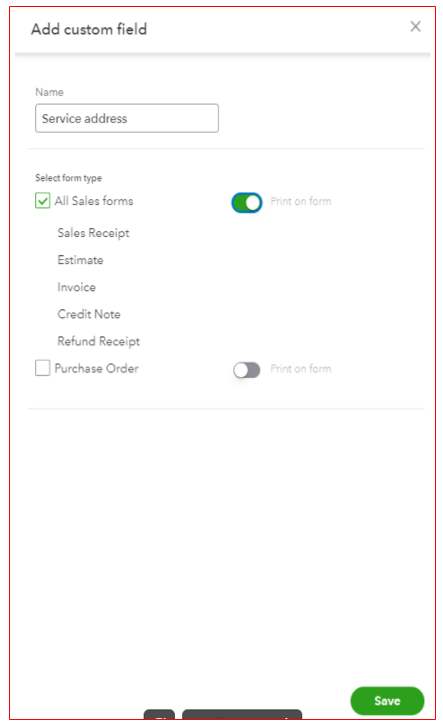
You can create a custom field for the service address. This way, you don't have to use the Shipping to field as an alternative field when sending invoices.
Here's how:
- Go to Settings and select Custom fields.
- Click Add field, then enter a name such as Service address.
- Check the All Sales forms box, toggle the Print of form option if you what it show on printed invoices.
- Select Save.
For more details, you can check out this article: How to add custom fields to sales forms and purchase orders.
Moreover, you can import and design custom form styles for your invoices or estimates in QBO. This feature helps reflect your brand identity into your sales forms with less effort and time.
If you have other QuickBooks product-related concerns, feel free to write them down below. I'll be here to help you out. Have a good one.


