
SALE

Get 50% off QuickBooks for 3 months

See plans and pricing
QuickBooks Blog
Need help choosing a plan?
Created with Sketch. 1800 917 771 Schedule a call
Need help?
We're here for you.
Schedule call
Created with Sketch.
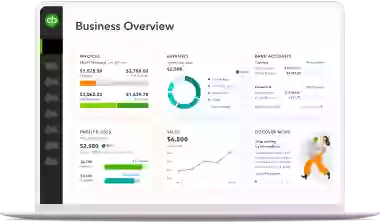
A black and white image of a laptop with a menu.
product update

The modern QuickBooks experience is becoming the default: What you need to know.

Since the launch of the new QuickBooks experience on the Intuit Platform, businesses have been exploring a more efficient, AI-powered way of working. To ensure all users benefit from the full power of our latest innovations, the refreshed interface with Intuit AI, modern reporting and modern invoicing will become the default view and the option to switch back to the former classic version will start to be removed from March 2026.

This is more than just a layout change—it is the foundation of a modern environment that combines customisable tools with groundbreaking AI. By standardising the experience across the platform, we are streamlining your workflow and ensuring you are always working with the most advanced tools available.

Benefits of the modern QuickBooks experience:

  • QuickBooks on the Intuit Platform: Simplify your workflow with proactive AI digital teammates that work behind the scenes to automate repetitive tasks while keeping you in control.
  • Modern View reporting: Experience faster performance, enhanced customisation, and more access controls.
  • Smarter invoicing: Create, customise, and track invoices instantly with a streamlined workflow to help you get paid faster.

When the changes will be implemented

You will be transitioned to the modern experience within the timeframes set out below. We recommend making the switch at the earliest possible date to avoid any disruptions to your workflow.

  • 8 May: The classic platform interface will no longer be available and the modern interface will become the default.
  • Between 1 April and May: Classic reports, including the ability to save new classic custom reports, will be removed in stages. You may see the switch back option removed at any point during this window as we transition all users to our modern experience.
  • Between 2 March and July: Classic invoicing will also be removed in stages. You may see the switch back option removed at any point during this window as we transition all users to our modern experience. For those on QuickBooks Advanced or with PayPal or GoCardless integrated, you’ll continue to be supported on the classic invoicing experience at this time.

How to prepare for a seamless transition

To ensure your business is ready to leverage the full power of our AI-powered platform, we recommend taking these proactive steps:

  • Explore early: If you are currently using the classic experience, switch to the modern experience today. Getting familiar with the new layout now will avoid any interruptions to your workflow in the future.
  • Standardise your workflow: Moving to the modern interface now ensures a consistent experience across your business, simplifying staff training and collaboration, and ensures everyone is working with the most up-to-date tools.
  • Review your reports: Take a moment to explore modern view reporting. Familiarising yourself with the enhanced customisation and faster load times will help you surface business insights more effectively.
  • Stay informed: We are committed to a smooth transition. You will continue to receive updates with more tips on using the latest innovations.

For more information check out the getting started resources or view knowledge base articles in QuickBooks Support. We also encourage you to check out our Community page and new QuickBooks University.

Frequently asked questions

Important product information and disclaimers

Disclaimer: This information is intended to outline our general product direction, but represents no obligation and should not be relied on in making a purchasing decision. Additional terms, conditions and fees may apply. Product offers, pricing, terms of use, service options, features, and functionality are subject to change without notice (subject to applicable laws).

Intuit Intelligence: Feature availability varies by product. Intuit Intelligence, including Intuit AI and other Al features, are currently available at no additional cost at this time. While available in all Intuit QuickBooks supported languages, Intuit Intelligence output is currently in English only. We recommend you review all outputs carefully.


Related Articles

A computer screen showing a picture of a computer.

TAKE A NO-COMMITMENT TEST DRIVE

Your free 30-day trial awaits

Our customers save an average of 9 hours per week with QuickBooks invoicing*

No credit card needed

Cancel anytime

Unlimited support

By entering your email, you are agree to our Terms and acknowledge our Privacy Statement.