Glad to have you here, s-d-burden.
If you accept a transaction or excluded it, QuickBooks prevents it from being downloaded again. However, if you delete instead of excluding it, QuickBooks may redownload the transaction later, as it sees it as unresolved.
Here's how to delete multiple uncategorized bank transactions:
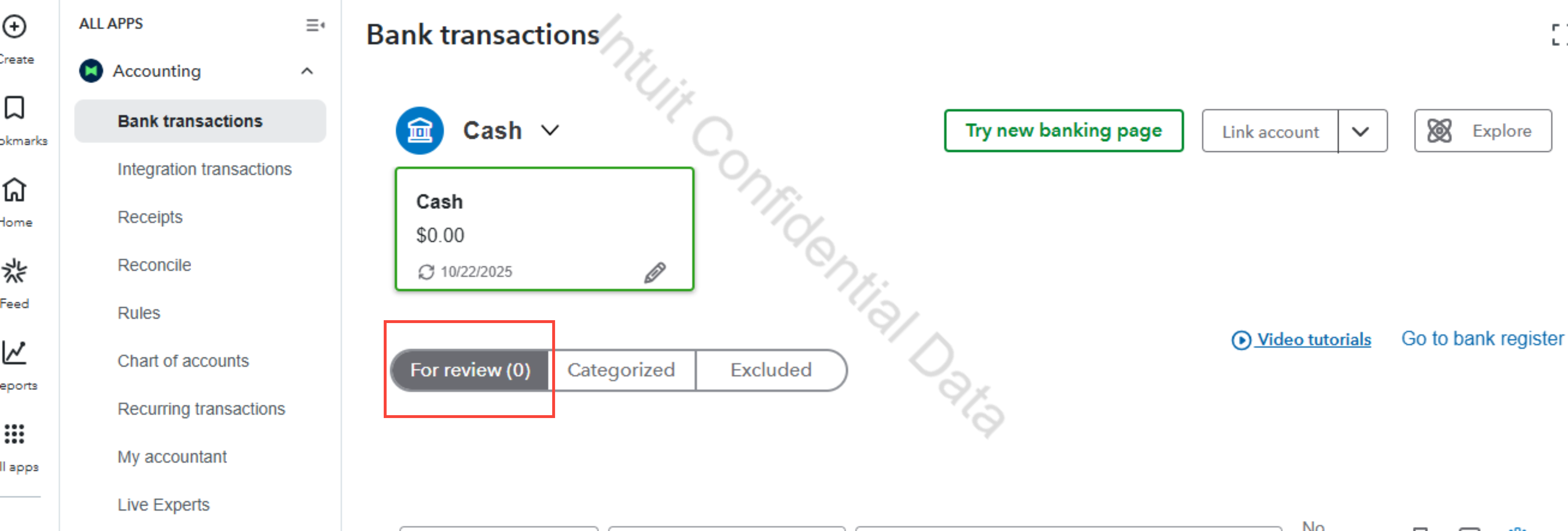
1. Go to Bank transactions, then click For review.
2. Check the box of each transaction you want to remove, then click Exclude.
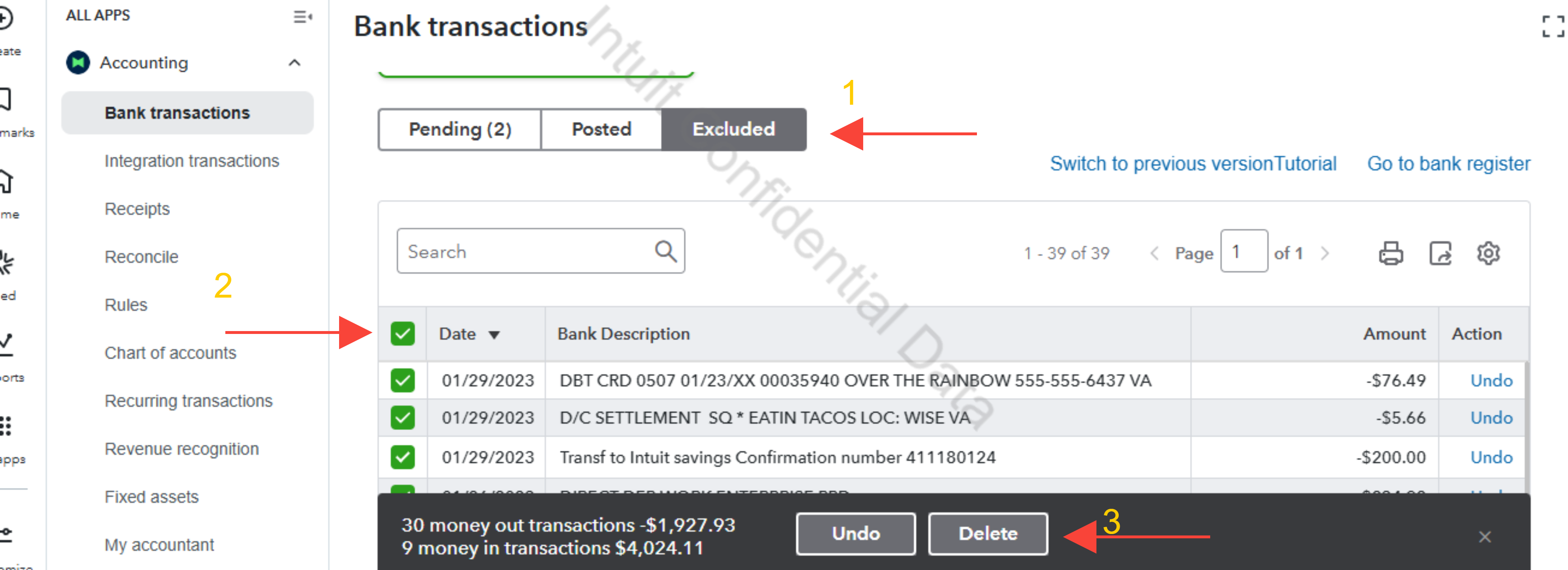
3. Go to Excluded tab.
4. Click on the box and select Delete when prompted.
Please know if these are truly unwanted transactions, if so, then exclude and delete is the right path.
If you have any additional questions, please don’t hesitate to reach out. We're always here to assist you.


