We can review these charges in your account, @mozzyuk2002, to understand the details more clearly.
Consider utilizing the charge look-up charge tool to help you locate and check where these charges came from and why. Enter your billing information in the Look up your charge section.

Alternatively, you can select the More actions dropdown to View Payment history.
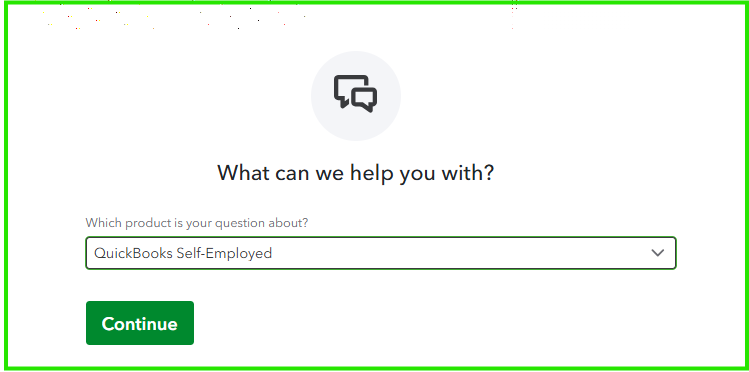
However, if you haven't verified the amount, I recommend contacting our live support team. Our experts have all the tools to securely access your account information, facilitate a screen-sharing session if needed, and offer tailored support to address your specific concerns.
Here's how:
- Visit this link.
- Select QuickBooks Self-Employed.
- Click Continue, then follow the prompts to sign in and connect with an expert.
Refer to this article for our support hours: Get help with QuickBooks products and services.
You can also update your billing information to your QuickBooks Self-Employed subscription at any time.
If you have any further questions about the charges on your account, please leave a comment below. I'm here to help ensure everything is taken care of.


