Turn on suggestions
Auto-suggest helps you quickly narrow down your search results by suggesting possible matches as you type.
Showing results for
why my june, july and august 2025 are not showing in my quickbook transactions
What file format can you download from your bank? csv, pdf or else?
Hi there, Sadia2. Let's team up to find those missing transactions in your QuickBooks Online (QBO) account.
QuickBooks downloads only the transactions after they've officially posted in your bank account. Pending or processing payments won't be imported. Since you're missing transactions from June to August, there are a few possible reasons and solutions we can explore.
First, let's check if your bank connection need a manual refresh. Follow these steps to do it:
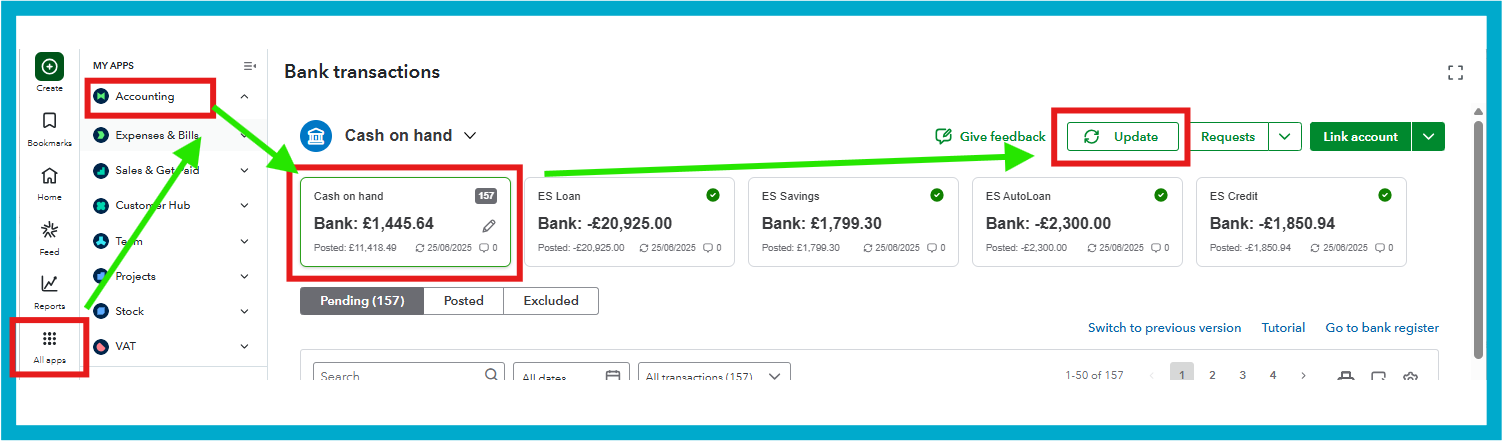
It's also worth checking if your bank is disconnected or if the connection has expired. QuickBooks won't automatically bring in new transactions. We can reconnect the bank and make sure to select the correct date range, or reconfirm the consent so QuickBooks can resume pulling transactions.
Transactions from the time of disconnection may not be imported automatically but can still be recovered during the reconnection process. You can find the detailed steps in Step 3 of the article: Connect your bank or credit card to QuickBooks.
On top of that, once your bank connection is refreshed or reconnected, review the Pending, Posted, and Excluded tabs in your bank feed.
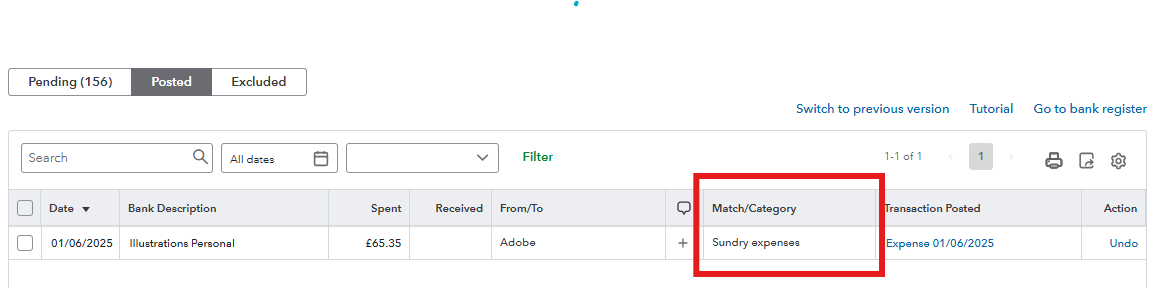
In the Pending tab, newly downloaded transactions are here. Assign them to an account to add them to your books. From the Posted tab, transactions already added appear here. Check the Match/Category column to confirm the account they're assigned to. If incorrect, unmatch and reassign. Duplicates or personal transactions are listed in the Excluded tab. To include one, click Undo, then categorise it in the Pending tab. I've added a screenshot for visual reference below: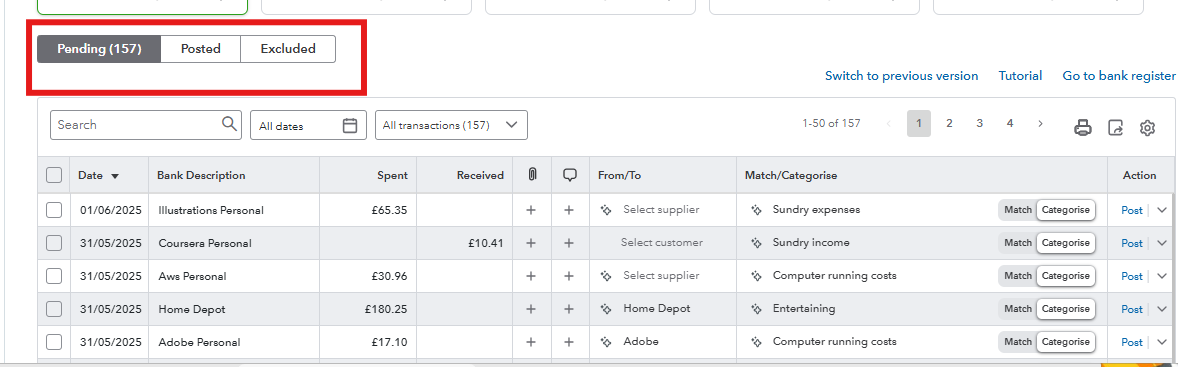
For additional guidance, I recommend referring to the article How to Find and Fix bank transactions in QuickBooks. It explains common reasons for missing transactions and provides ways to recover them.
If any step feels unclear, feel free to ask by replying to this thread. We'll get this sorted out in no time.


You have clicked a link to a site outside of the QuickBooks or ProFile Communities. By clicking "Continue", you will leave the community and be taken to that site instead.


