I can help you with changing your email address to the right one, @-whitchurchbookk.
You can go to the profile icon to change or update the email address associated with your account.
Follow the steps below:
- Go to your profile icon next to the Gear icon (⚙).
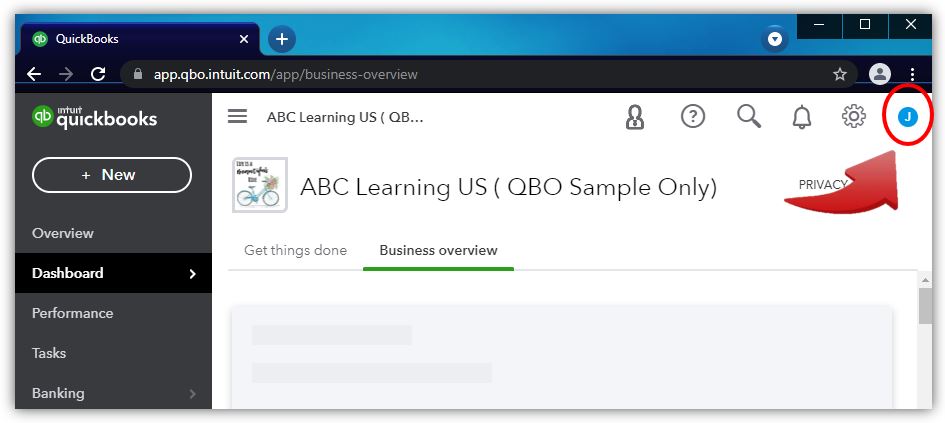
- Click on the Manage your Intuit Account to open the Intuit Account Manager.
- Select the Sign-in & security menu and click the Email Address section.
- Make your changes.
- When you're done, select Save.
You can refer to this article for more information about updating your email address: Change company name, address, email address, or CRN. This will also guide you in updating other information related to your account.
Here are some video tutorials that can help you get started with QuickBooks Online: Video tutorials for QuickBooks Online.
I'm always here if you need help updating your email address. Just let me know by leaving a reply below. Take care and have a great rest of the day!


