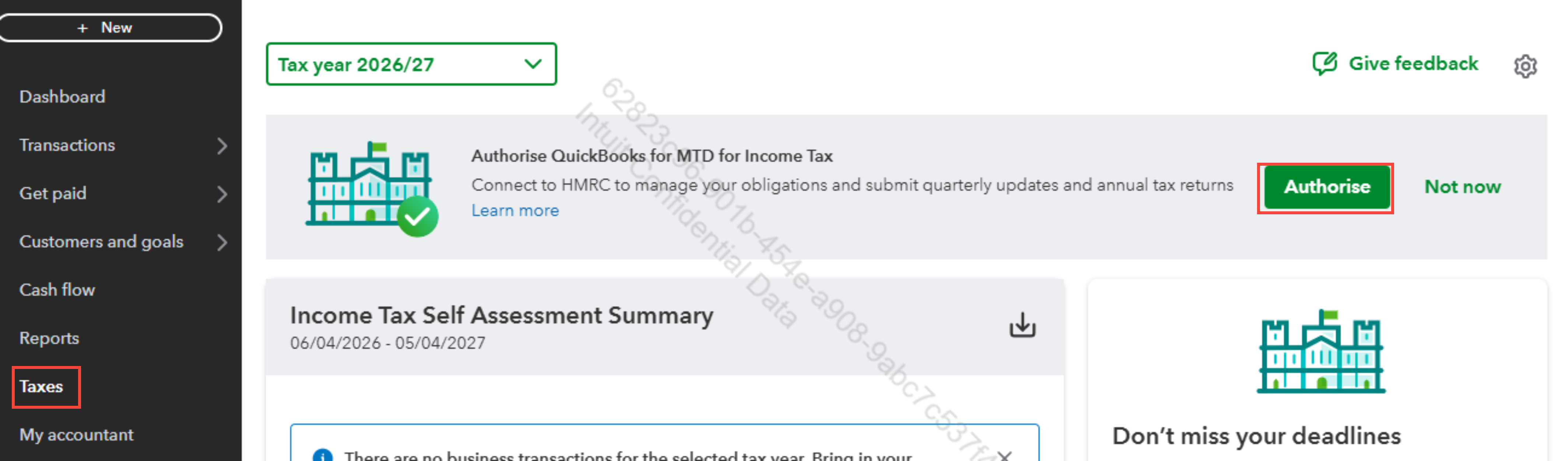
Hello there, Ross. To connect QuickBooks to HMRC, start by navigating to the Taxes menu.
Before you proceed, make sure that your VAT is configured correctly and that your VAT registration number matches the records held by HMRC. This ensures that you avoid any errors when connecting to Making Tax Digital (MTD).
Check your eligibility for the VAT scheme, as QuickBooks supports MTD for Standard, Cash, and Flat Rate VAT schemes. Please note that businesses using a non-GBP home currency or unsupported VAT schemes cannot utilize MTD in QuickBooks.
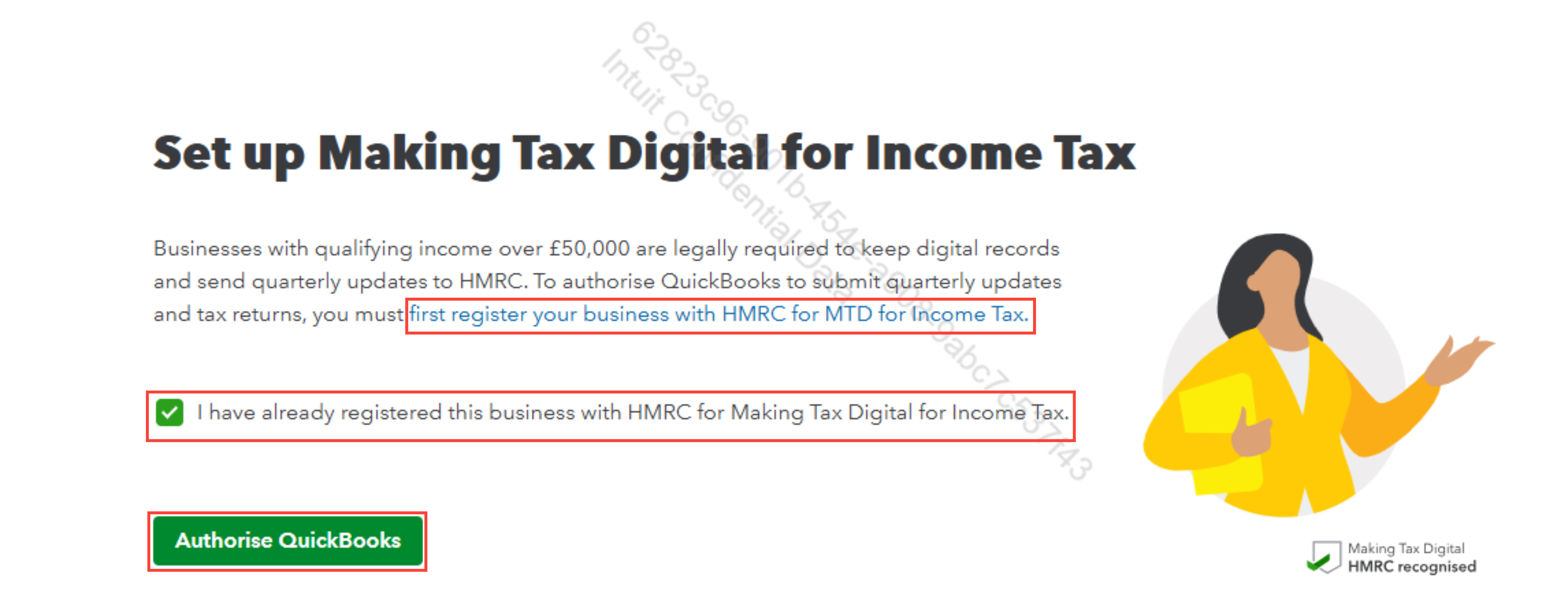
Once you're ready, go to the Taxes menu and click on Authorize. Make sure to check the box that states, "I have already registered this business with HMRC for Making Tax Digital for Income Tax." Keep in mind that you must first register your business with HMRC for MTD for Income Tax.
After successfully connecting QuickBooks to HMRC for Making Tax Digital (MTD), you will see a confirmation message indicating that the authorization was successful or that you are now connected to HMRC.
If you're having trouble connecting from QuickBooks to HMRC for Making Tax Digital, refer to our guide on Troubleshooting MTD issues for step-by-step solutions.
If you have any questions, feel free to ask.


