LIMITED TIME OFFER get 90% off for 6 months
cancel
Showing results for 
Search instead for 
Did you mean: 
Announcements
Everything you need to know about connecting your bank and credit cards in QuickBooks Online
info2217
Level 1

a payment of £80 that I linked an invoice to split into 2 different payments of £40 both linked to the same invoice. Deleted the invoice but they are still linked?

So I received a payment of £80 which £40 is income and £40 is a mistake. I split this into two £40 payments using the split option and tried to link one payment to an outstanding invoice which came up with an error, would not let me link it. I then undone the split back to one payment, and tried to link the invoice of £40 to the one £80 payment. This linked two separate £40 payments to the exact same invoice which still showed as unpaid. I then deleted the invoice and the payments are still showing as linked on my transaction list and when I press to view the invoice I get an error message.

1 REPLY 1
JamaicaA
QuickBooks Team

a payment of £80 that I linked an invoice to split into 2 different payments of £40 both linked to the same invoice. Deleted the invoice but they are still linked?

Thanks for dropping by and elaborating on your concerns, info2217. I have some clarifications to provide regarding the duplicate payments associated with the deleted invoice.


The payment (£80) shows twice on the Bank transactions when applying to the Invoice (£40) because of the balance left (£40). That's why both transactions will show as linked to the same invoice.
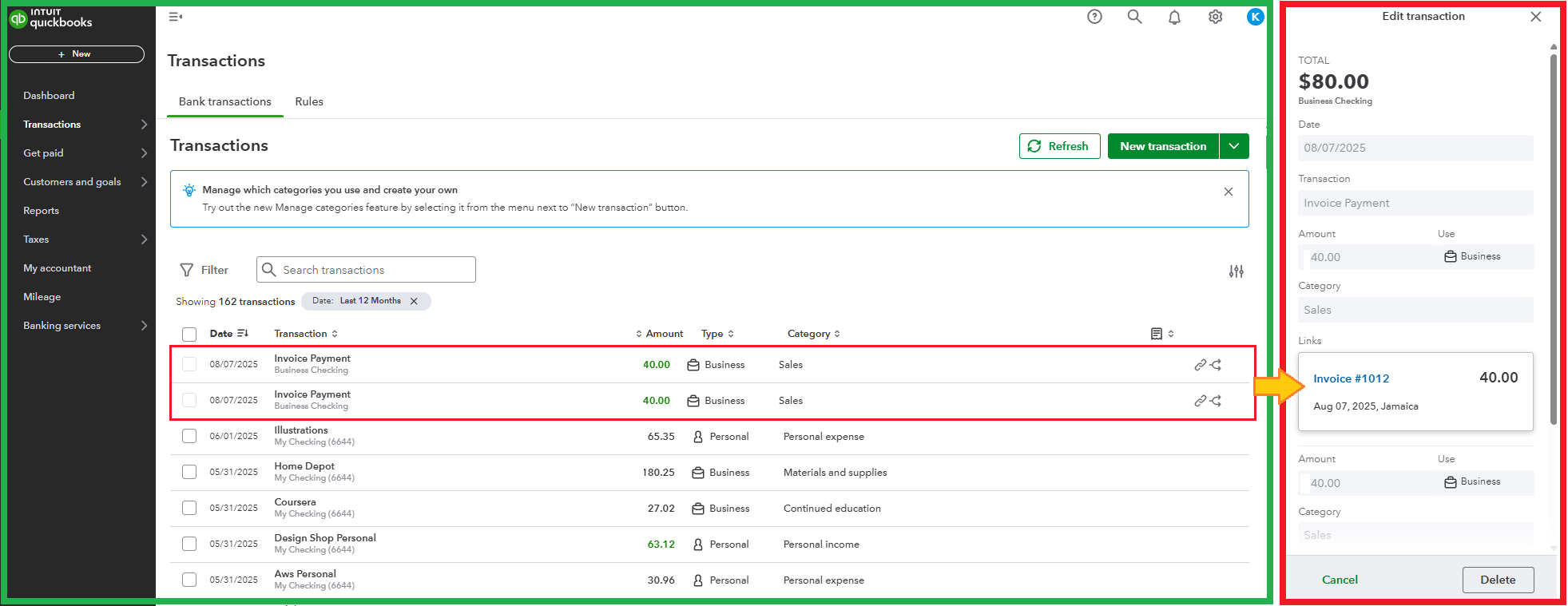
 

Once you delete the Invoice, the payment on your Bank transactions should display the whole amount (£80). If not, please reload the page to reflect the changes.
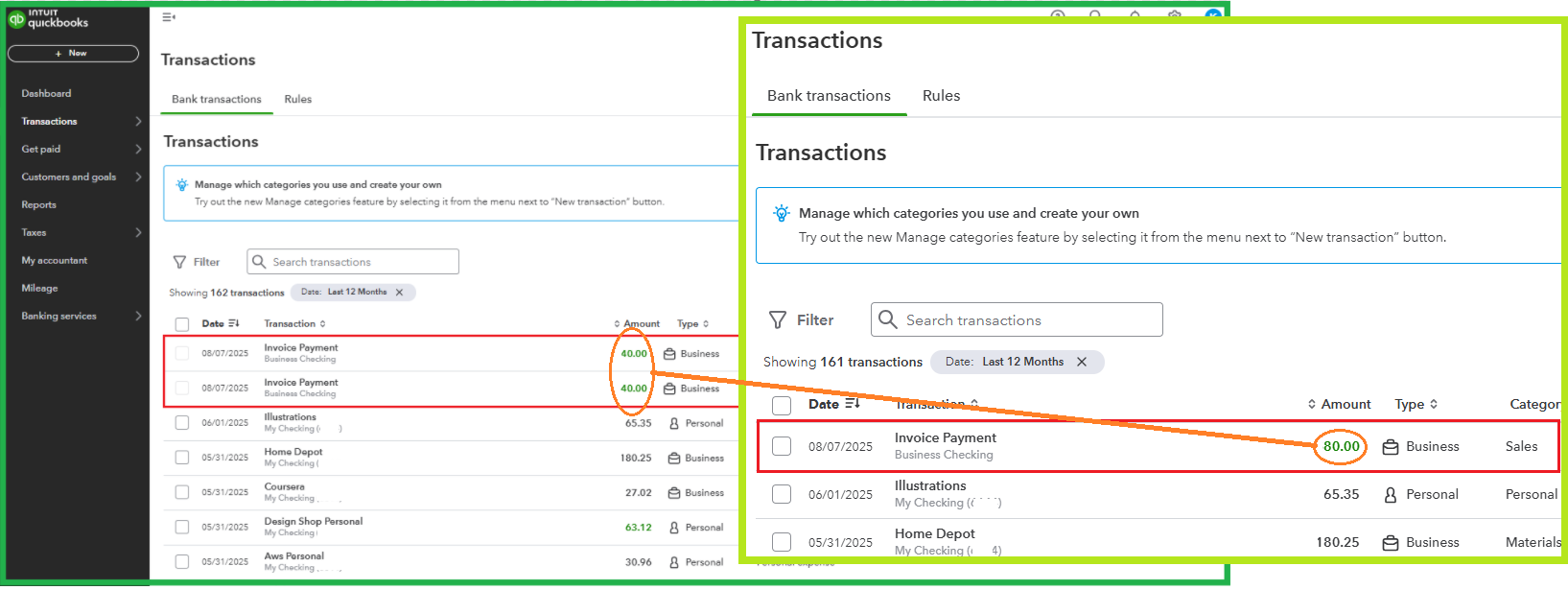
 

Since the outstanding invoice is £40, the remaining amount (£40) will serve as a credit for your customer. You can use this for the next one. Picture this: the first half payment is for the initial invoice, and the second half payment is for the future invoice.


Here's a reference to learn how to void, edit, or delete settlements: Record invoice payments in QuickBooks.


Return to this post if you have other questions about managing invoices or customer overpayment. We'll be here, ready to help you.

Need to get in touch?

Contact us
