To remove or disconnect your connected bank account from your QuickBooks, info2158, we can facilitate the process of unlinking your bank account. Allow me to guide you through the steps to accomplish this.
Here's how:
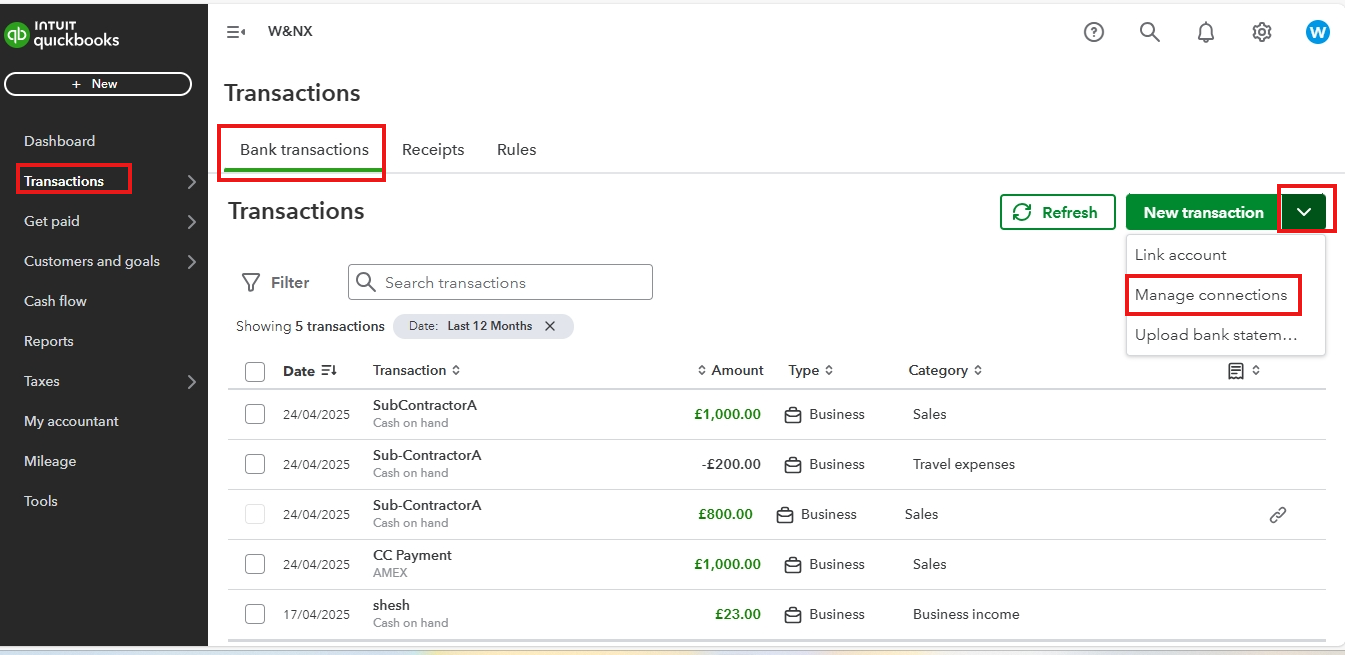
1. Navigate to Transactions and choose Bank Transactions.
2. From the New transactions dropdown, select Manage connections.
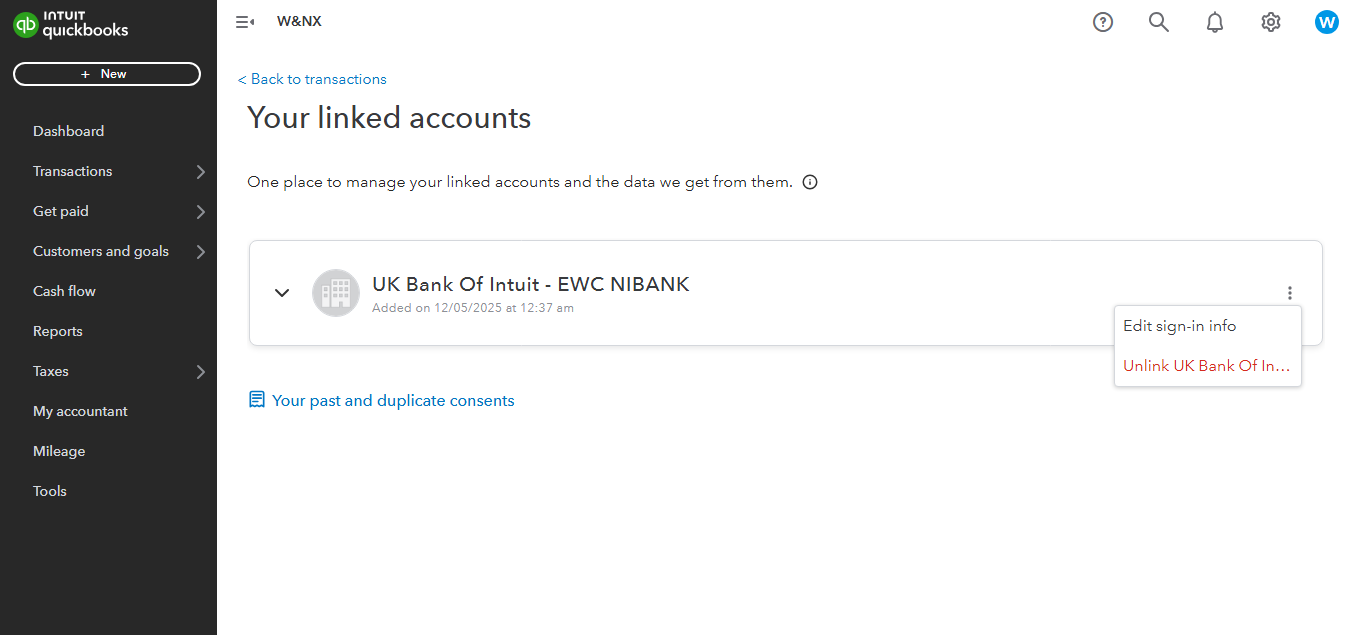
3. To disconnect your bank account, click on the vertical ellipses icon next to the account and select Unlink.
4. Confirm by selecting Unlink now.
If your concern about deleting bank details involves something other than disconnecting a bank account, could you please provide more information?
It's important to understand the difference between disconnecting and deleting an account connected to online banking.
Here’s a brief explanation:
Disconnecting an account:
- QuickBooks will stop downloading new transactions from your bank or credit card.
- Your existing accounting data and transactions remain unchanged.
- You can reconnect the account at any time to resume downloading transactions.
- QuickBooks will delete any transactions that haven’t been categorized in the 'For Review' tab.
- This allows you to temporarily stop the flow of transactions without losing historical data or affecting your existing records.
Additionally, for a more detailed understanding of when to disconnect versus when to delete an account to keep your books accurate and up-to-date, please check out this article: Disconnect accounts connected to online banking in QuickBooks.
For future reference, if you want to reconnect your bank account to QuickBooks, check out this resource: Connect bank and credit card accounts to QuickBooks.
If you have further questions pertaining your bank account, please don't hesitate to ask here in the Community. We'll provide continuous assistance. Have a nice day ahead.


