Currently, there are limited options available in QuickBooks Self-Employed, minimishka.
QuickBooks Self-Employed offers basic tools for essential tasks such as tracking income and expenses, invoicing clients, managing taxes, and tracking mileage. These features are ideal for individuals who do not require the complex functions found in accounting software meant for larger businesses.
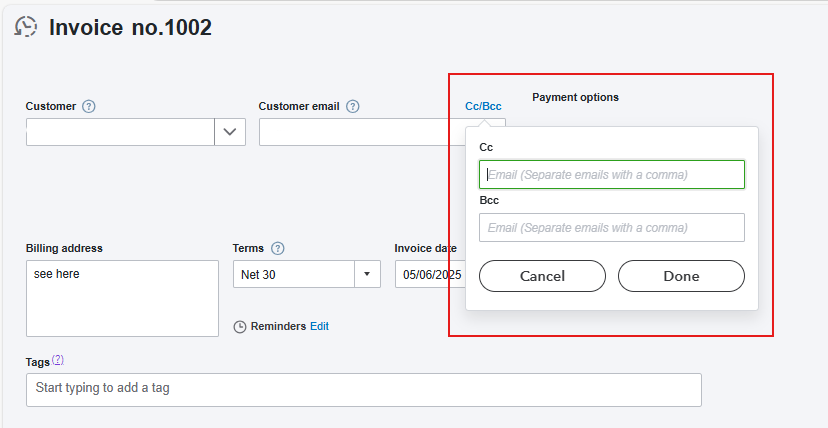
Moving forward, you can add Cc and Bcc when you send an invoice to your clients. Using Cc and Bcc is crucial for clear communication. Cc keeps important people updated, while BCC keeps email addresses private and looks more professional.
You can visit this article to learn more about recording and entering expense receipts in QuickBooks Self-Employed. If you take a picture, QuickBooks can record new transactions from images of physical receipts.
For more clarifications and concerns, you can save this thread below, and our Community Forum is eager to assist.


