Hello there, Adele.
Currently, QuickBooks Online (QBO) doesn't offer a built-in report specifically designed for CIS deductions that displays all the detailed columns by supplier invoice.
However, you can generate the report you need by using the Transaction Detail by Account report and applying specific filters. Here's how:
- Go to the Reports menu, type Transaction Detail by Account in the search bar.
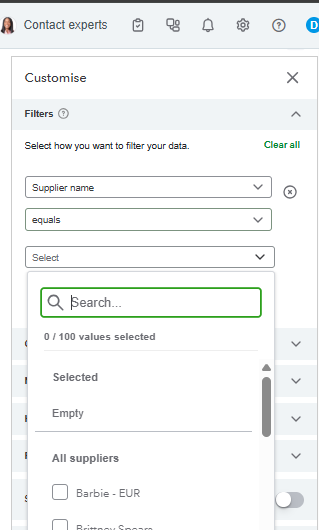
- Click Customise, then select Filter.
- Choose Supplier Name in the first box.
- Select Equals in the second box.
- Pick the specific suppliers who are subcontractors from the list in the third box.
Once the report displays the required details, you can either save the report by clicking Save As or export it for further formatting in excel.
After exporting both reports to excel, you can combine them. Match the data by invoice to organize CIS deductions with related details. Use Excel tools to sort, filter, and create a clear and detailed statement.
If you have any additional concerns or further assistance, please feel free to leave your response below.


