Hi Sarah,
Welcome aboard to the Community space! I know how important it is to recover things that were deleted in QuickBooks Online (QBO). I’m here to help you with that.
When you mention that something was deleted, are you referring to a transaction in QBO? If so, please note that once a transaction is deleted, it cannot be restored. However, you can use the Audit log to view the details of the deleted transaction and manually re-enter it.
Here is how to locate the details of a deleted transaction using the Audit log:
- Navigate to the Gear icon, then select Audit log.
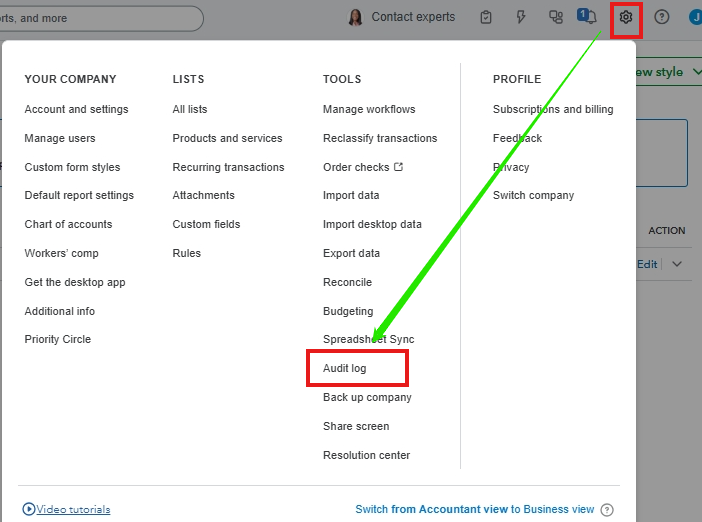
- Select the appropriate user, date, and event(s) filter.
- Locate the deleted transaction.
- Under the History column, select View.

- Find all the information for the transaction.
- Recreate the transaction with its original transaction date using the information from the Audit log.
However, if you are referring to something else, could you please provide more details so we can offer you a more specific response? You may also include screenshots for better clarity. Any additional information will be greatly appreciated.
We're looking forward to hearing from you. Please feel free to use the Reply button to share any additional details, as this will help us better understand and provide a more focused response. Thank you!


