Hello there, Ross. I understand that it is important to pull a report that has all the transaction details you need. Can I ask which summary class report you pulled up that doesn’t show the class hierarchy you’ve created? Knowing this will help me provide a better solution for you.
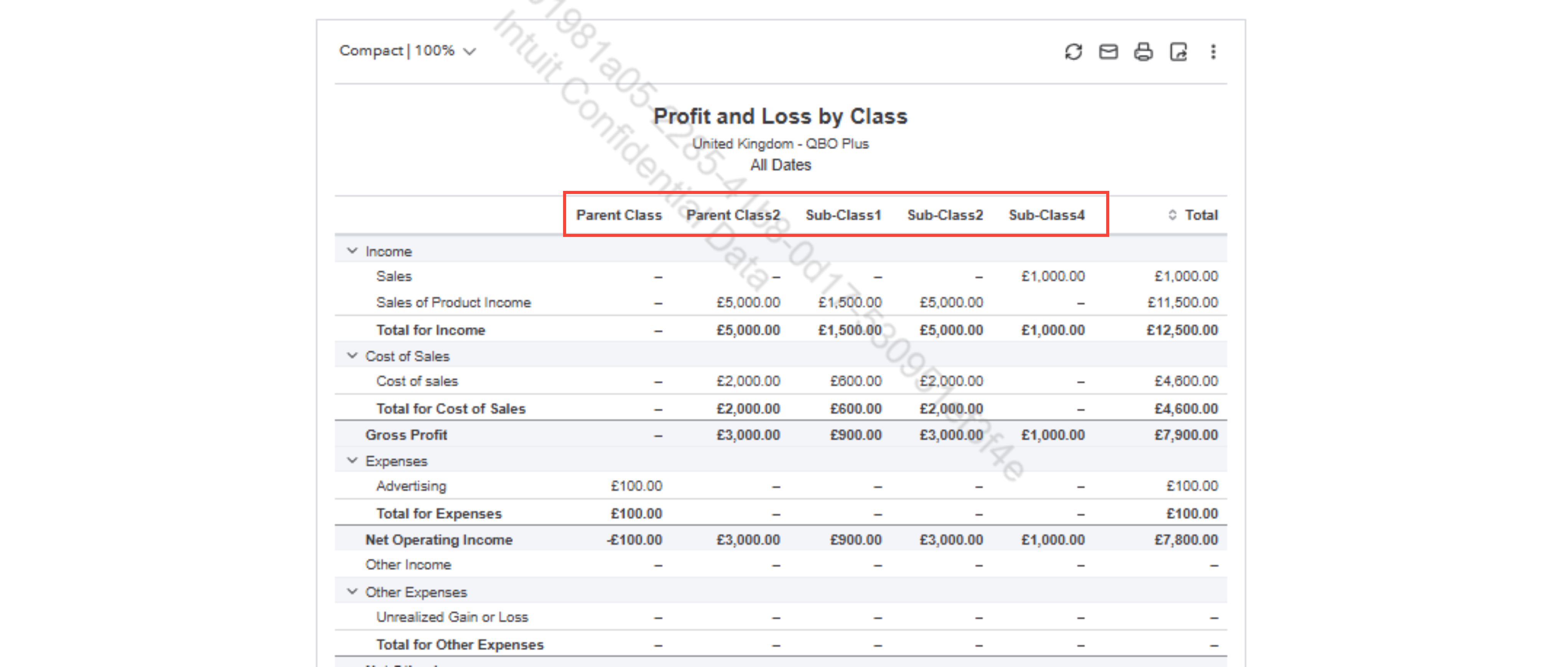
If you happen to pull up the Profit and Loss by Class, you can customize the report to see the two summary classes with all the sub-classes included. Here is how:
- Go to Reports.
- Search for Profit and Loss by Class.
- Click the Customize button on the upper right.
- Under Filters, follow these:
- Class.
- equals (including sub-classes).
- Tick the boxes for the two parent classes you created.
- Click anywhere on the screen to save the changes.
- Edit the Report period to All Dates.
This report will display both the parent classes and their sub-classes.
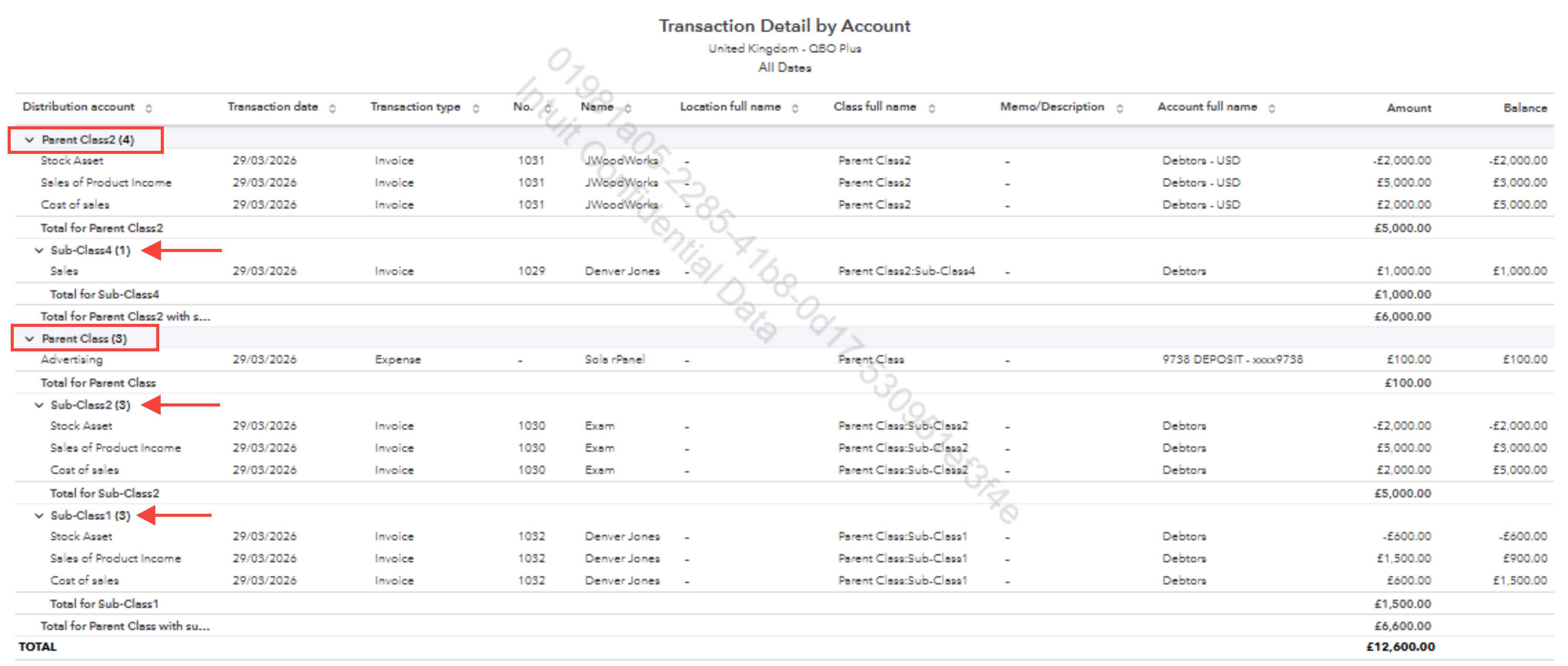
You may also consider pulling up the Transaction Detail by Account report, which also shows both parent and sub-classes. Here is how:
- Pull up the Transaction Detail by Account report.
- Click Customize on the upper right.
- In the Filters section, follow these:
- Class.
- equals (including sub-classes).
- Tick the boxes for the two parent classes you created.
- Scroll down and click the Groups dropdown.
- In Group by dropdown, select Class (with sub-classes).
- Change the Report period if needed.
This will show both the parent classes with their sub-classes indented below them for a clearer report.
If you have more questions or need clarification, just let us know. We’re here to help.


