Hello there, SwannySnr.
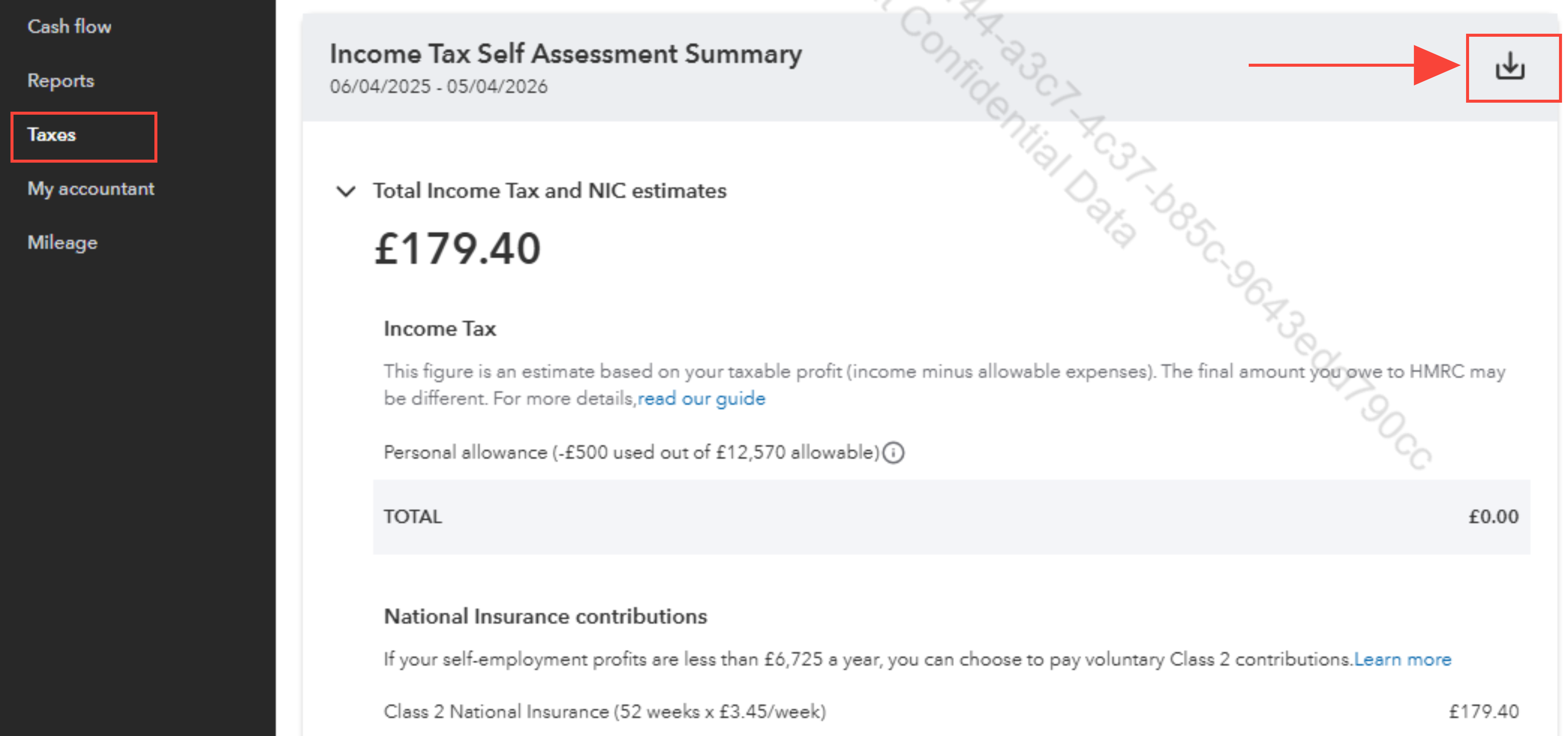
In QB Solopreneur, the Income Tax Self Assessment Summary normally follows the UK tax year, which runs from April 6th to April 5th of the following year.
Changing the year start date to April 1st in the settings will not affect this report, as it is designed to align with the official tax year dates.
As a workaround, I suggest creating a custom report based on your desired date range to ensure that the data starts from April 1st.
Here's how to do it:
- Go to Taxes in the left menu.
- Download the Income Tax Self Assessment Summary report.
- After downloading the report to Excel.
- Customize the report to your desired date range.
Please don't hesitate to drop a comment below if you have any other questions.


