You can update the form name from Estimate to Quotation, info2274.
Keep in mind that while the form will display as "Quotation" on the PDF sent to customers, it will still be recorded as "Estimate" in QuickBooks Online for tracking purposes.
Here’s how you can make the change:
- Click the Gear icon and select Custom form styles.
- Either click the New style dropdown to create a new template or choose an existing estimate template to modify.

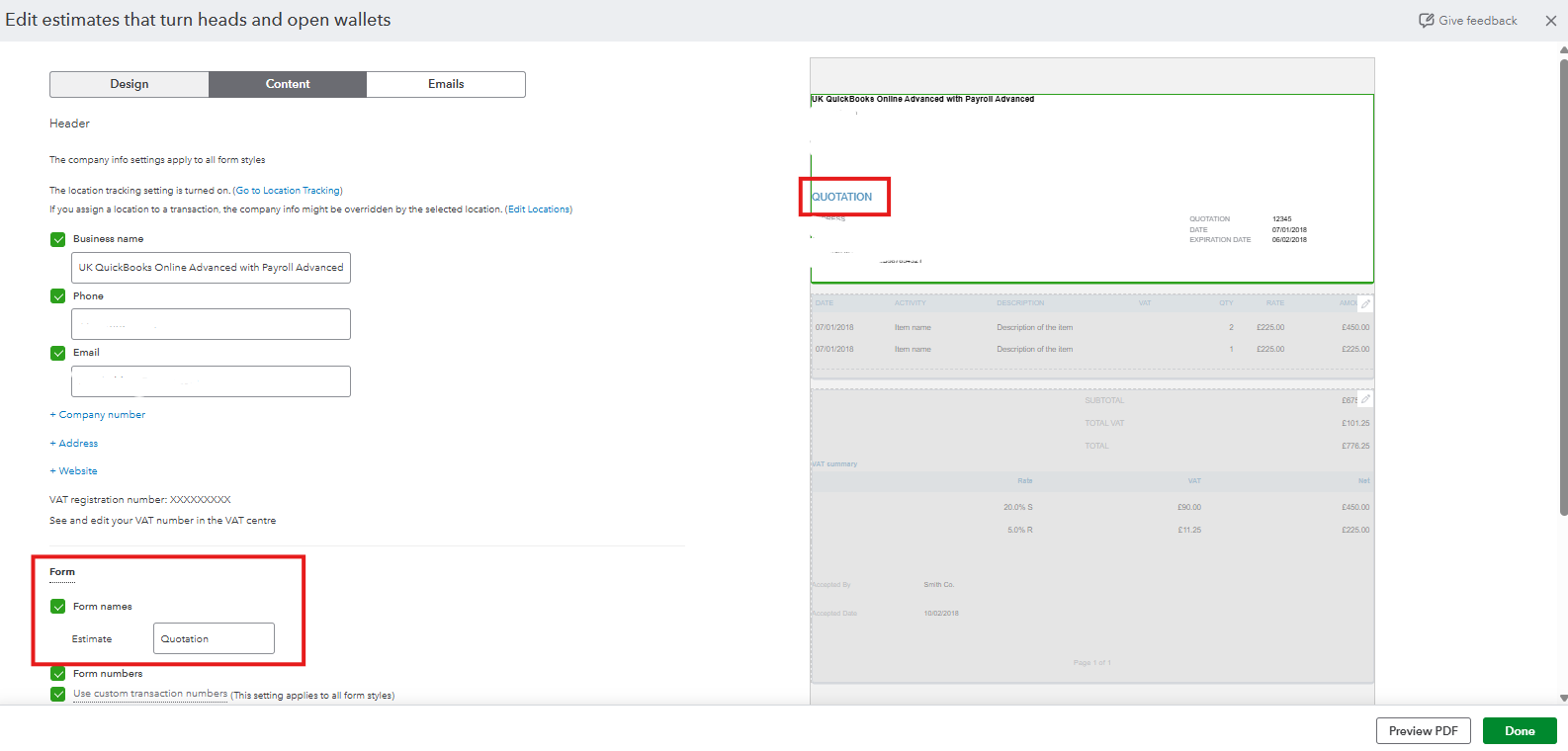
- In the Content column, click the first section (the header tile).
- In the Form names section, enter Quotation in the designated box.
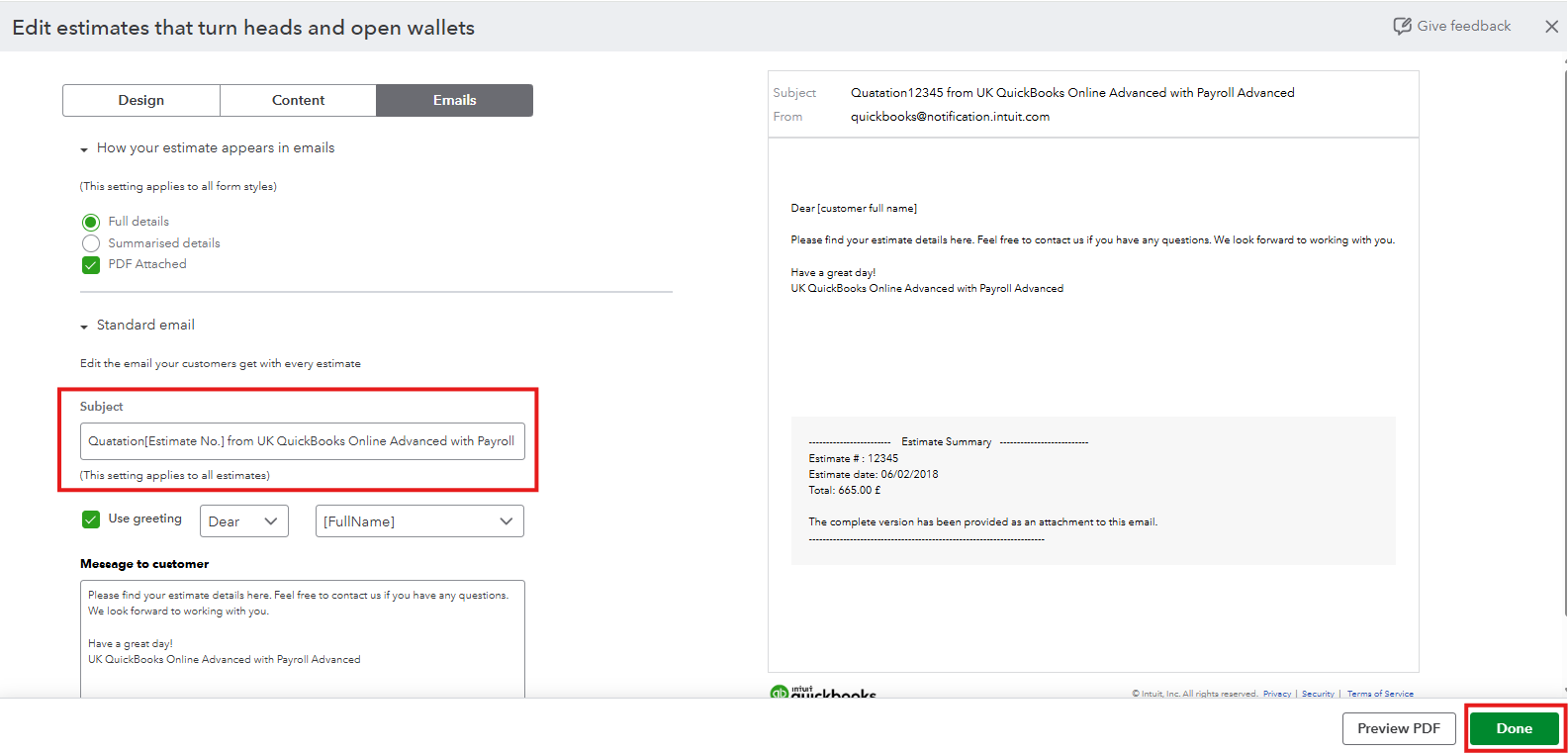
- If you plan to email the estimate, you can also customise the subject line by replacing Estimate with Quotation. However, note that the subject must still include the word Estimate for system recognition.
- Click Done to save your changes.
- If needed, you can set this template as your default.
For detailed instructions on personalizing your sales forms, check out this guide: Customise invoices, estimates, and sales receipts in QuickBooks.
If you have any other questions about managing your estimates or customising forms in QuickBooks, feel free to reply to this thread. I’m here to help.


