Hi there, Liam. Currently, unique notifications can only be set for individual members, as it isn't possible to configure them for an entire group at once in QuickBooks Time.
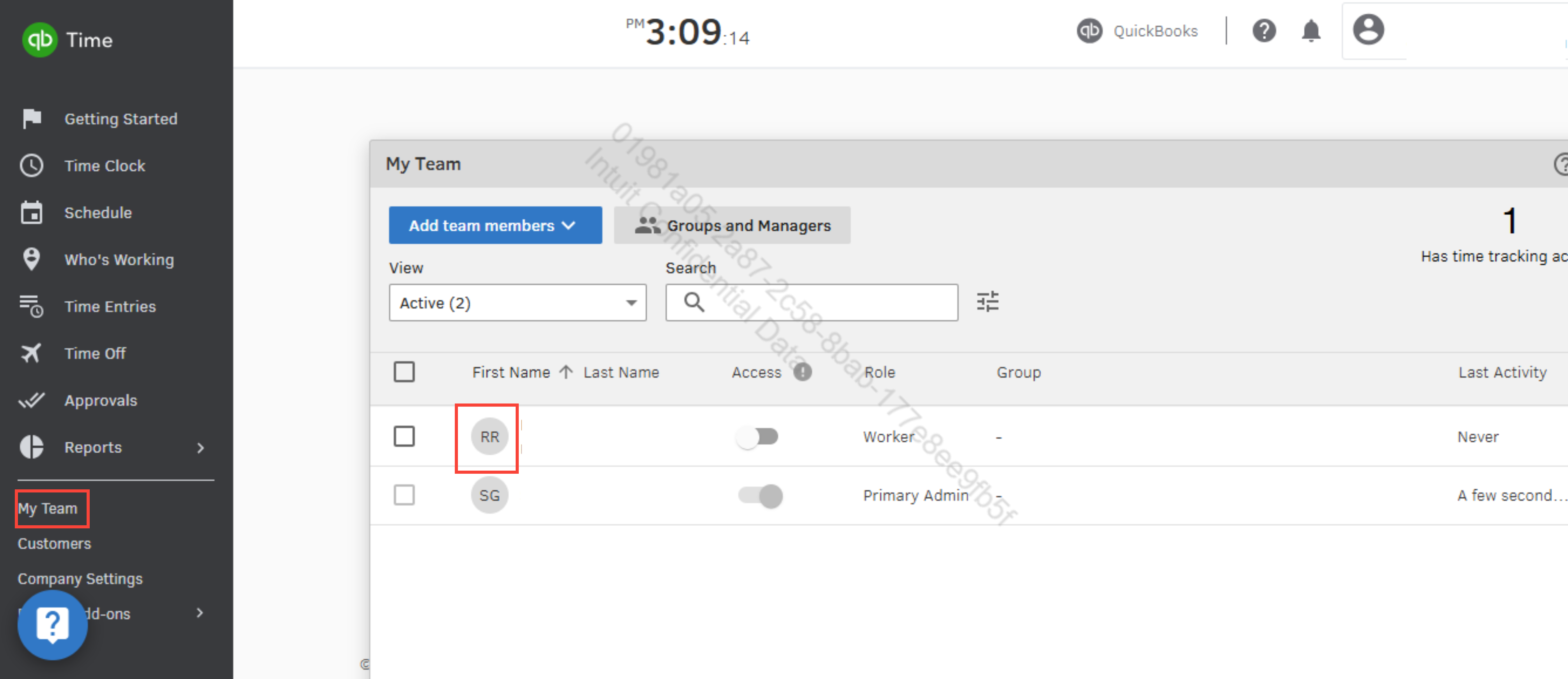
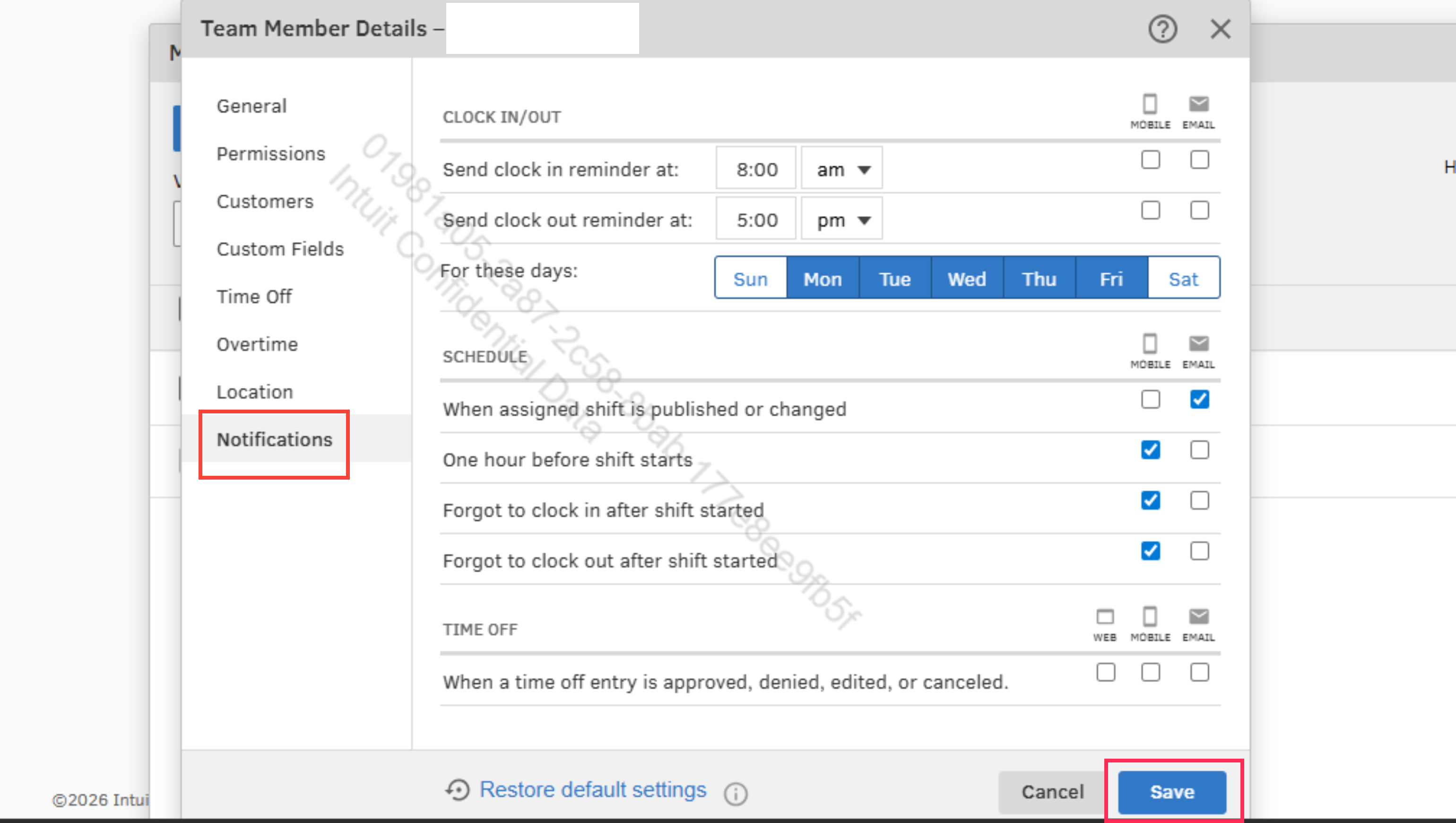
To set this up, go to My Team in the left corner of your screen and select the specific employees you wish to prioritize. From there, click Notifications and check the boxes for the alerts you want to receive.
For more information on managing your schedules, please refer to this article: Manage schedule notifications and permissions in QuickBooks Time.
If you have any additional concerns, please reach out to us again. We’re always here to help.


