Hi there, @service62.
Currently, the QuickBooks Online (QBO) app does not include the option to create and send customer statements directly.
However, you can create a statement by using the web browser on your phone. Here's how:
- Go to All Apps and select Customer Hub. Then, choose the Customers option.

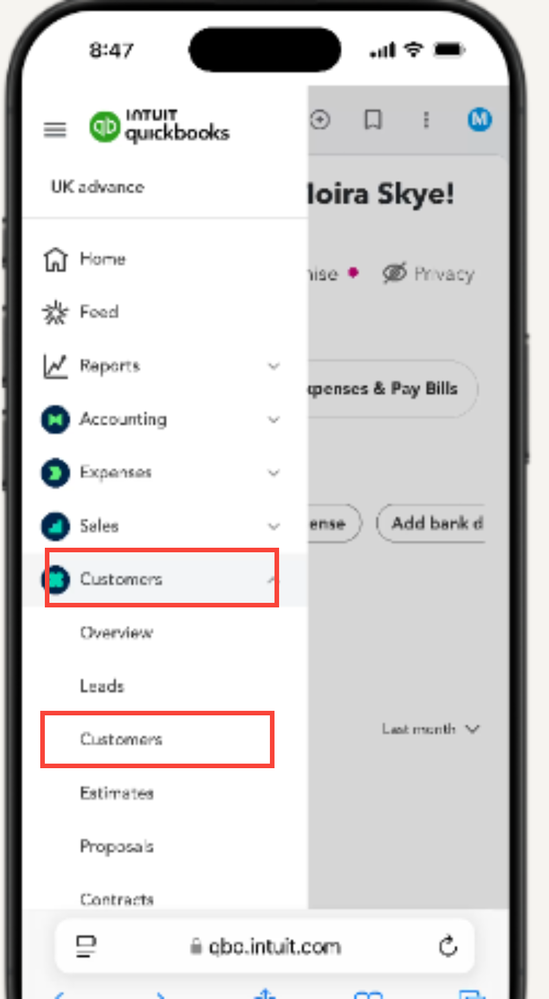
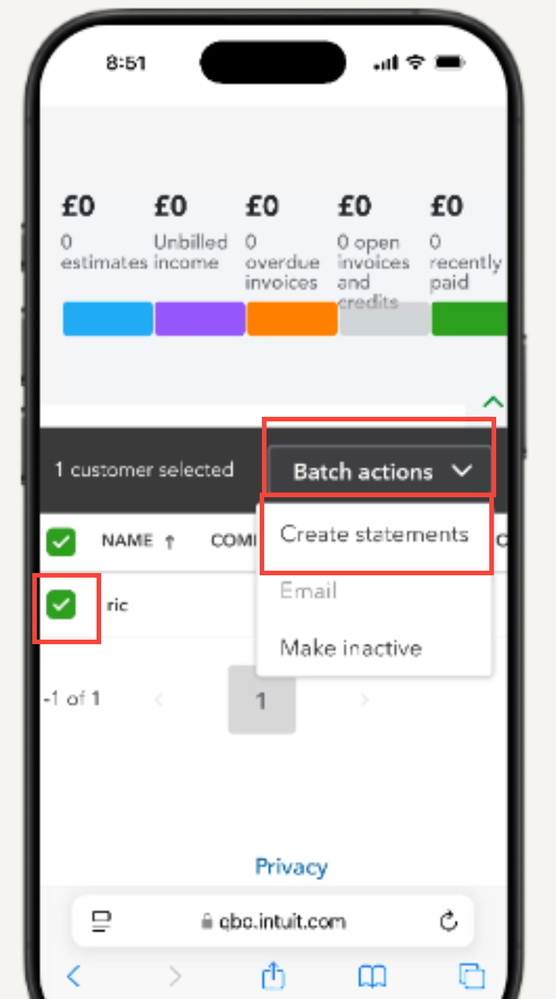
- Mark the checkbox next to each customer to whom you want to send a statement.
- Select Batch Action, then choose Statement.
- Choose the type of statement you wish to create.
- Set the Start Date and End Date. Note: Customers who do not qualify for a statement of the selected type within this date range will not be included.
- Confirm the customer's email address.
- Click Save and Send.
- Review the statement and click Send.
For more information on creating and sending your customer statements, please refer to this article: Create and send customer statements in QuickBooks Online.
If you have additional concern, please reply to this post.


