Yes, you can, eastcheshire.
In QuickBooks Online, you can activate the Email me a copy feature to automatically email you a copy of all sent invoices. I'd be glad to walk you through the steps on how to accomplish this. Here's how:
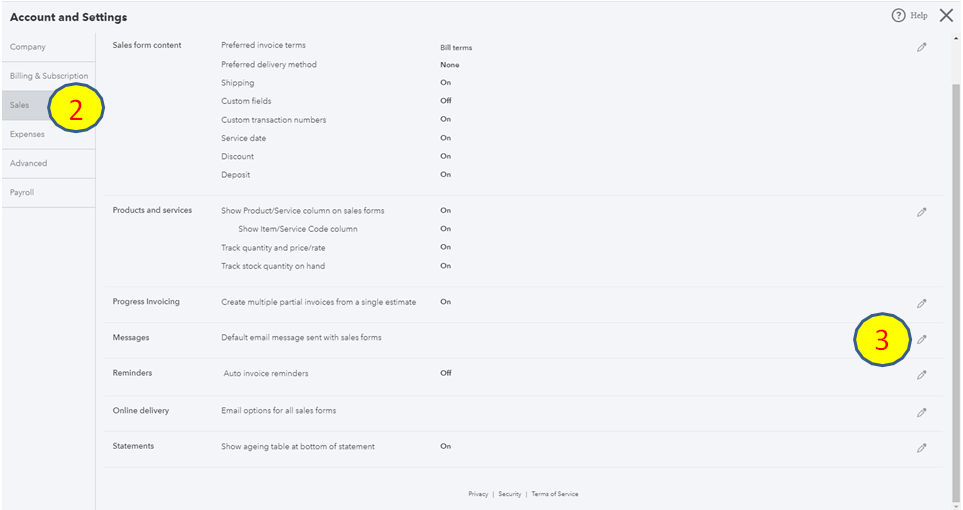
- Click the Settings icon and choose Account and Settings.

- Select the Sales tab on the left panel.
- In the Messages section, click the Edit (pencil) icon.
- Put a checkmark in the Email me a copy at.
- Enter the email address in the Copy (CC) new invoices to address or Blind Copy (Bcc) new invoices to address field.
- Click Save, then Done.

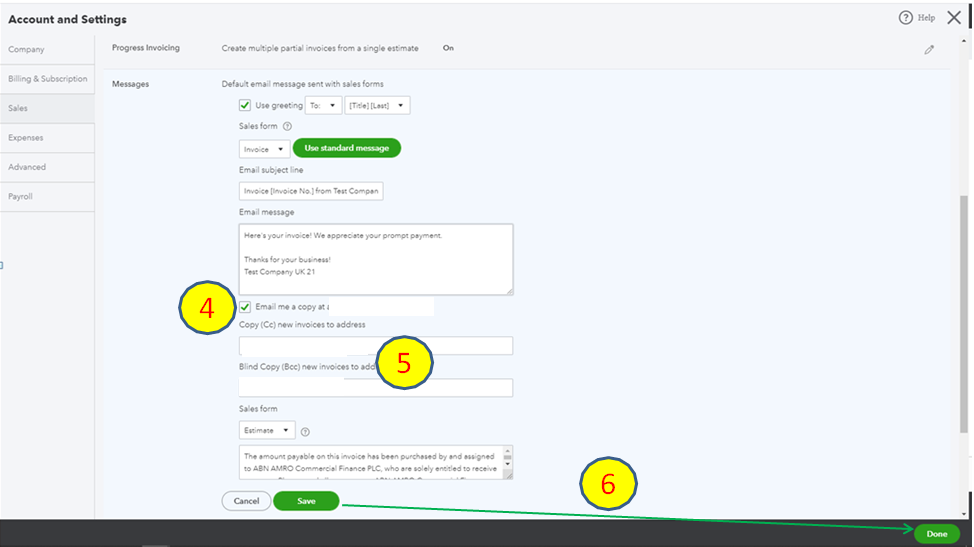
Using the steps above, you'll be able to get a copy every time you send your customer's invoice.
You can learn additional information by going through this article: How to schedule recurring invoices
That's it! Please let me know if you need anything else. I'll be more than happy to help you out.


