We can review their books, run essential reports, and file tax returns to prepare for the new fiscal year, Graham27.
Changing your fiscal year or the start of your financial year will adjust the reporting dates in your records. In QuickBooks Online, you can set a custom date range covering September 1, 2024, to March 31, 2025, when running key reports, such as the Profit and Loss or Balance Sheet, to capture all transactions for this shorter period. Once completed, you can start pulling up reports containing transactions for both the previous and current fiscal year.
Next, update the fiscal year settings in QuickBooks. Changing the fiscal year start date will enable QuickBooks to automatically organize future financial periods based on the updated schedule, eliminating the need to manually adjust report dates every time.
Here's how:
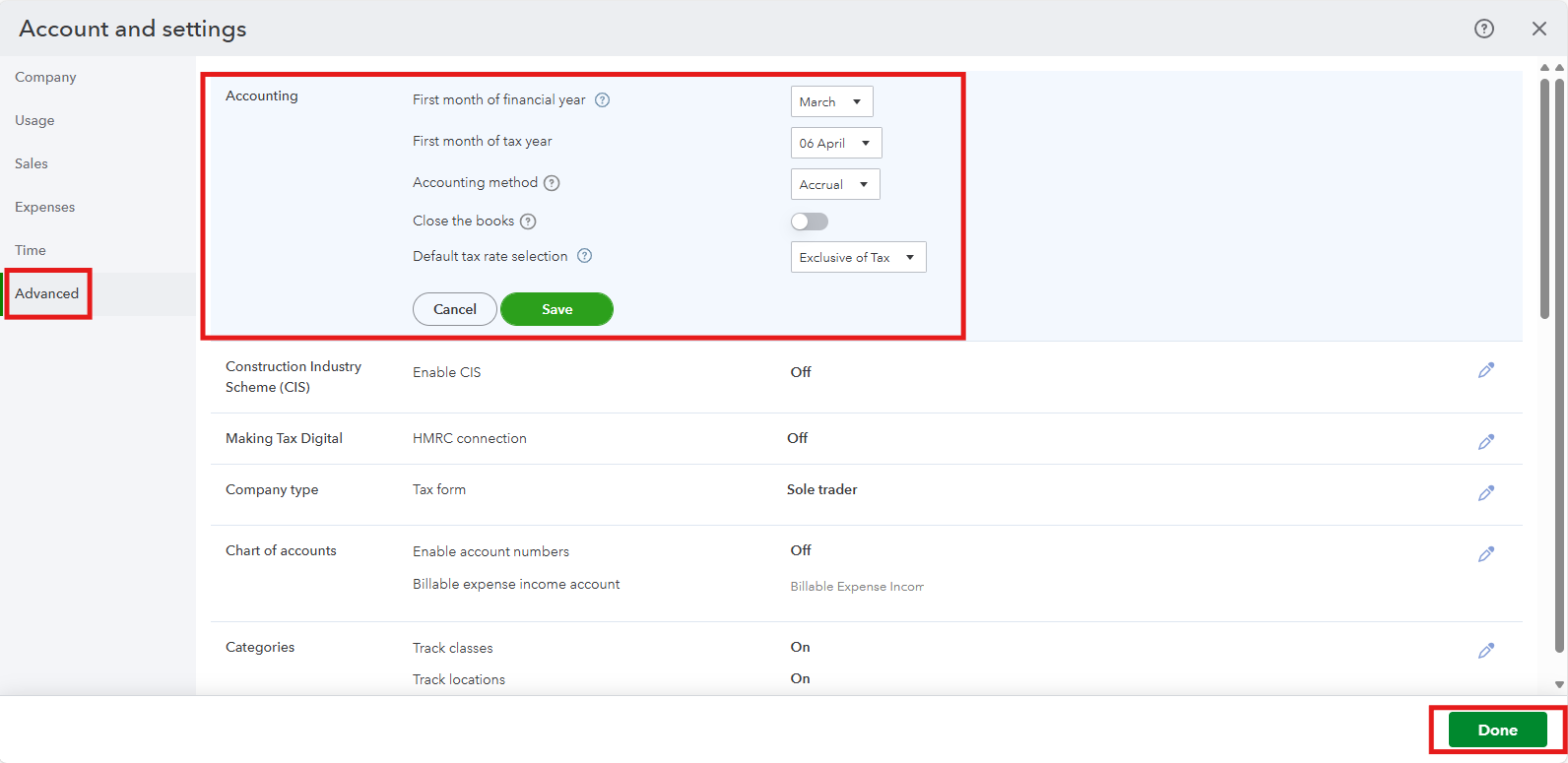
- Click on the Gear icon and choose Accounts and Settings.
- Select the Advanced tab and click on the Accounting section.
- Choose March for the first month of the financial year option.
- Click Save, and then Done.
After updating these settings, proceed with steps 2–10 outlined in this article to ensure your financial transactions are balanced and to finalize preparation for the new financial year: Year-end guide for QuickBooks Online.
While working for a short year, HMRC may require two separate Corporation Tax Returns, one for the previous full year, and one for the shorter accounting period (September to March). You can contact a tax professional to ensure everything’s filed correctly and on time.
Stay in touch if you have follow-up questions. I'll be around to help.


