Thanks for bringing this issue to our attention, Tina. I'm here to help you record your payment in QuickBooks.
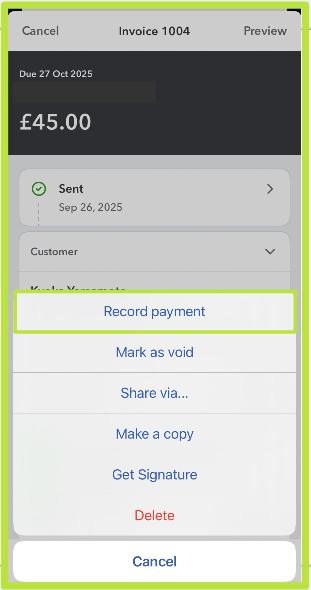
Before we proceed, could you please let me know if you are logging into your Sole Trader account using the mobile app? If so, you can pay your invoices directly through the app by selecting the Record Payment option.
At the same time, please know the Mark as Void option doesn't replace the paid option. Since you want to record a payment, you can follow the steps below to do so
- Log in to your QuickBooks Online mobile app.
- Go to the Menu button, then select Invoices.
- Find and open the invoice.
- Once done, tap the More button and select Record payment.
For visual reference, please see the screenshot below:
If you have other questions, feel free to comment them below.


