Welcome to the Community @9130349290200866.
Thanks for reaching out for help with locating a report that will show hours worked. I know I’d be delighted to have the option to work 9 days in the pay period. I’m sure your team will be happy if you can work it out.
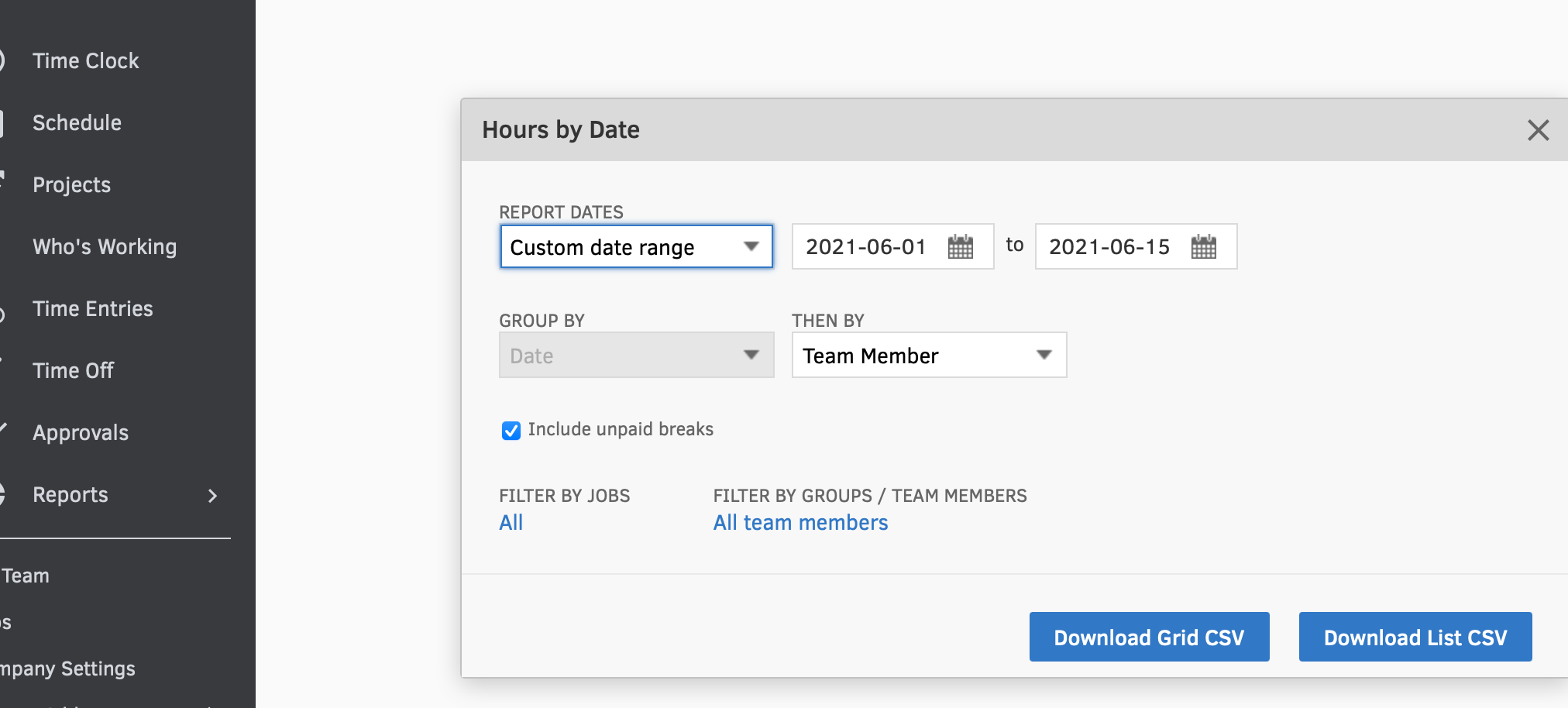
The Hours by date report will give you the information you are looking for. Let me show you how to run it:
- From the Reports menu, choose Tracking.
- Select Hours by date.
- In the REPORT DATES field, choose Custom date range, and enter the appropriate dates.
- Next, in the THEN BY field, make the selection most appropriate.
- Click Download List CSV.
For additional details about tracking time, check out this article: Track and manage time in QuickBooks Time.
Feel free to reach out if you have any additional questions about time reports or anything else. I’d be happy to help any time. I’m just a click away!


