Hello, @drtimrogers.
I understand the importance of having the two paid invoices reflected in your payment lists so that you can successfully reconcile the whole transaction.
First, let's ensure whether both partial payments have been applied to the invoice so that the balance is correct and you can complete the reconciliation. Here's how:
- Go to the All apps and choose Sales & Get Paid.
- Select Invoices.
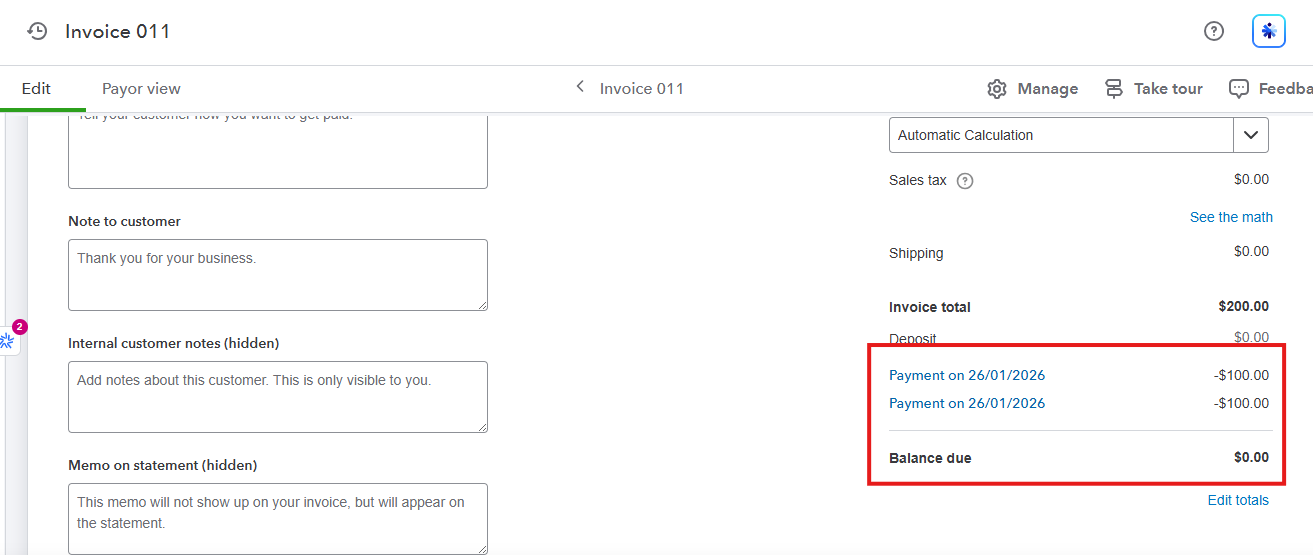
- Click View/Edit, then inspect the linked payments.
- You should see two payment lines with amounts and dates, and the remaining balance should be zero (or the correct outstanding amount).
If the other payment isn’t shown on the invoice and was posted as Accounts Receivable, delete the incorrect transaction on your Sales transactions page, and record the payment again using Receive Payment so it is properly applied to the invoice and can be reconciled.
Let us know if you have further questions, we'll be right here to help you anytime.


