This could be a browser-related issue, helen18, we're stored cache can be the cause of this unusual behavior which interferes with your reports display in QuickBooks Online (QBO).
Beforehand, I'd like to verify which new version of the Profit and Loss report you're referring to. Any additional details can help us get on the same page.
Here's a visual reference comparing the two new versions of the report views in QBO:
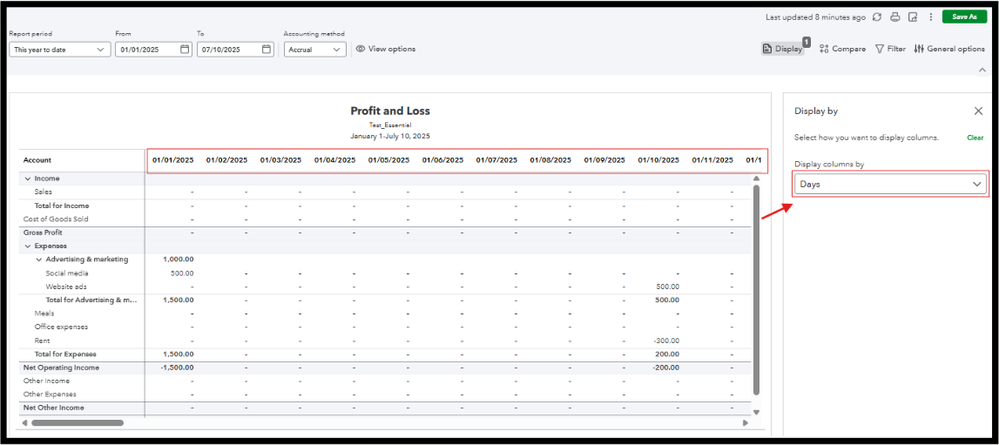

Regardless of these two new displays, the transaction dates remain in order once ensured that you've filtered the report Display columns by and the Report period is set up accurately.
If the issue persists, we can clear your browser's cache and cookies for a fresh start. It can help eliminate unexpected behavior, such as issues with your display preferences. If the problem persists, we can use a different supported browser to narrow down the problem.
I'm more than willing to help if you still have issues with your financial reports in QBO. We'll ensure your needs are taken care of, helen18.


