You don’t need to upload the transaction twice to avoid duplicates, Ellie. Instead, we can split the transaction to separate the amount.
Please note that we can only assign one location per transaction. As a workaround, you can add the location to the Class or Description. Here's how:
- Navigate to Transaction and click receipts.
- In For review tab choose the transaction.
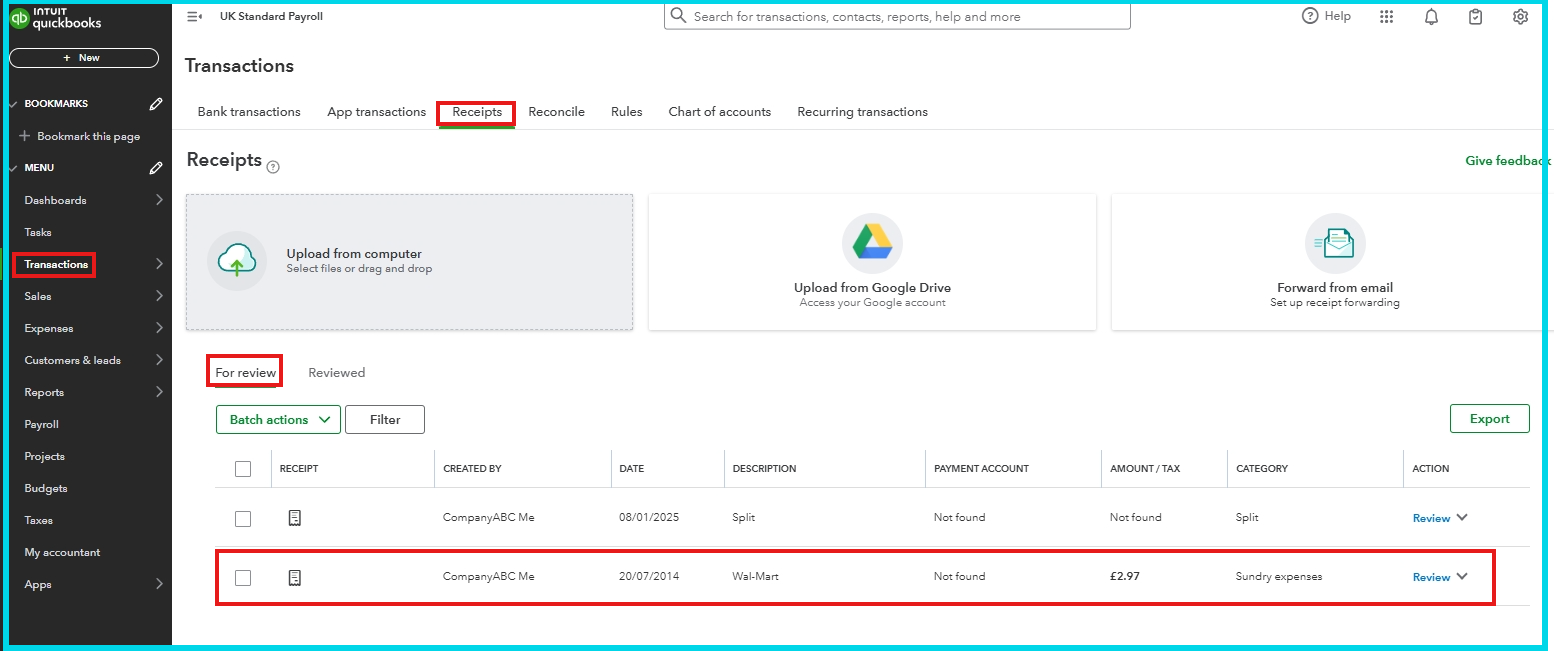
- Click Split Expense.
- Put the location in the Description or Class field. If you are using QuickBooks Plus or Advanced, you can use the Class tracking field.
- Click Save and close.

For more information, visit this article: Upload your receipts and bills to QuickBooks Online.
If you have additional questions, please leave a reply below. The Community is always here for you.


