Yes, you can remove the option to pay the invoices in QuickBooks Online from the Settings page.
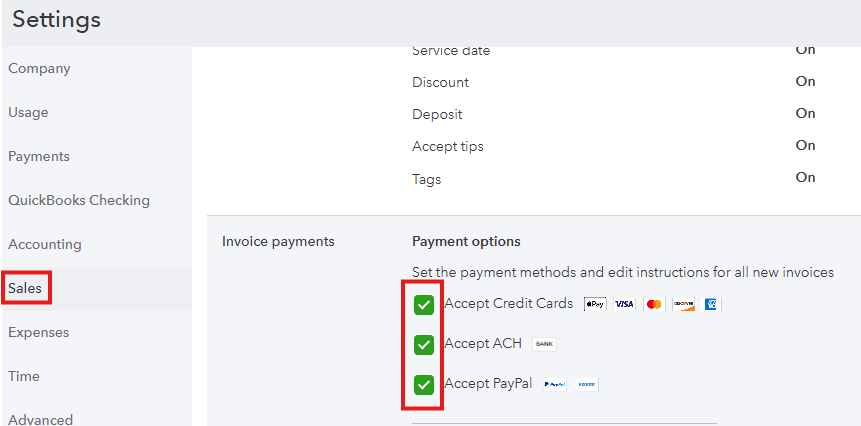
To disable this option for future invoices, click the Gear icon > Account and Settings > Sales > Invoice payments > Pencil icon. From there, uncheck all the payment methods, then click Save and then Done. See the sample screenshot below.
Don't hesitate to comment below if you need further assistance in removing the Pay Now option in invoices.


