Hi, Bincleanersuk. Allow me to share insights regarding the function of the Category column under the Bank transaction page.
Please note that the up/down arrows in the Category column header are a sorting function, not a filter. Sorting rearranges the list of transactions based on the values in the column, either in ascending or descending order.
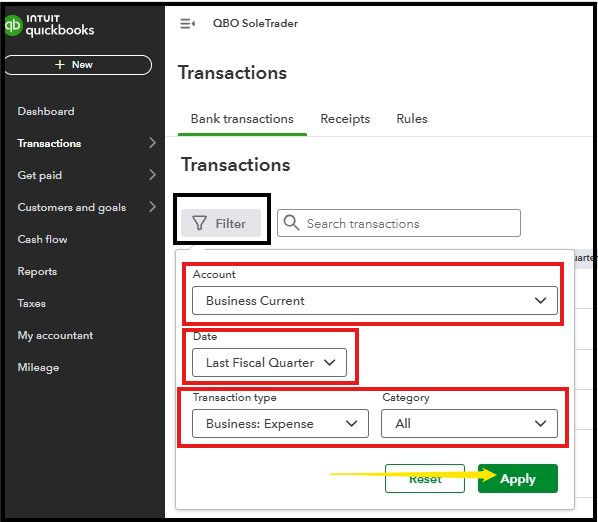
A filter, on the other hand, narrows down the list to show only items that meet specific criteria, such as transactions belonging to a particular category. To filter, select the Filter icon to choose the details you'll want to display.
See this screenshot below for your reference:
Since the up/down arrows in the Category column aren't moving as expected, we can perform troubleshooting steps by logging out and then logging back in to force your browser to load the most recent version of the application.
If the issues persist, try accessing your QBO account using a different supported web browser or incognito mode to help resolve any problems on the page.
If you have any other concerns, please add your response below, Bincleanersuk.


