Hello there, proptech.
I've got ways to ensure that you're able to edit transaction categories in Sole Trader version.
To help you best, may I know if you're trying to rename a category itself, or are you trying to recategorise a transaction, like assign it to a different existing category? Any additional information will be appreciated.
If you're trying to recategorise transactions, you can do this by going to your Banking or Transactions page. From there, you can click the pencil icon next to the transactions you want to change, and select a different category from the Category dropdown menu.
You can refer to this screenshot below:
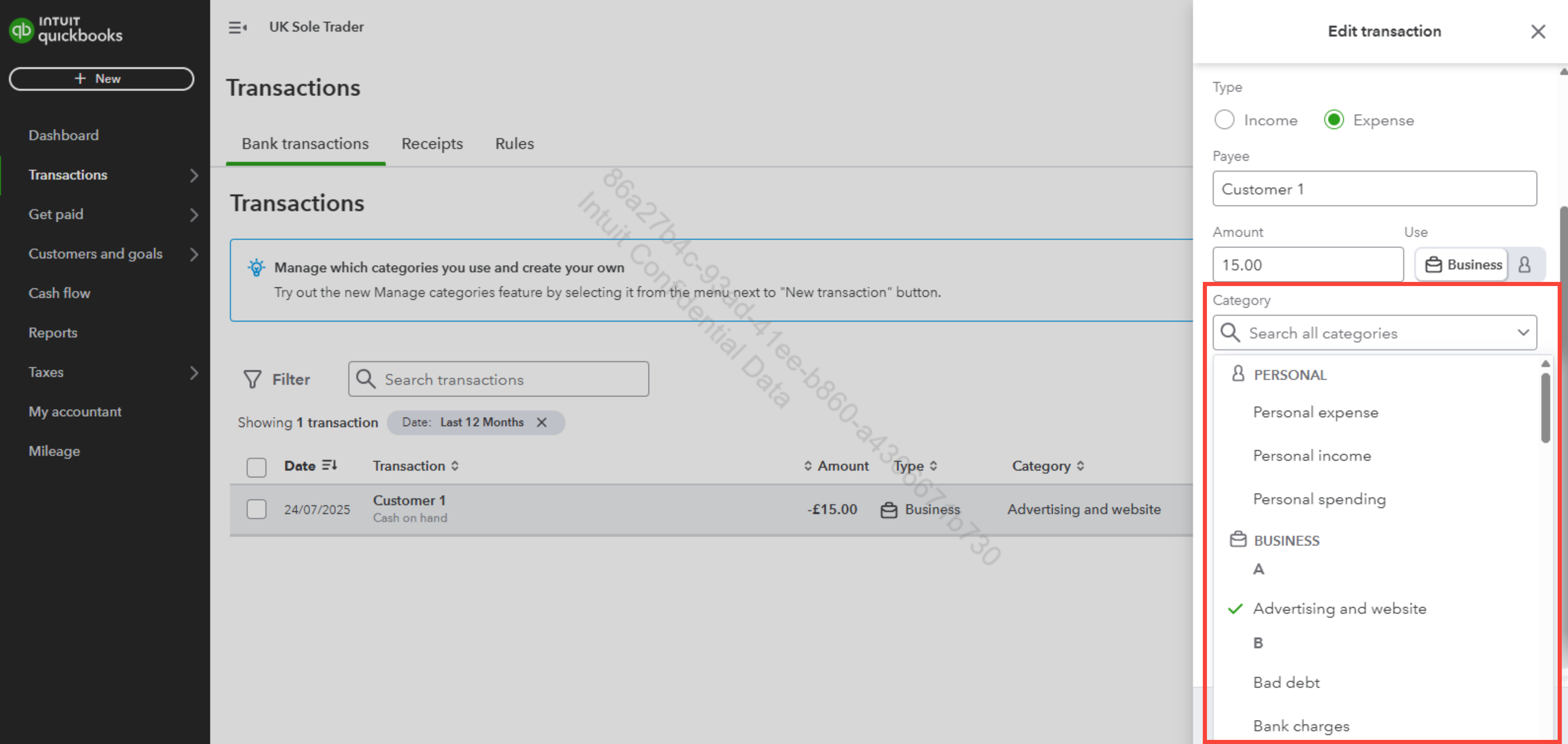
However, if you're referring to changing category names, please know that this version of QuickBooks that you have uses a preset list of categories that are already align with HMRC requirements for UK sole traders. You can only modify transaction categories, but this is limited for those categories that were manually added.
To edit a category transaction, you can follow the steps below:
- Go to the Transaction dashboard, then select Manage Categories in the New transaction dropdown on the right side of your screen.
- From there, you can see a list of default categories that have already been added to your account. If you have added a custom category, you can edit it by clicking the pencil icon next to the eye icon.
- Once done, click Save to apply the changes.
You can refer to this screenshot below:
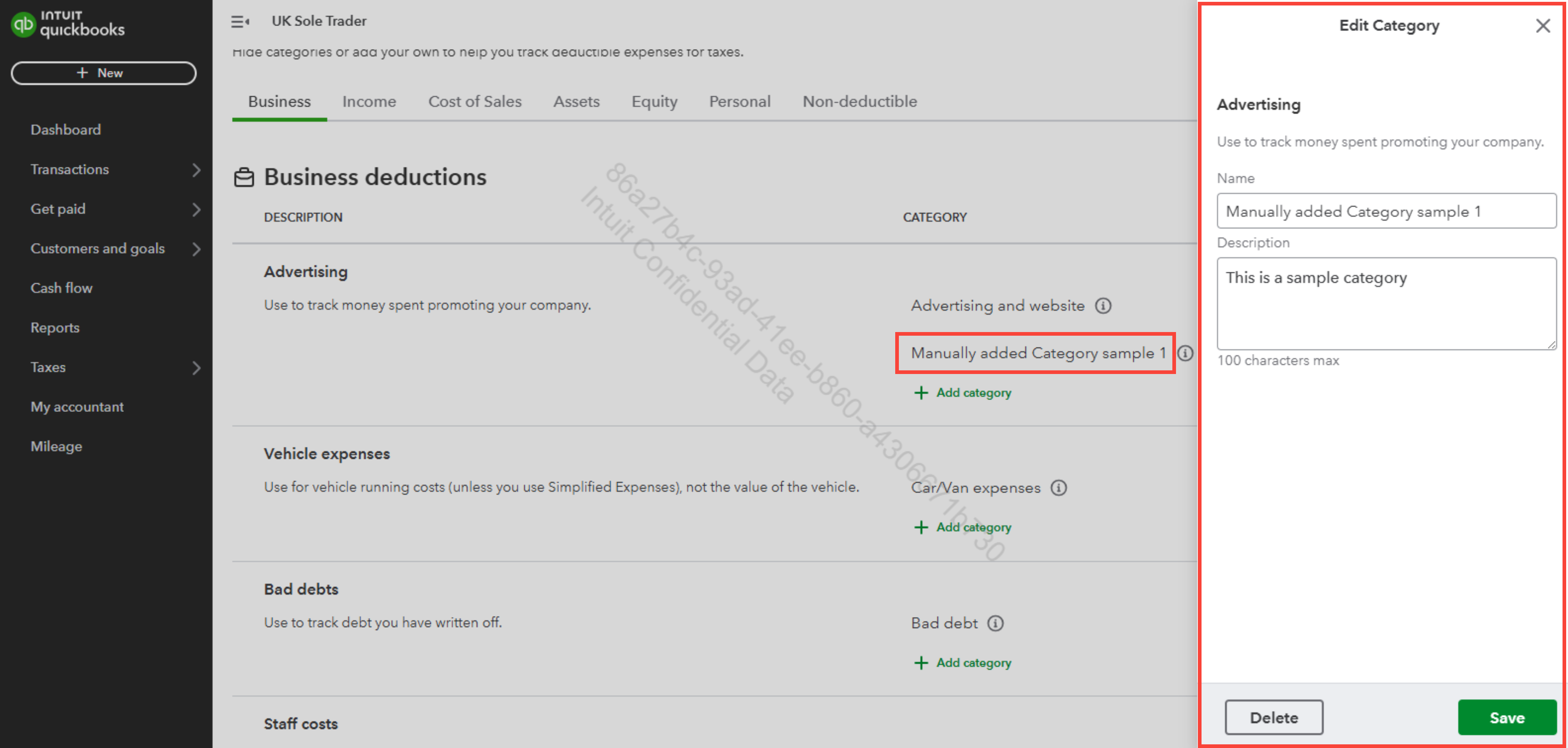
If you mean anything else, please feel free to reply to this post.


