Hi there, mike553.
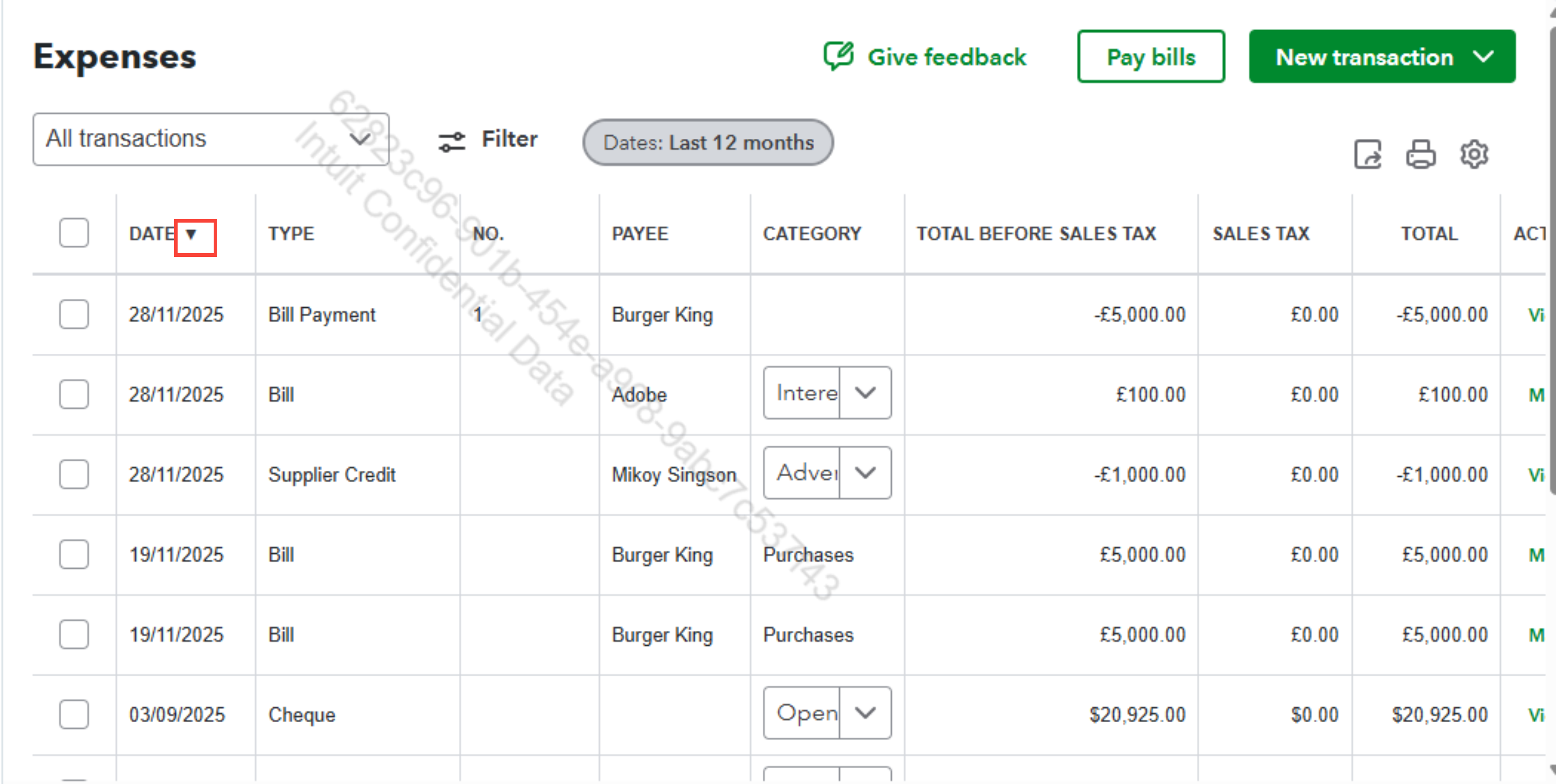
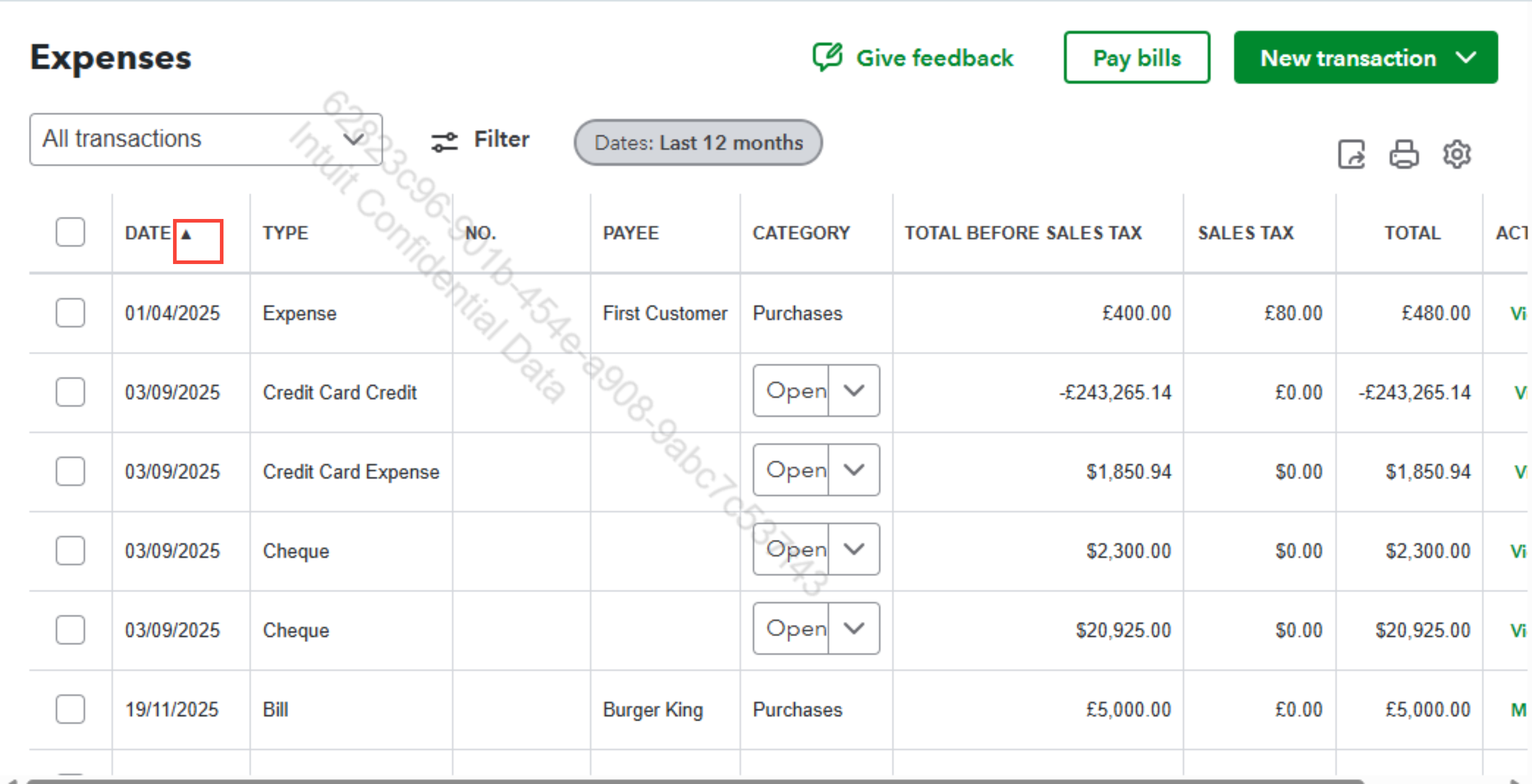
You can display expenses in date order by clicking the Date column header.
Here's how:
- At the top of the expenses list, there are column headers (such as Date, Payee, Category, Amount, etc.).
- Select the Date column header.
- Clicking it once will sort the expenses in ascending order (oldest to newest). Hit it again to sort them in descending order (newest to oldest).
I'll attach a screenshot for reference.
For follow-up questions, drop a comment below.


