Welcome to the Community, Skye.
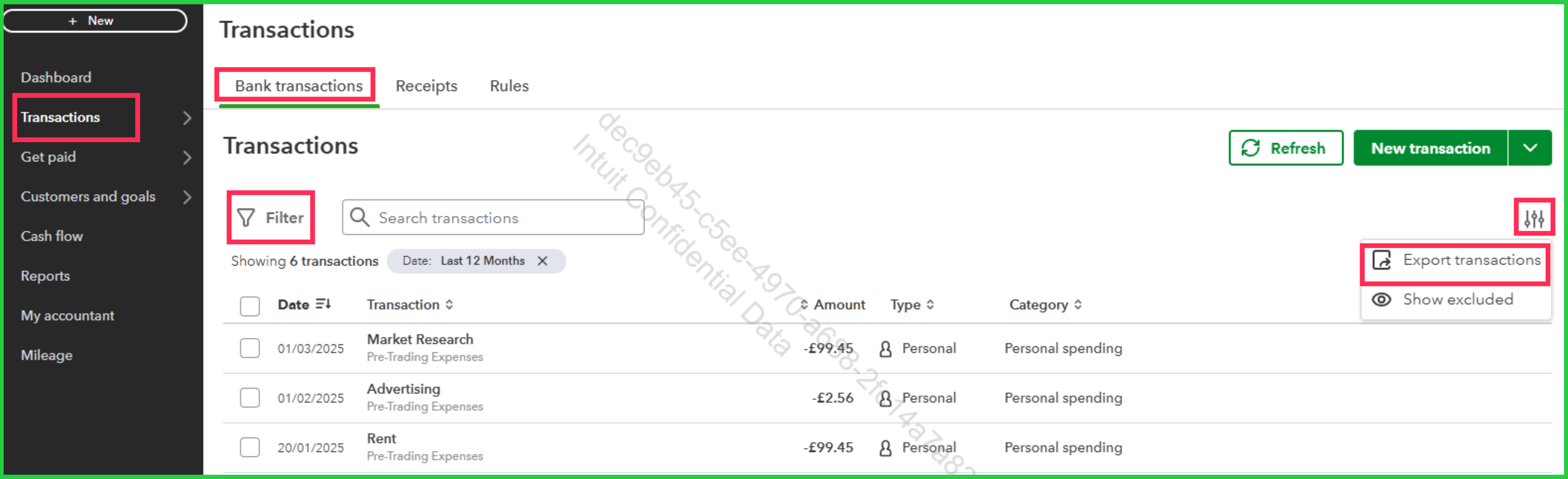
With a Sole Trader subscription, there isn't a report available that shows transactions for the entire year. However, you can use the Filter feature and the Export transactions option in the Bank transactions section to get what you need. These transactions are exported in CSV format, which you can also open and filter by date in a spreadsheet.
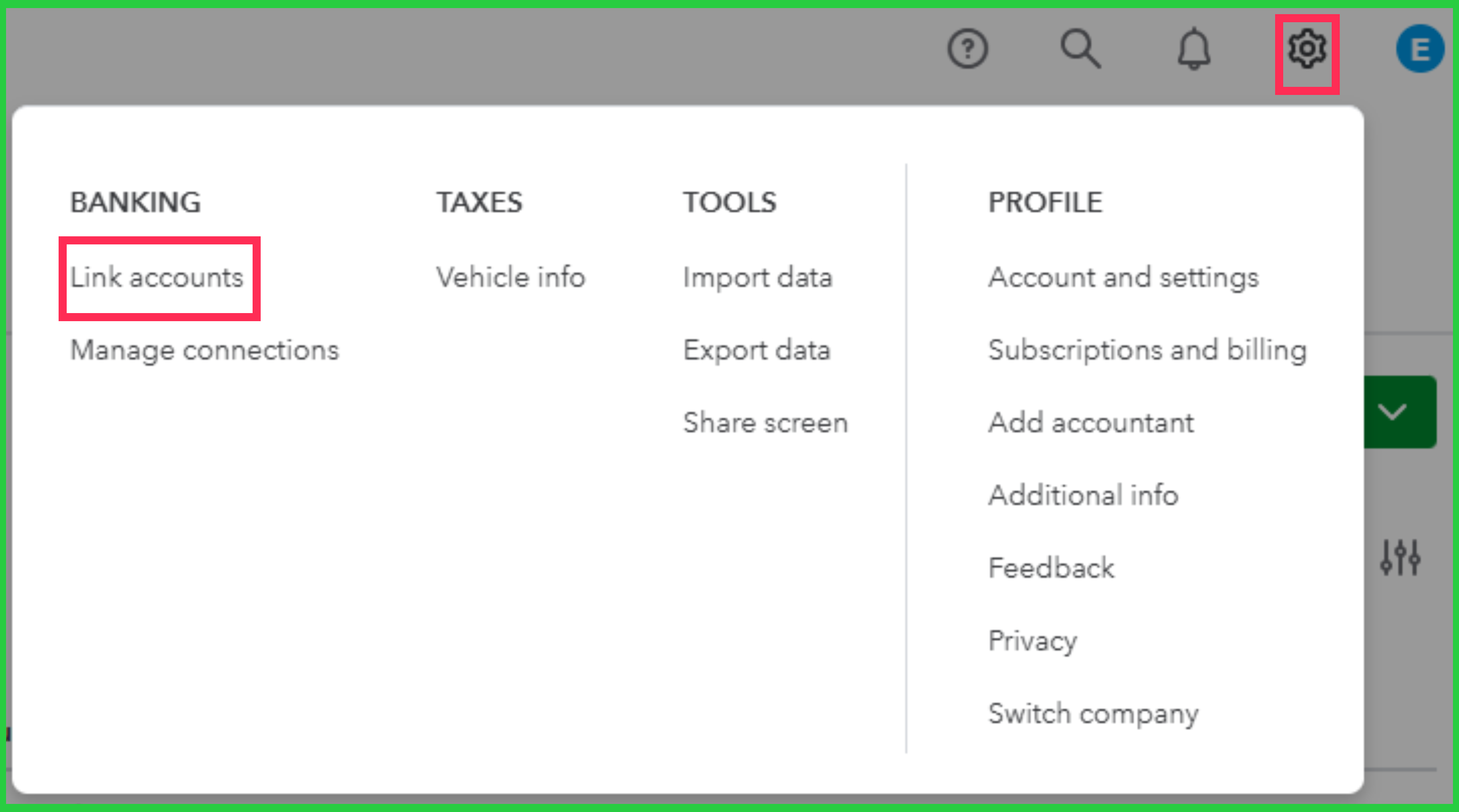
If you mean importing your bank transactions into QuickBooks, just connect your bank using the Link accounts option from the Gear icon. Please note that banks may provide 90 days to 24 months of historical data.
If there are not automatically synced transactions, you can import the rest of these past transactions as a CSV file. To do this, sign in to your bank's website and download the transactions for the entire year as a CSV file, and then import it to your QuickBooks Sole Trader. Refer to this article for the detailed steps: Manually upload transactions into QuickBooks.
If you have any other questions, please don't hesitate to drop a message.


