Hello there, Scott. Importing a sales invoice as a PDF file can result in mapping errors, where key details, such as tax amounts, due dates, or invoice dates, may not align correctly. Since your invoice was created in another application, that program might be able to export it as a CSV file instead.
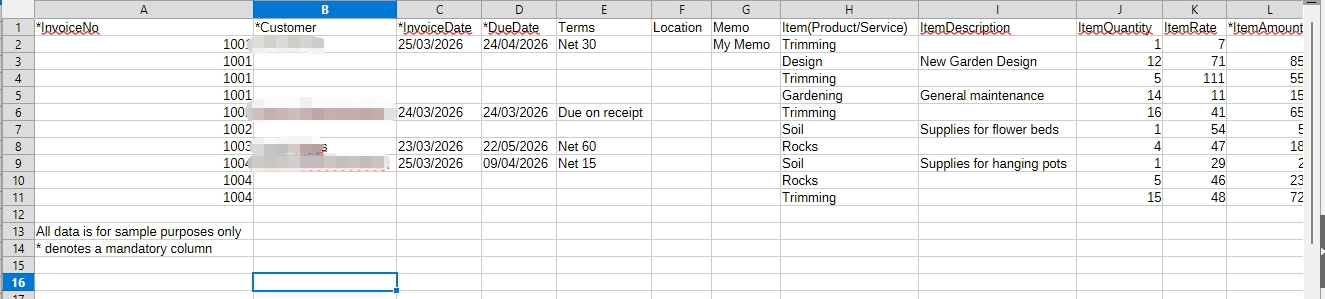
When importing the invoice, I recommend using the CSV format. You can also view sample files in QuickBooks to see the correct layout. To access them, go to Settings → Import Data → Invoices, then click Download Sample CSV.
This is what the Sample CSV files look like:
If you have any questions or need further assistance, please click the Reply button and leave a comment below. The Community Team is here to help. Have a great day!


