Hello there, @dimitri6. Yes, there's a way to show them back in the For review tab in your Bank transactions page. Since it's 1000+ transactions, you can select the maximum Page size in the Gear icon.
Go to the All apps> Accounting tab> Bank transactions> Categorised. After that, click the Gear icon, then choose 300. 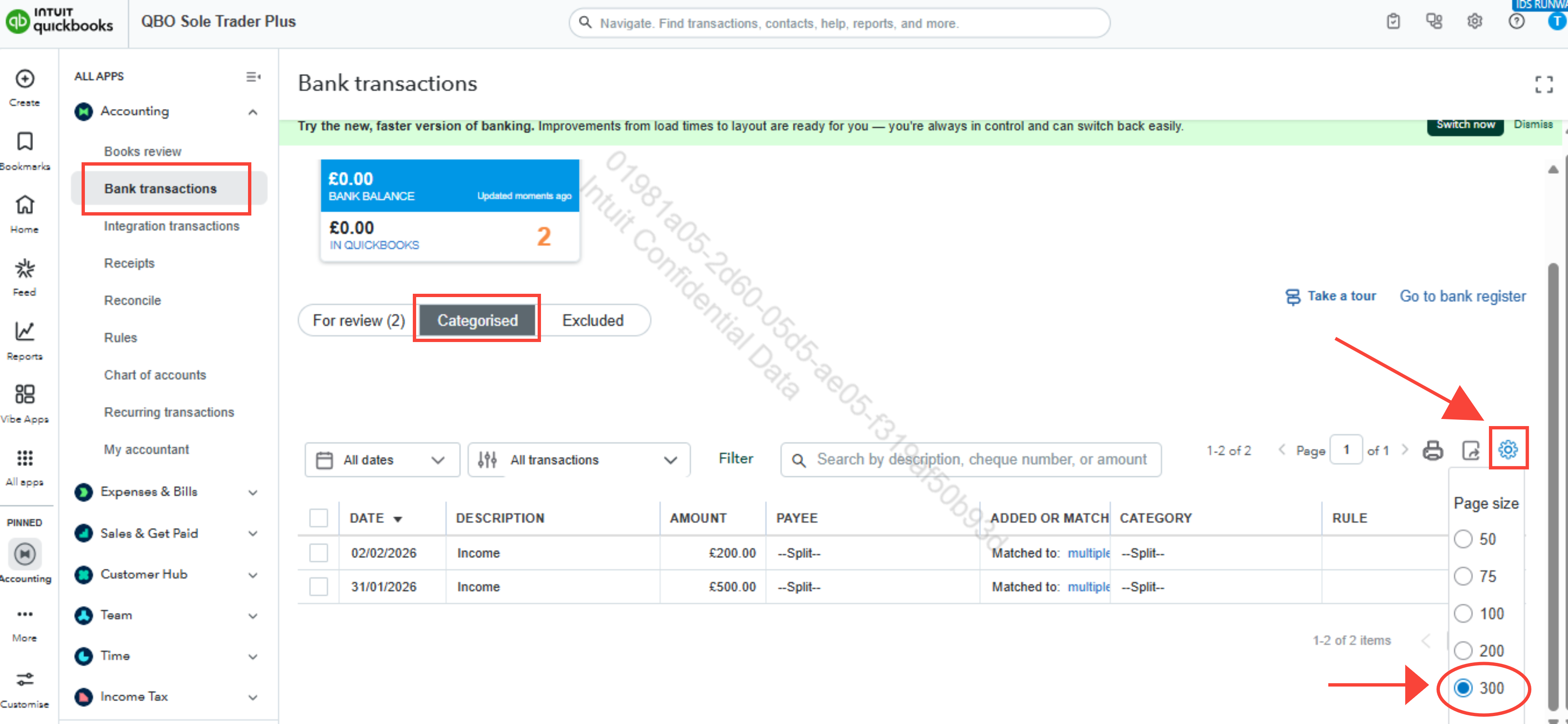
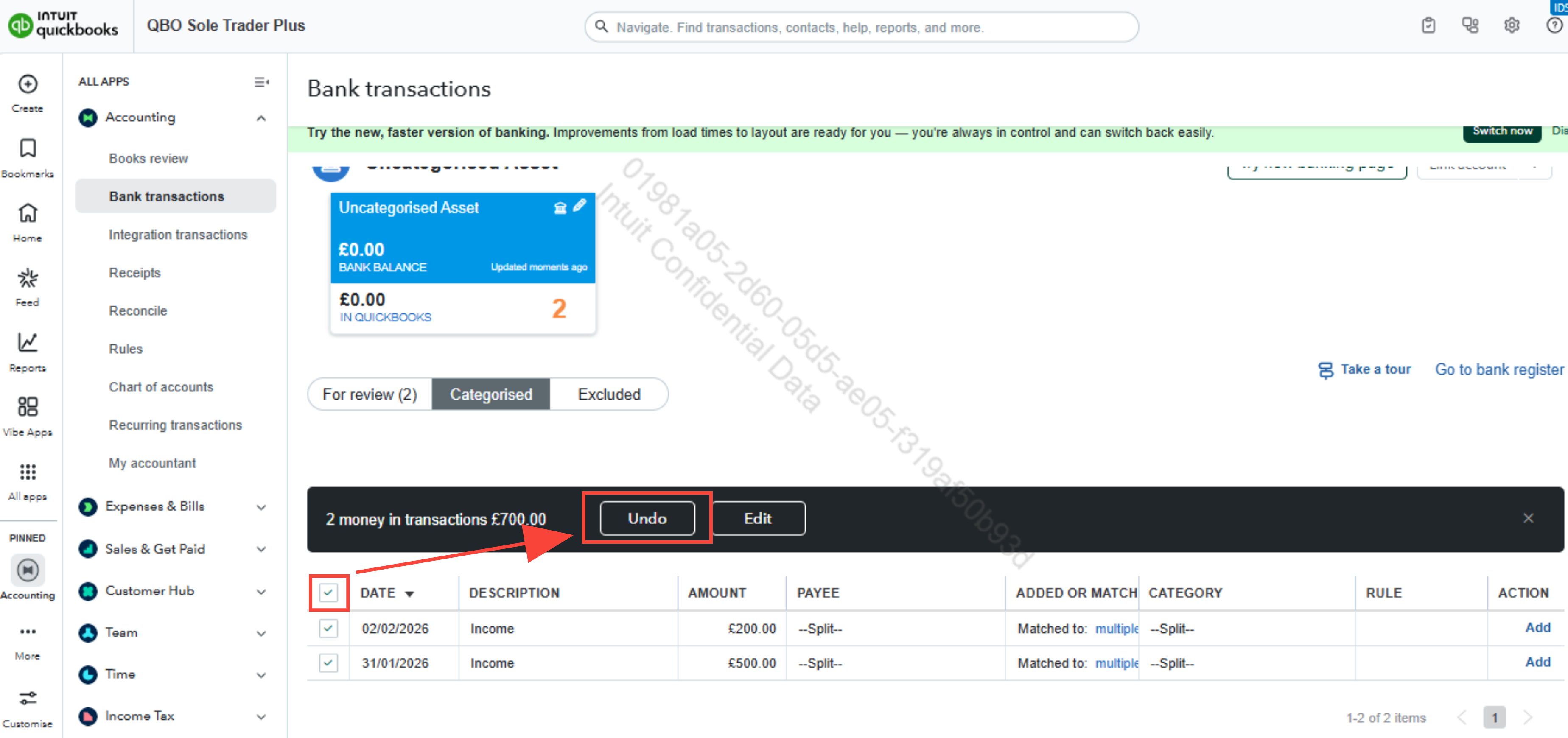
Once done, tick the box next to Date to bulk undo, then select Undo. Then repeat the steps until all your transactions are back on the For review page.
You can visit this article for further guidance on categorising transactions: Categorise online bank transactions in QuickBooks.
Leave a comment below if you have any other questions.


