Turn on suggestions
Auto-suggest helps you quickly narrow down your search results by suggesting possible matches as you type.
Showing results for
Good to hear from you today, denisemonk.
Adding and appearing the VAT number on your invoices is pretty easy. Let me help you sort this out.
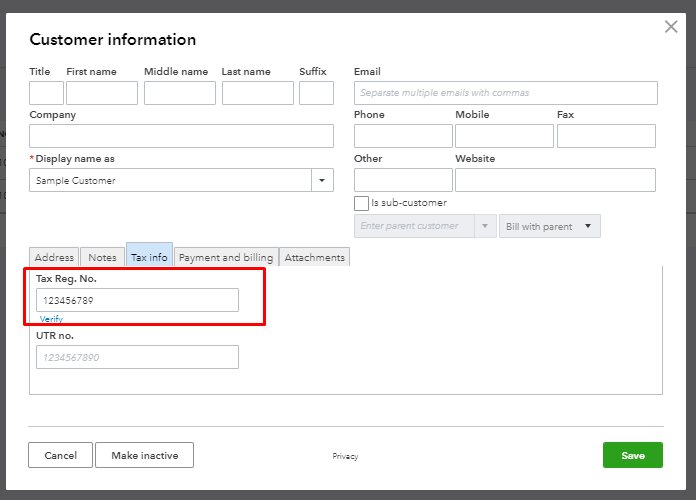
You may want to make sure that the VAT number is already added in the customer's profile.
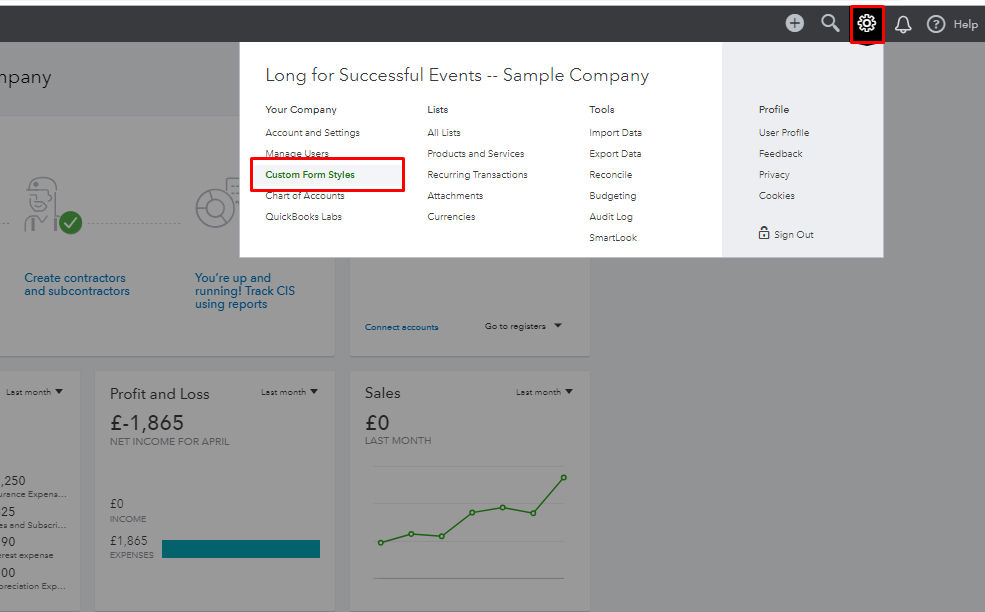
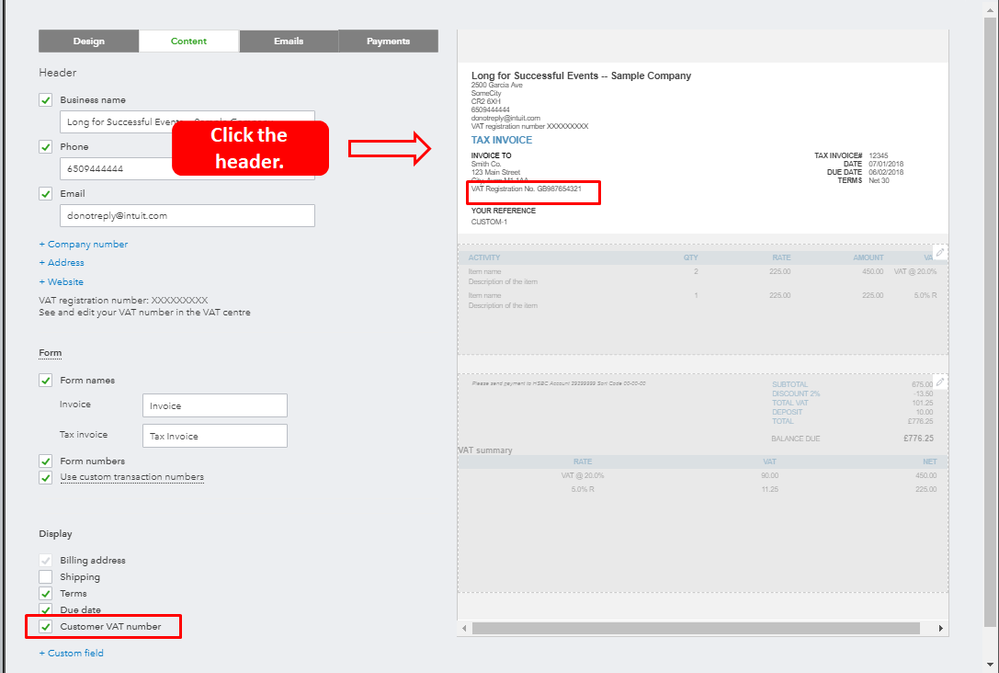
After that, you can customize your invoice template and ensure that the Customer VAT number option is selected.
Here's how:
Once done, you can try to create invoices again and you'll see the VAT number when you Preview the invoice.
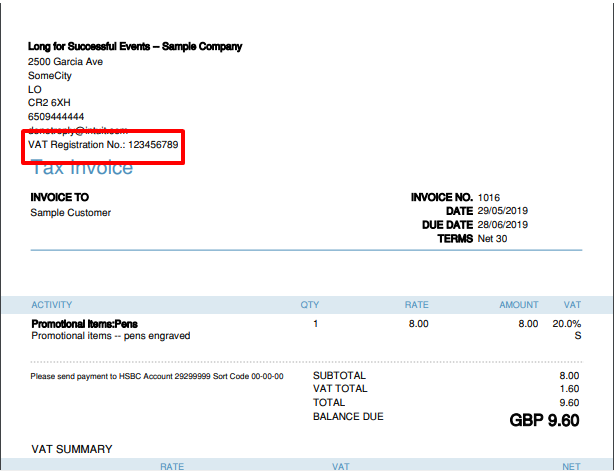
You can get more details in these articles:
Should you need additional assistance with VAT numbers, don't hesitate to let me know. I'll be around to help.
The answer given to this question is for adding the CUSTOMER'S VAT number. How does one add our COMPANY VAT number? I have checked the number is entered in the VAT Tax section - possibly this has been changed since South Africa had various problems with the VAT percentage earlier this year? My Company VAT number now does not appear on any invoices etc. Please help
Let's ensure the correct VAT is applied when creating invoices to properly reflect your company VAT number in QuickBooks Online (QBO), penny9.
Since you have entered your company VAT number in the VAT section, it will now automatically show on your invoices. You can then proceed to add it to your invoices smoothly.
Here's how:
I’ve attached a sample screenshot below where I have selected the correct VAT rate linked to my sample company VAT number:
You can revisit this thread if you have additional questions about QuickBooks.

You have clicked a link to a site outside of the QuickBooks or ProFile Communities. By clicking "Continue", you will leave the community and be taken to that site instead.