Hi there, @Arzini.
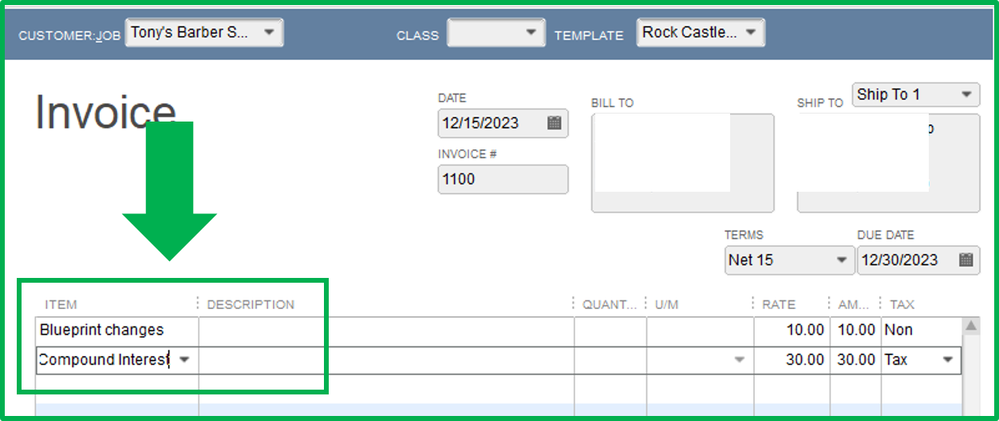
You can create a new charge item as Compounding interest, then add it to the invoice. Let me show you how.
In your QuickBooks Desktop (QBDT):
- Go to the Lists menu.
- Select Item List.
- Click the Item drop-down menu and select New.
- Select Other Charge from the Type drop-down.
- Enter the name of the interest (Example: Compound Interest) under Item Name/Number.
- Enter the compound interest under the Amount or % field.
- Choose a Tax Code and an Account.
- Once done, click OK.

I've got you this article for more details: Add, Edit, and Delete Items.
I also suggest consulting with your accountant if you want more insights on how to better record this.
You can also check this article for reference in case you want to remove a credit from an invoice.
Contact us again if you have other concerns. I'd be glad to help you with your QBDT software.


