Welcome to the Community, @s-c-gudge. This happens when the Automatically apply credits feature is enabled and there is an unapplied credit note available for the specific customer you are invoicing. QuickBooks will automatically apply any existing credits it finds for that customer when you save the invoice.
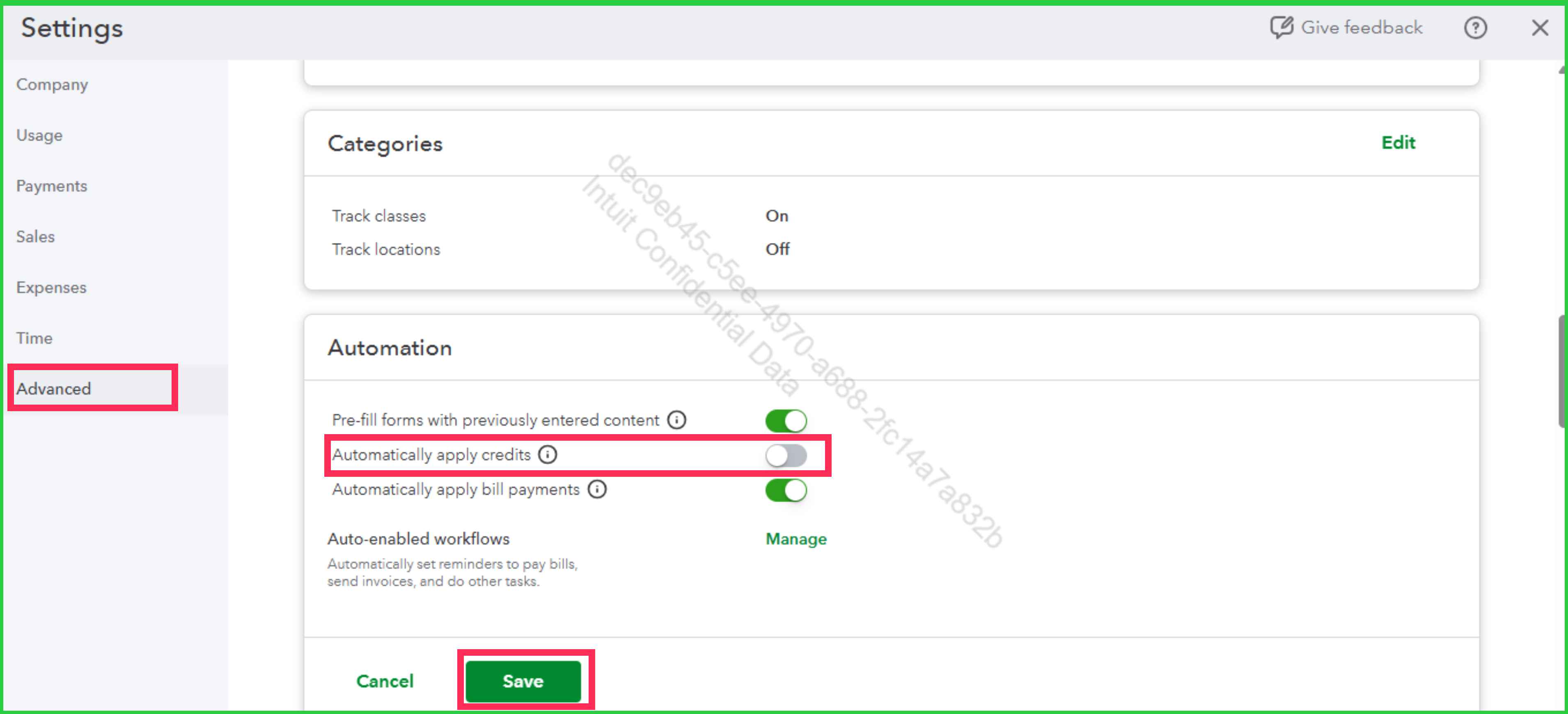
To resolve this, you can disable the Automatically apply credits feature by going to Account and settings > Advanced > Edit (in the Automation section) > turn off Automatically apply credits > Save.
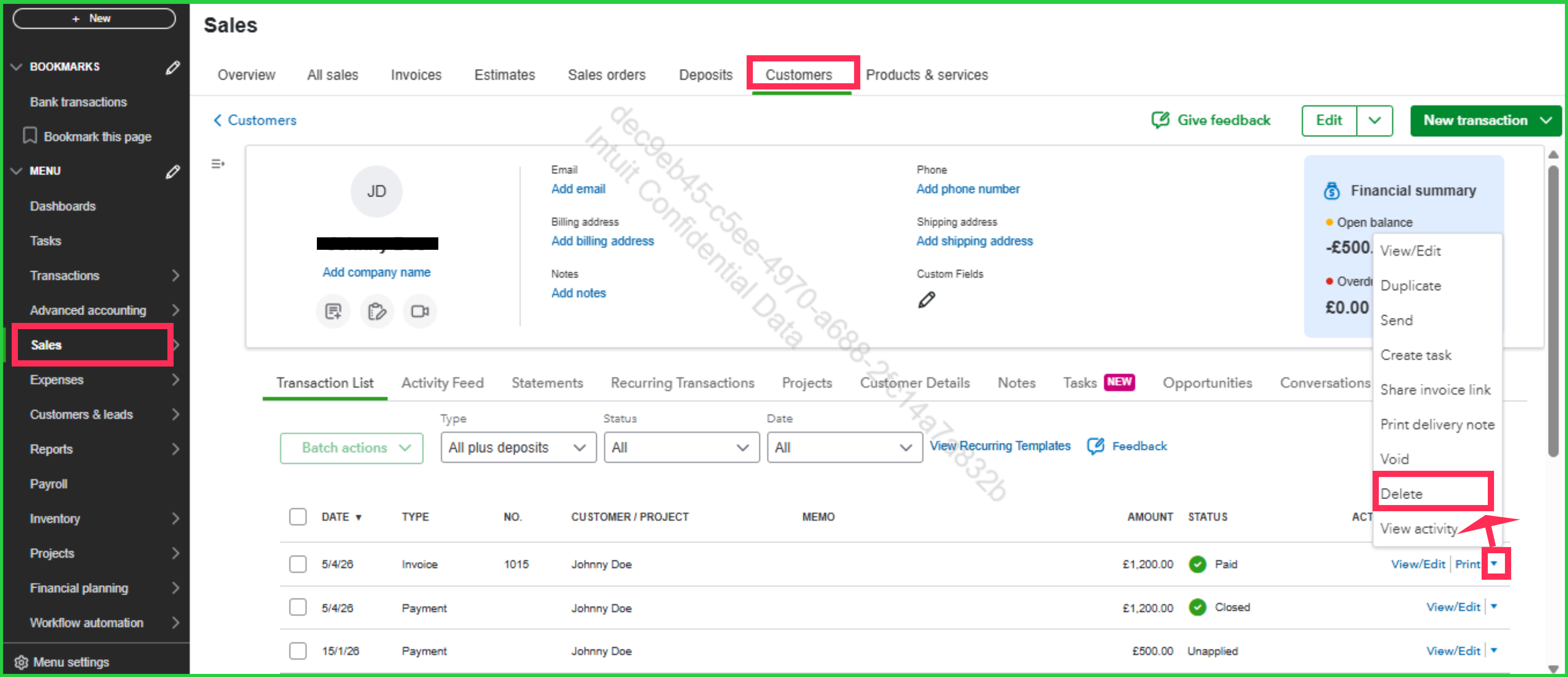
Once done, you can delete the invoice that marked as paid. Doing this will unlink the credit note, making it available (unapplied) again.
To delete the invoice smoothly while also reviewing any existing credit notes for a specific customer, navigate to the customer's profile by going to Sales > Customers > Name of the customer. After doing so, you can now re-create the invoice from the customer's profile by clicking the New transaction option and selecting Invoice.
Should you have any other concerns, feel free to leave a comment in the thread.


