Hi there, Robbie.
If you're not VAT registered, you shouldn't need to enter any VAT amounts while recording your expenses.
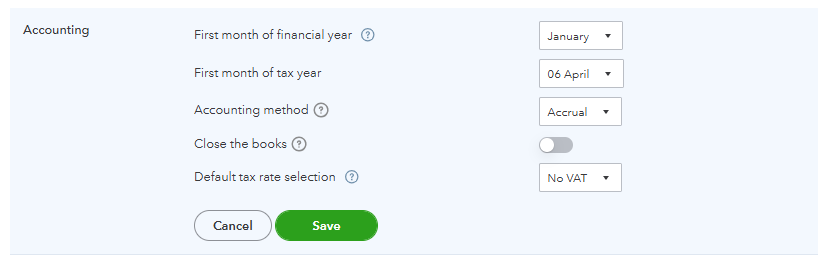
When you add a new expense, ensure that you're selecting the correct account and that it doesn’t default to a VAT rate. You can also manually changing the tax rate to No VAT for each transaction. Since you're not VAT registered, you can set your default tax rate to No VAT, here's how:
- Go to the Gear icon.
- Select Accounts and Settings.
- Head to the Advanced tab.
- Choose No VAT as the Default Tax Rate.
Feel free to leave a reply if you have additional concerns in QBO. We're always ready to help.


