Welcome and thank you for posting in the Community space, @tbudd1.
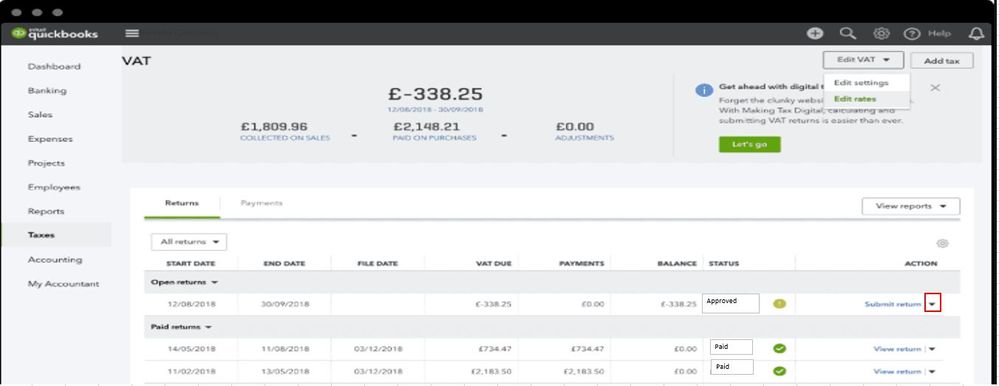
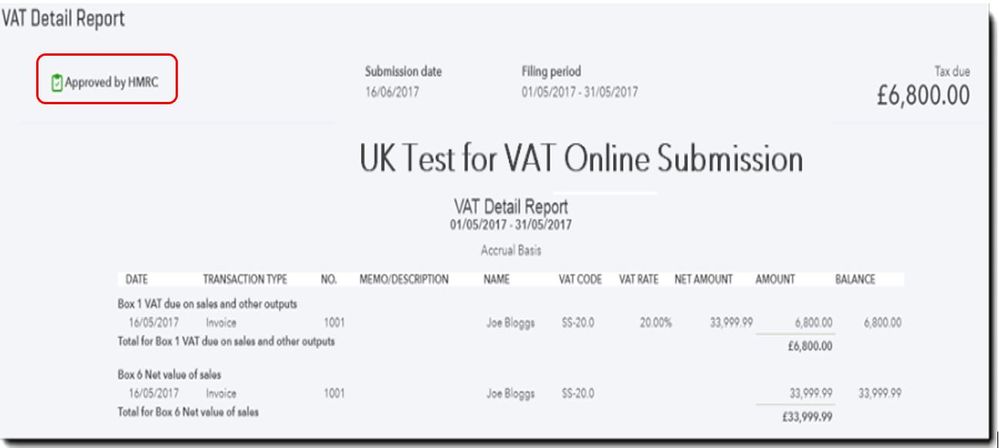
You can click the ▼ drop-down arrow against the return to view your reports. This way, you can see the Approved by HMRC status. Also, the Submitted Return Status will show as Approved if the VAT submission is successful.
Also, take note once you submit your VAT return to HMRC, QuickBooks Online creates a journal moving the amount of VAT due from the VAT Control account to the VAT Suspense.
For more detailed instruction, click this article: Submit a VAT return in QuickBooks Online.
I've included these articles for more info about VAT submission and how to edit VAT settings in QuickBooks:
Keep me posted if you have any other QuickBooks questions. I'm glad to help. Keeps safe!


