Hey there, IG.
Let me welcome you first to the Online Community. I’ll be your guide, so you can reverse the payment to your invoice.
To start off, you’ll have to search for the invoice you’re working on. Once you find it, let’s go ahead and unlink the payment.
Here’s how:
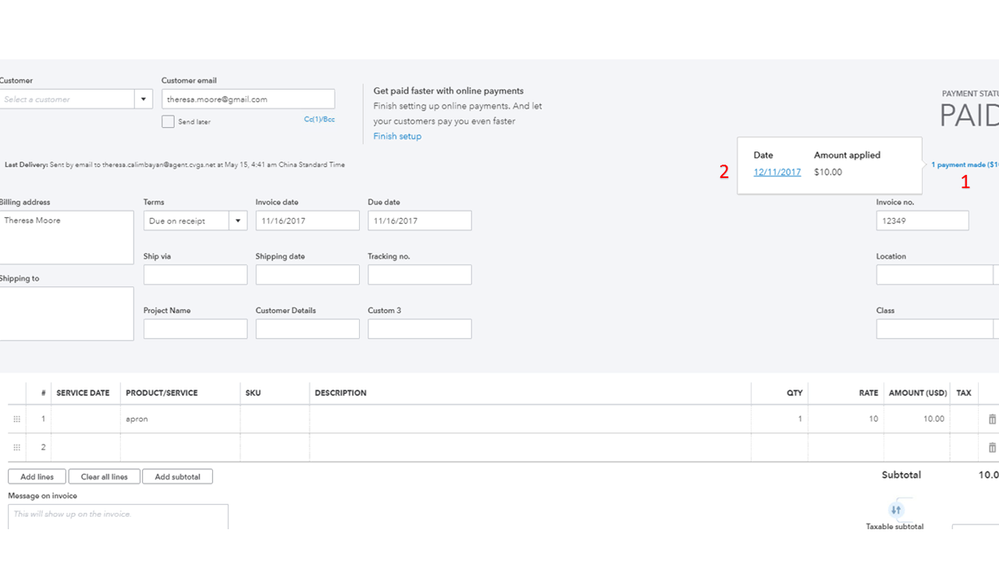
- Under the PAID status, click the 1 Payment link.
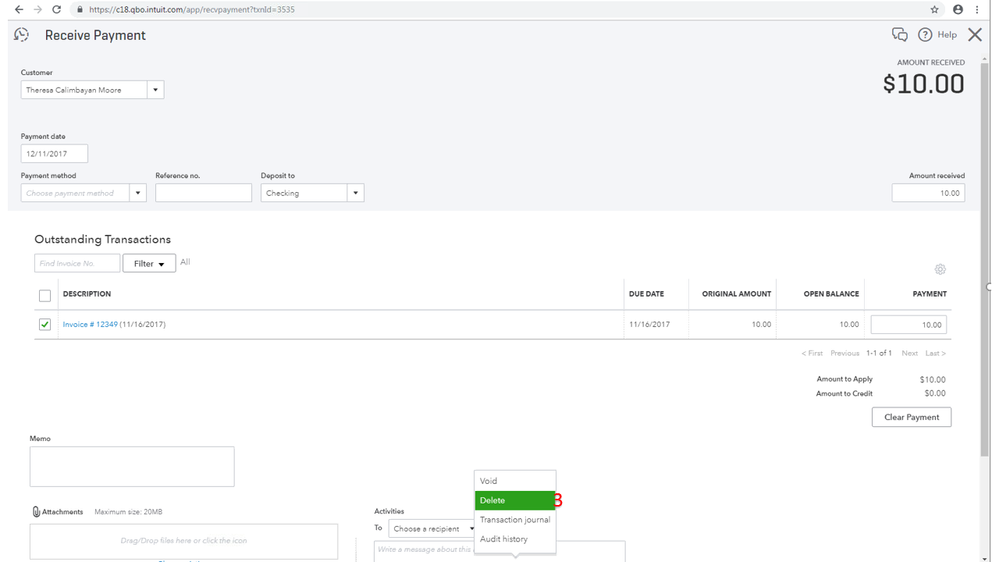
- Click the Payment date link.
- Go to More at the bottom, then choose Delete.
- Choose Yes to confirm the deletion.
Check out these steps for visual reference:
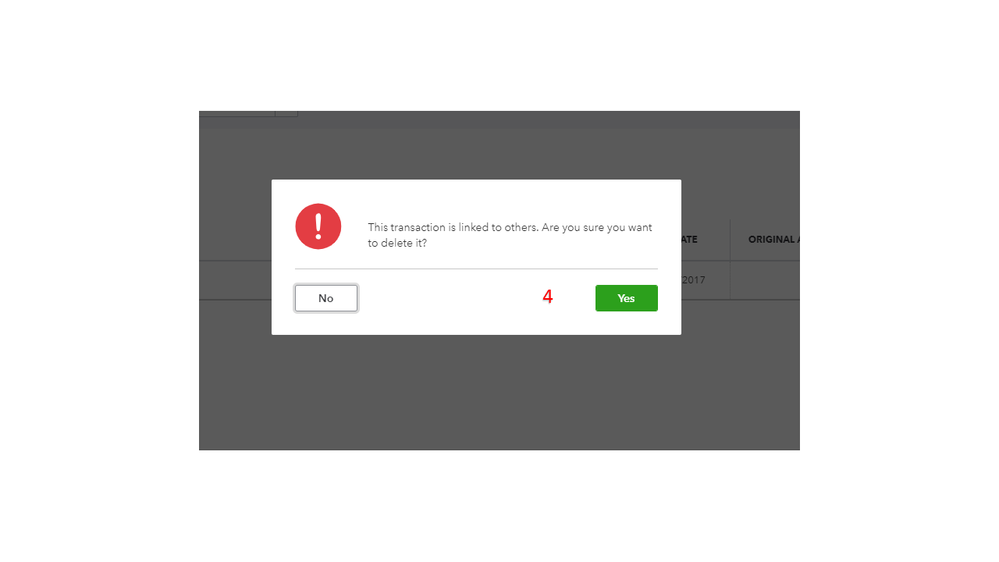
After performing these steps, the invoice should now show as Open.
If you need further assistance with any of these steps, please let me know by posting a comment below. I’ll be right here to help. Wishing you the best.


