

Stay compliant and simplify
your e-invoicing -
before 1 Jan deadline.
Stay compliant and simplify
your e-invoicing -
before 1 Jan deadline.
FINAL DAYS
70% off
for 3 months
FINAL DAYSStart fresh this new year with QuickBooks Online
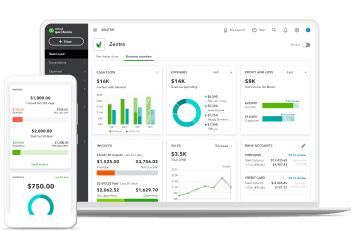
QuickBooks dashboard displayed on a laptop and smartphone
DON'T MISS OUT
Buy now and get 70% off for 3 months Claim offer
DON'T MISS OUT
Claim offer
SALE
Buy now and
save up to 50% off today
See plans + pricing
Choose your... Country Language
Image Alt Text
Invoicing

Common Invoicing Mistakes Every Business in Malaysia Should Avoid

The Inland Revenue Board of Malaysia (IRBM) implemented mandatory e-invoicing back in 2023. All Malaysian businesses need to use this system when buying and selling services and goods.

According to the IRBM, this was done to help with tax administration and to speed up efficiency when it comes to invoicing. But how can sending an online invoice help you get paid faster in Malaysia?

It’s simple—timely and accurate invoices will go a long way to making sure you get paid as soon as possible. And using online tools such as QuickBooks can help to streamline the process so you don’t have to waste any time on manual work.

We’ve got all kinds of tips and advice on how to get paid faster in Malaysia. Follow along to learn how to improve your invoicing techniques.


The importance of sending clear and professional invoices

There’s nothing more time-consuming than having to figure out unclear instructions. To avoid this, make sure your invoice is as clear as possible. You don’t want to experience delays in payment because your client can’t make sense of what you’ve sent across to them.

Use direct language and include accurate details, this means listing precise information on price per unit, item descriptions, total amount due, and buyer and seller details. If you’re not explicit when outlining this information, you’re likely to slow down payment. And you want to avoid that.

You should also tailor those details so that your invoice reflects Malaysian customs and requirements. For example, you must include the GST number of your client to ensure goods and service tax is applied.

If you’re worried about missing some key information, you can remove the stress altogether by using QuickBooks to take care of your invoicing. It automatically generates your invoices with all the correct details while keeping things as clear as possible. QuickBooks will also make sure your documents are completely compliant based on Malaysian regulatory standards.

When to send an invoice

A consistent invoicing schedule is key to getting paid on time. You want to make sure your client is expecting to see your invoice in their inbox, but you also want to send it within a timeframe that matches your payment expectations.

In most scenarios, your invoice should be sent 1-2 weeks after your work has been completed. If you’re selling a service, wait until this service comes to an end before submitting your payment request.

This is the standard for most businesses in Malaysia, however, you should double check with your client to see if this matches their expectations as well.

Sometimes, a progress invoice can be sent out too. This is when you and your client agree to part payment while the project is taking place. It’s common for larger, ongoing work, making sure you’re paid faster and more frequently. It also eases the burden on the client, ensuring they don’t have to pay out a big lump sum at the end.

It’s always a good idea to check with the buyer first to negotiate a schedule that works best for both of you. Trust is an important part of business transactions in Malaysia, and you don’t want to break that trust with poor communication.

Key elements every invoice should include

Invoice requirements can change across different regions. It’s a good idea to know what elements are important for writing yours. Here are some of the key things to consider when creating an invoice in Malaysia:

  • Invoice date: Make sure you add the date to show when the invoice was issued.
  • Unique invoice number: This is used to identify your invoice. If you’re creating multiple, the numbers should be sequential.
  • Due date: Let the client know when you expect payment. You could specify the exact date or include “Net 30” to demonstrate that you expect payment within 30 days.
  • Payment terms: Specify how you wish to be paid. This includes your preferred payment method, such as bank transfers, PayPal, credit card, and so on. Select the option that suits you best and is likely to get you paid faster.
  • Buyer and seller details: This includes the name of the registered business, business registration number (BRN), Trade Register Number (TIN), sales and service tax (SST) number, and business address for both parties, if applicable.
  • Itemised list of goods/services: Each item should be listed alongside quantity, price per unit, total price owed, and whether or not SST is included.
  • Signature: You may also want to sign your invoice for final approval.

If there have been any other additional terms agreed between you and the client, include those too—getting this part right is the best way to accelerate your payments. Remember, using titles when referring to individuals is important, so make sure you include these where relevant too.

How to include payment terms and due dates

When creating an invoice, two of the key things to consider are payment terms and due dates. You want to get these elements correct in order to receive your money on time.

When it comes to your payment terms, make your expectations clear from the outset. You want to build a good relationship and show respect. Communicate with your client and then make sure your invoice reflects what you discussed. For example, if you want payment within 30 days of issuing your invoice, add “Net 30”. If you’ve discussed immediate payment, add “due upon receipt”.

To demonstrate your flexibility, try to include multiple payment methods. Show that you’re open to accepting the funds via bank transfers, credit cards, PayPal, or even cash, where applicable. This will help you get paid faster and give your clients a greater level of choice to suit their preferences, too.

Use online invoicing software for faster processing

With online invoicing software such as QuickBooks, all the important invoicing steps are automatically taken care of. That means no more calculations in your head and no more worrying about getting all the details right.

Here are some of the main benefits you’ll experience when using QuickBooks for your invoicing:

  • Get customised and professional invoices to match your brand.
  • Automate recurring invoices to save time in the future.
  • Track the status of your invoice with ease.
  • Set up reminders when payments are overdue instead of wasting time chasing.
  • Let software take care of all the tricky and timely calculations so you don’t have to.
  • Set up automatic progress invoicing for multiple payments.

QuickBooks Online is also set up for the different steps required for Malaysian e-invoicing. It can generate reminders and accepts various regional payment methods.

Best practices for following up on overdue invoices

There’s nothing more frustrating than an overdue payment, especially when you don’t know the cause. It could be completely innocent, and it can be helpful to start with this assumption. After all, you want to maintain trust in your relationship with your client.

Start by contacting your client directly. There may have been a system error, or your email was lost in your client’s inbox. Open a dialogue and talk about it to help resolve the issue. You could start with a friendly email reminder and then make a call if you still don’t hear back.

And remember, there’s every chance a mistake could be due to a simple system error. One of the best things you can do to avoid any issues is to use online software to reduce human error. QuickBooks automatically generates accurate invoices, so you can rest assured that everything is correct on your end.

It will also catch any missed payments for you and send out an automated reminder. That way, if you have multiple overdue invoices, you don’t have to stress about manually chasing the client.

How to set up automated reminders in QuickBooks

Wondering how to set up those automated reminders? If you already have a QuickBooks account, follow these steps:

  1. Go to the Sales tab in your settings.
  2. Select Edit in the Reminders section.
  3. Turn on Automatic Invoice Reminders and toggle on Reminder 1.
  4. Outline when you’d like your reminder to be sent.
  5. Customise the email template to your liking.
  6. Click Save and Done.

To maintain your business relationships, use polite and respectful language in your email. Be friendly but direct and make your expectations clear. QuickBooks Online will only send a reminder if it detects an overdue invoice, so make sure you’ve input everything to your liking.

Grow Your Business With QuickBooks

Sending invoices as a freelancer

If you’re a freelancer, invoices are your bread and butter. Without one, you won’t get paid, so sending these out becomes a familiar part of the process. However, there are some key differences in the approach you’ll take.

For example, your projects will differ more drastically, which means you’ll experience a more varied payment schedule. And with multiple clients, there’s a lot to stay on top of.

If you’re worried about keeping tabs on all this information, professional invoicing software like QuickBooks can help you stay on track. It makes sure your invoices are always accurate, regardless of the project, and you know they’ll always be sent out on time.

How to set up recurring invoices for regular clients

Recurring invoices are great if you have a steady client with a subscription based agreement. This is particularly beneficial if you have long-term clients in Malaysia.

Here’s a description of how to set up recurring invoices in QuickBooks Online:

  1. Go to Add Invoice. Select Manage in the top corner and then choose Automation.
  2. Click the Recurring invoice option to open the invoice template and then add all the relevant details. This includes naming the invoice, setting up your schedule, and including all the client information and payment methods.
  3. Save the template, and your recurring invoice should be all sorted.

This will help to guarantee that you always get paid on time, increasing the stability of your income. You don’t have to worry about cash flow or forgetting to send invoices. QuickBooks Online takes care of it all for you.

Offering multiple payment methods to get paid faster

If you’re in a position where you can accept multiple forms of payment, make that clear to your client. This will demonstrate your flexibility, offering various options to your client. Not only will this help with building your relationship, but it will also accelerate payment.

PayPal, bank transfers, credit cards, and payment apps, such as Boost, are all great options that can help you get paid faster. And as an extra bonus, QuickBooks Online is set up to support all these Malaysian payment methods.

How to write an email for sending an invoice?

When you send your invoice, don’t forget about the importance of the email that goes alongside it. There are some crucial elements you must include, such as:

  • A clear subject line to show the purpose of the email.
  • A professional and friendly greeting that helps to build trust with your client.
  • A line that references your attached invoice.
  • Your expected due date for payment.
  • Remember to thank your client and add your personalised email signature.

You should also include any other information you believe is relevant.

When attaching your invoice, make sure it’s in a format that’s easy to access for your client. For example, do they prefer PDF or a Word document? Maybe they want something else entirely. Double check beforehand to get this right and avoid potential payment delays.

Need a little help? QuickBooks Online generates and sends invoice emails directly. You can edit the content and personalise it in a way that reflects your own voice, then send it to your customers and clients in seconds.

Make invoicing a priority for faster payments

Sending an invoice should be your number one priority when it comes to transactions in Malaysia. There are penalties for failing to submit tax invoices, so it’s important you get all your financing right. This will help with compliance while also saving you time.

QuickBooks Online understands all the Malaysian tax requirements and can automatically generate your invoices within seconds. Use it to set up payment reminders and recurring invoices for all your clients and spend more time working on your projects.

To get paid faster in Malaysia, sign up for QuickBooks invoicing today.

Related Articles