- Start your business
- Run your business
- Grow your business
- Accountants and BookkeepersAccountants and Bookkeepers
- Updates










Need help?
We're here for you.
We're here for you.
Schedule call

product update
Your new, more powerful QuickBooks on the Intuit Platform

The new Intuit QuickBooks platform experience has arrived, and it’s designed to help you streamline day-to-day business tasks, drive profitability, and grow customer relationships effortlessly.
The new platform combines innovations like AI agents and tools such as the Customer Hub to help you manage your books and projects while saving precious time. From eliminating admin hassles to surfacing insights for better decisions, QuickBooks is here to help your business thrive and reclaim time that can be reinvested where it matters most.
Let’s explore the latest features and innovations designed to empower your business every day.
Stay on track and in control with a powerful new experience
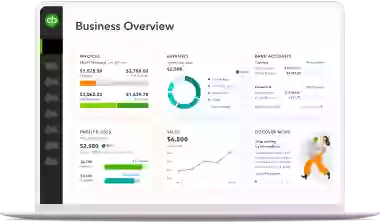
Save time and stay in control with the new QuickBooks platform. With access to a refreshed, customisable dashboard, you can handle the most important jobs from one place, whether it’s tracking transactions, managing leads, or monitoring your cash flow.
Your personalised business feed is your new home base for efficiency. Here, you can review tasks completed by AI Agents, approve them quickly, and access actionable insights for what you should focus on next to drive growth.
If you’re currently working with the previous version of QuickBooks, you will automatically transition to the new platform over the coming weeks. For now, you have the flexibility to switch back to the older version, however the previous QuickBooks experience will eventually no longer be available.
Whether you’re using QuickBooks' new interface or continuing with the previous experience, the AI agents will seamlessly work across whichever approach you choose during this time of transition.
76% of customers report doing less manual work on average with QuickBooks and Intuit Assist AI Agents.1

Stay compliant with the GST AI Agent
The GST AI Agent [BETA], available on all QuickBooks plans, simplifies GST reporting and compliance with pre-lodgement checks to ensure accuracy every step of the way.
- Reconcile GST data with ease: The GST AI Agent identifies discrepancies between GST reportable income and Profit and Loss accounts so you can address errors confidently before filing.
- Find and resolve anomalies early: The agent flags issues and offers recommendations to ensure accurate BAS submissions and alignment with Australian Taxation Office (ATO) standards.
Keep your books accurate with less effort
Your Accounting Agent is here to simplify your bookkeeping workflows, save you hours of time, and ensure your books stay accurate.
- Streamlined categorisation, day or night: With AI-powered bank feeds available on all QuickBooks plans, your books are automatically updated with matched and categorised transactions. The agent learns from previous entries to make categorisations faster and more accurate over time.
- Get feedback whenever you need it: Available on QuickBooks Essentials, Plus and Advanced, AI enabled collaboration [BETA] facilitates communication within QuickBooks between you and your accountant to collect transaction details, without back-and-forth on email.
- Get time back with more accurate books: Available on QuickBooks Plus and Advanced, AI powered anomaly detection identifies anomalies in balance sheets and profit and loss reports, surfaces detailed explanations, and guides you on how to fix them. You stay in control, deciding whether to take action.
80% of customers say QuickBooks AI powered bank feeds makes handling transactions easier than ever.2

Get important insights and financial summaries on demand
Drive profitability, get performance insights, and plan for your future with a Finance Agent in QuickBooks Advanced that’s 100% committed to your business. Your Finance Agent provides tailored summaries of core financial reports to help you enhance profitability, monitor performance, and plan for growth.
This agent analyses your business’s data against budgets and forecasts to highlight trends, detect risks, and surface actionable insights, all helping you make more confident decisions for the future.
55% of customers reported making faster decisions that improve profitability using Intuit Assist AI.3

Strong customer relationships so you're good to grow
The new Customer Relationship Management (CRM) tools in the Customer Hub help you nurture customer relationships, manage leads, and track progress, all from one centralised location.
- Leads at your fingertips: Available in QuickBooks Plus and Advanced, the Customer Agent connects to your inbox to identify and prioritise leads. It drafts personalised emails to respond faster to opportunities, freeing up time for other critical tasks.
- Never miss a follow-up: Available on all QuickBooks plans, manage customer information in one place and easily prioritise your workload. Sort tasks by project, customer, or due date to stay organised for next steps. With filters and custom fields, you can leverage a 360-degree view of your work with each customer, including notes, contracts, signatures, and feedback.
- Track leads and repeat business you can count on: Available on QuickBooks Essentials, Plus, and Advanced, manage leads throughout the sales cycle, turning customer requests and referrals into future work opportunities to grow revenue. You can enable your customers to request follow-up work and schedule tasks proactively, giving you confidence in future revenue.
- Close deals with confidence: In QuickBooks Plus and Advanced, you can quickly send and store contracts, as well as collect e-signatures from customers, all within QuickBooks.
With the Customer Hub, you’ll gain the tools to nurture customer relationships, confidently close deals, and earn repeat business to fuel long-term growth for your business.

Spend less time setting up projects with automation
The Project Management Agent, available in QuickBooks Advanced, streamlines project workflows by automating setup tasks such as entering client details, project names, timelines, and schedules into pre-filled templates to reduce manual entry and help businesses get started faster.
Automation where it counts. Human when it matters.
QuickBooks on the Intuit Platform is here for your business journey. By blending automation with human expertise, we’re making it easier for you to stay ahead, focus on growth, and reinvest your time back where it matters most.
Get overdue admin off your plate with smarter tools like AI automation, streamlined financial insights, and CRM workflows all from one integrated solution to help you focus on what counts.
Disclaimers
This information is intended to outline our general product direction, but represents no obligation and should not be relied on in making a purchasing decision. Additional terms, conditions and fees may apply. Product offers, features, and functionality are subject to change without notice.
Beta features: Beta features have very limited availability and are subject to change. Features may be more broadly available soon.
+Finance Agent available on QuickBooks Advanced only. Not available to customers with multi-currency enabled.
Claims disclosure
- Customers report doing 76% less manual work on average with QuickBooks and Intuit Assist: Based on data from QuickBooks users in the U.S., comparing customers who use these features to those who don't.
- 80% of customers say the new AI powered bank feeds makes handling transactions easier than before: Based on a survey commissioned by Intuit of QuickBooks Online customers in the U.S. using the new smart expense organization, now called AI powered bank feeds, features as of April 2025.
- 55% of customers reported making faster decisions that improve profitability when using Intuit Assist AI: Based on a survey commissioned by Intuit of QuickBooks Online customers in the U.S. using the new smart expense organization, now called AI powered bank feeds, features as of April 2025.
Related Articles


TAKE A NO-COMMITMENT TEST DRIVE
Your free 30-day trial awaits
Our customers save an average of 9 hours per week with QuickBooks invoicing*
By entering your email, you are agree to our Terms and acknowledge our Privacy Statement.

Keep growing with Intuit Intelligence
Get started today and automate your path to growth with confidence.


Intuit helps put more money in consumers’ and small businesses’ pockets, saving them time by eliminating work, and ensuring they have confidence in every financial decision they make.
Award Winning Accounting Software


