- Start your business
- Run your business
- Grow your business
- Accountants and BookkeepersAccountants and Bookkeepers
- Updates










Need help?
We're here for you.
We're here for you.
Schedule call

product update
Introducing the Project Management Agent: Automate Your Project Kick-Off
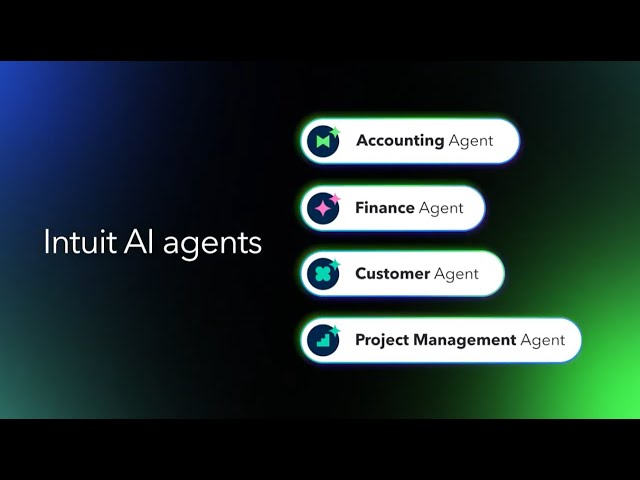
Moving from Manual Setup to Instant Kick-Off
For service-based businesses, starting a new job is exciting, but the required administrative task of setting up a new project can slow down your momentum. Manually entering project names, dates, customer details, and custom fields eats up valuable time that should be spent on client work.
What if your project details were automatically gathered and ready to go before you even lifted a finger?
Meet the Project Management Agent. This AI is built to streamline your workflow and accelerate your timeline by eliminating manual project setup. It handles the heavy lifting so you can get projects started faster and focus on what you do best: delivering outstanding results.
What is the Project Management Agent?
The Project Management Agent is your smart assistant, designed to slash the time you spend on administrative work related to new jobs. Its core function is Project Setup Automation, which means:
- Automatic Draft Creation: The Agent reviews information uploaded into QuickBooks (like new contracts, quotes, or proposals) and automatically creates draft projects.
- Key Details Pre-filled: These drafts come pre-filled with essential information such as the project name, customer information, key start and end dates, and any relevant custom fields.
- Saves Time, Gets You Started Faster: This automation saves significant time, eliminating the hassle of manually building every project from scratch and accelerating your overall timeline from quote acceptance to job delivery.
How Does This Benefit Your Business?
The Project Management Agent transforms project management into an efficient, streamlined process:
- Stop Wasting Time on Data Entry: The Agent eliminates repetitive tasks by automatically drafting your projects. This efficiency means more time for serving your customers and managing profitable work, rather than sitting at a keyboard.
- Accelerate Your Project Pipeline: By pre-filling key details, the Agent ensures your team can move from securing a job to kicking it off instantly. A faster start means a faster finish and faster payment.
- Maintain Control and Accuracy: While the Agent performs the automated draft, you or your team remain in control. You can quickly review, edit, and approve the pre-filled project details before finalising, ensuring accuracy every time.
Your Central Control Panel: The Business Feed
When the Project Management Agent requires your attention to finalise a project, it delivers a specific "tile" directly to the Business Feed. This ensures you quickly see, for example, if a document has been uploaded for a new project but the project setup is still pending your completion.

Project Management Agent FAQs
The Project Management Agent is designed to take friction out of your business operations. By automating project setup, we give you a powerful new way to scale your efficiency and spend more time focusing on client work and growth.
Disclosures
Intuit Assist (AI Agents): This information is intended to outline our general product direction, but represents no obligation and should not be relied on in making a purchasing decision. Additional terms, conditions and fees may apply. Product offers, features, and functionality are subject to change without notice. Feature availability varies by product. While available in all QuickBooks supported languages, the AI agent’s output will be English only at launch. We recommend you review all outputs carefully.
Related Articles


Looking for something else?
TAKE A NO-COMMITMENT TEST DRIVE
Your free 30-day trial awaits
Our customers save an average of 9 hours per week with QuickBooks invoicing*
By entering your email, you are agree to our Terms and acknowledge our Privacy Statement.



Intuit helps put more money in consumers’ and small businesses’ pockets, saving them time by eliminating work, and ensuring they have confidence in every financial decision they make.
Award Winning Accounting Software


