You can download the bank statement for the specific dates with missing transactions as a CSV file and manually import it into QuickBooks Sole Trader, sophie.
When you connect or reconnect a bank in QuickBooks, it can import up to 24 months of transactions, depending on your bank. However, you can update or refresh your bank connection to ensure the latest transactions are downloaded.
If the transaction still cannot be imported after refreshing, you can download your bank statement for those specific dates as a CSV file and manually import it into QuickBooks using the steps below:
- Go to your bank's website and download the bank statement as a CSV file.
- Log in to QuickBooks.
- Navigate to Transactions and select Bank Transactions.
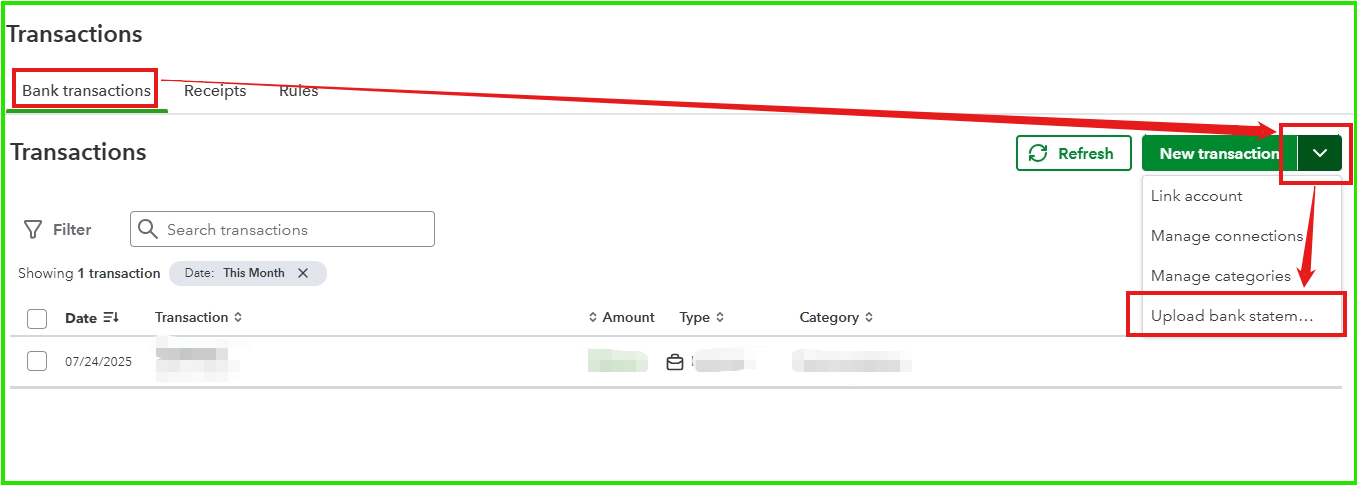
- Beside New Transaction, click the dropdown icon.
- Select Upload bank statement.
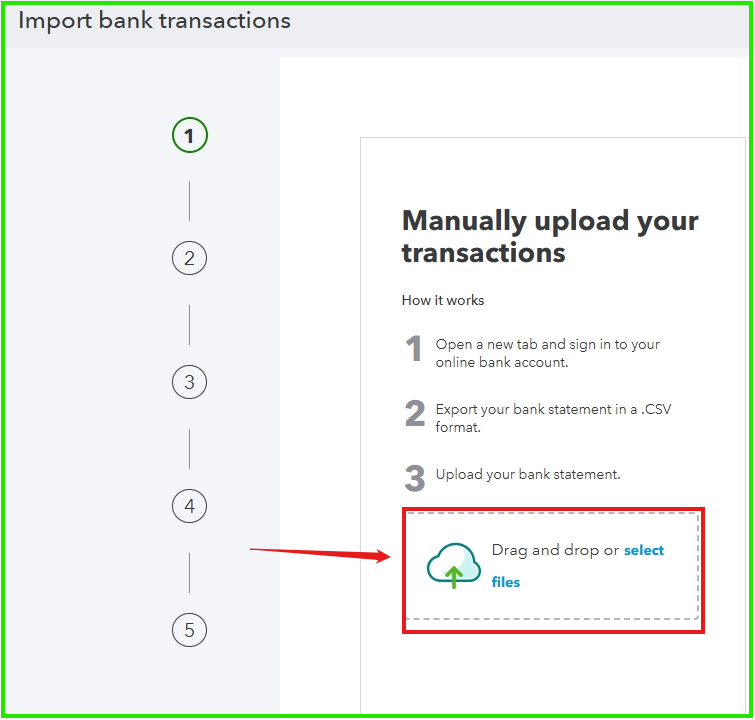
- Drag or select the bank statement/CSV file, then click Continue.
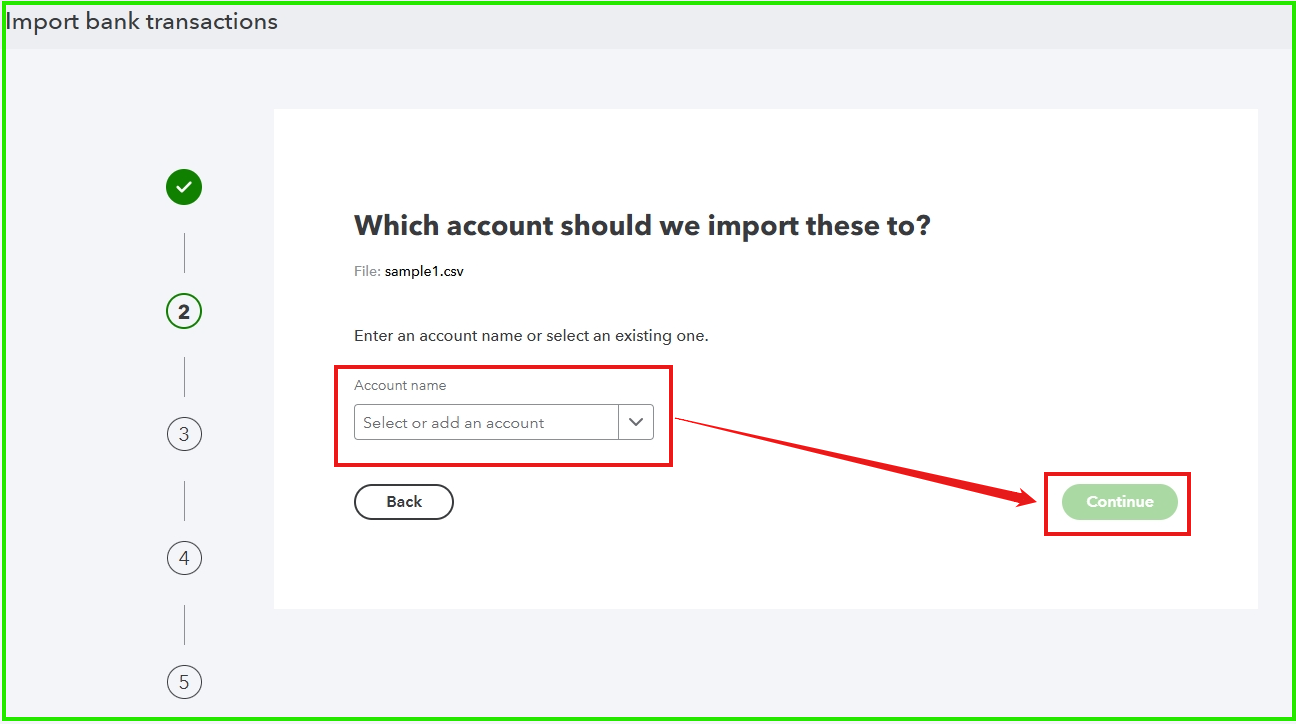
- Select an Account name and click Continue.
- Match the columns on the file with the correct mapping in QuickBooks, then select Continue.
- Click Continue and choose Yes to confirm.
You can refer to this article for detailed guidance on the required CSV format and step-by-step instructions for uploading it to QuickBooks: Prepare your CSV file for bank upload to QuickBooks.
Let us know if you have any questions or need additional support.


