Only the primary admin can see the option to transfer his role to a company admin, @penny.brass.
If the previous primary admin is available, they can transfer the role to the company admin.
Here's how the primary admin when logged into QuickBooks Online can transfer right to an existing company administrator:
- Go to the Gear icon.
- Select Manage Users.
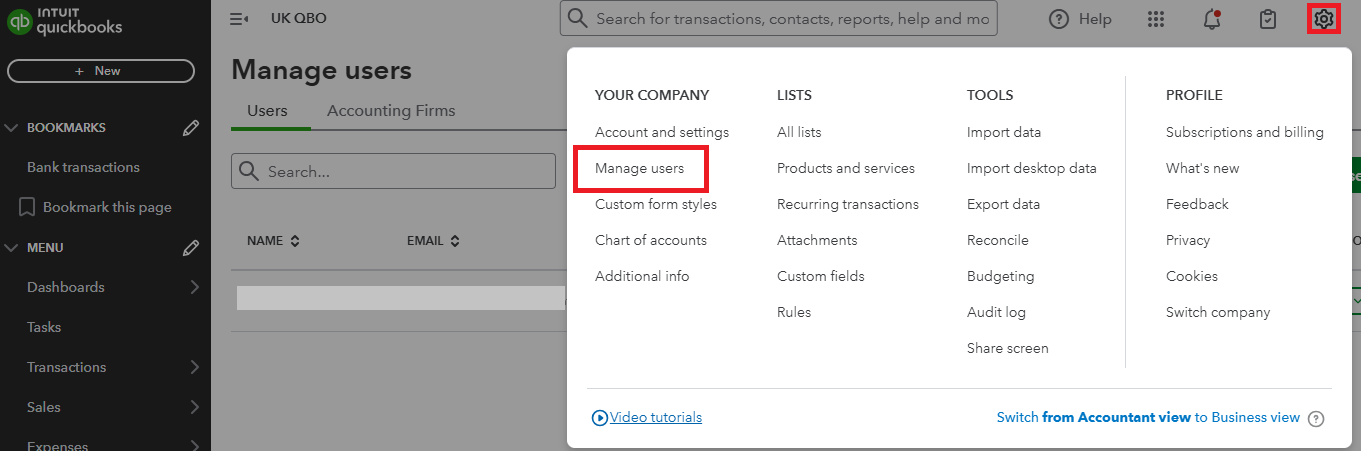
- Find the user you want to transfer the role into.
- Click the drop-down arrow in the Action column and choose Make master admin.
- Select Make master admin on the pop-up that appears.
- An invitation email will then be sent to the user to accept the role.
If the primary admin is not available, you'll need to request a primary admin transfer for the QuickBooks Online account and provide some information and documents for verification. This process is important for security and to confirm you are the legitimate owner of the company. It ensures you receive the privileges of primary admin access.
Refer to this article for the required documents and to guide you with the process: Request to be the primary administrator in QuickBooks.
We're always here to answer if you have any queries managing user roles, you can leave comments below.


