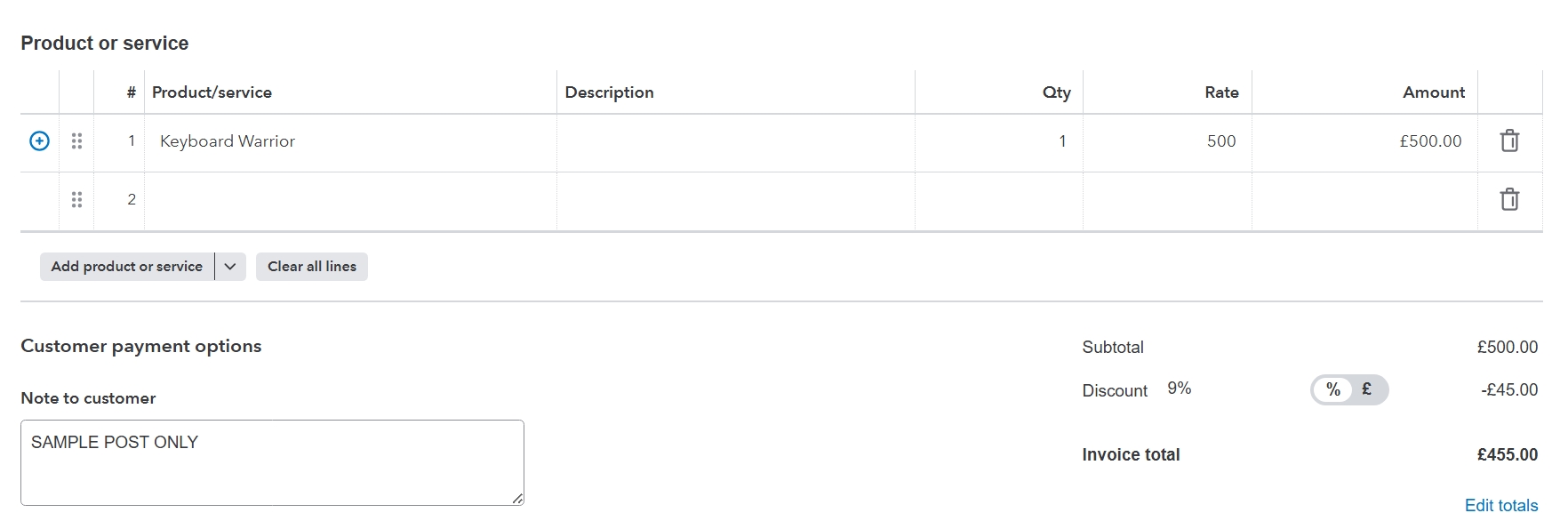
Currently, QuickBooks doesn't have a built-in feature for line-item-specific discounts in invoices, info2195.
For now, I suggest submitting this product suggestion to our developer team. This idea will help us ensure QuickBooks continues to meet the unique needs of our customers. To send one, here's how:
- Open your QuickBooks account.
- Head to the Gear icon, then select Feedback.
- Input your ideas about adding the ability to modify the printing template for middle-positioned voucher checks in the box below.
- Click Next to submit.
In the meantime, you can manually invoice each item separately in case they have different discounts. This will help ensure that your records remain accurate. To do this, follow the steps below:
- Go to + New, then select Invoices.
- On the Invoice page, choose your customers and add the other necessary details.
- Once done, add the item to the Product or service.
- Then, add the appropriate discount in the field provided.
- After that, click Review and send, then Send invoice.
Also, you can explore third-party applications that integrate with QuickBooks, as they may offer advanced customization options for invoices, including specific item discount capabilities.
You're free to post in this forum if you have other concerns about this matter.


