Hi jamey-whitnall!
I think the agent meant 10 is the preferable number of lines. You can actually have more but should not exceed 1000. I want to share a solution because I've been in this situation.
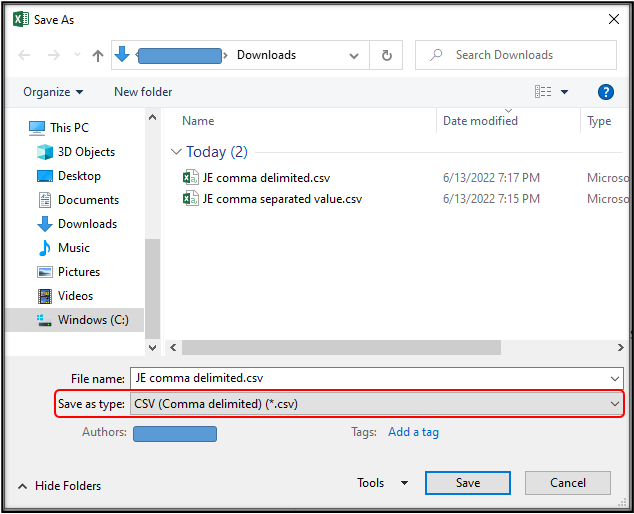
From my experience, endless loading occurs when the Excel file is in an unsupported format. I bet you edited and used the downloadable sample CSV file for journal entries in the QBO. Apparently, it's in a different CSV format, which QuickBooks doesn't recognize when used in uploads. So to resolve that issue, you'll want to save the file as CSV (comma delimited) and use it to upload the entries.
- Open the CSV file.
- Click File and choose Save As.
- Choose Browse to open the Save As window.
- Name the file so you can easily recognize it.
- In the Save as type drop list, select CSV (comma delimited) (*.csv).
We're just around to continue assisting you. Please comment below if you have other concerns.


