Hello, Pandora18.
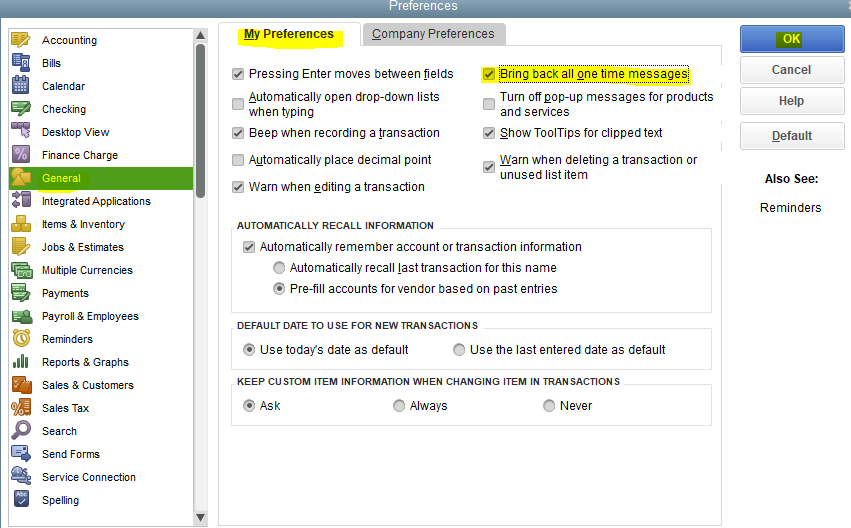
Let's review your preferences and ensure that you tick the Bring back all one-time messages box so you're notified if there's a duplicate invoice.
Here's how:
- Click Edit, then Preferences.
- Choose General, and then My Preferences.
- Tick box the Bring back all one-time messages.
- Hit OK.

However, if the preference is already enabled, we can run verify rebuild. This scans your company file for potential data issues and fixes them right away.
QBDT makes it easy to process and tracks customers' transaction, payments, and sales and organise your cash flow. To know more details about this, feel free to open this article: Get started with customer transaction workflows in QuickBooks Desktop.
Don't hesitate to leave a comment below if you have other concerns with duplicate invoices in QBDT. I'll be sure to get back to you. Have a great day!


