You can add a different customer-facing email address to your account, @jonathan74. I'll walk you through the process so you can use your colleague's email to send invoices to your customers.
Entering an additional email address to your QuickBooks account is easy. Follow the steps below:
- Sign in to your QuickBooks Online account.
- Click the Gear icon from the upper right of your screen.
- Select Account and Settings.
- Choose Company from the left menu.
- Hit the Pencil icon to edit your Contact info.
- Uncheck the box for the Customer-facing email. See the screenshot for reference.
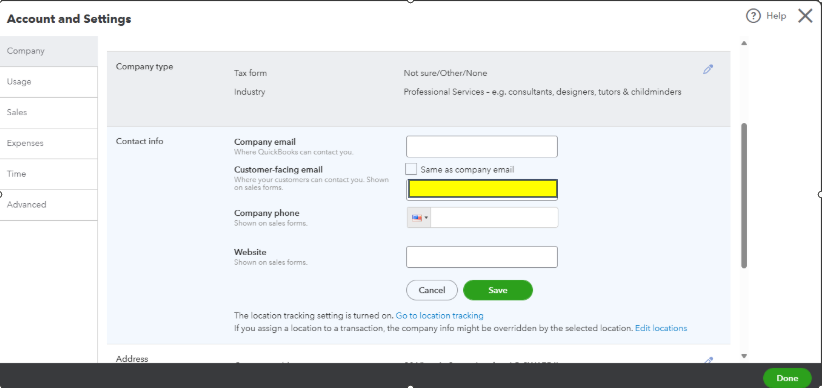
- Enter the new email address.
- Select Save, then Done.
To gain more insights about the process, you can read this article: Change your customer-facing email address.
Furthermore, I'm adding this link that you can utilize in modifying your invoices and recording your customers' payments:
You're always welcome to tag me in your reply if you have any other questions about the invoice email address. I'm always here to back you up!


