Hello there, @elliotmch. I understand the importance of having accurate calculations for your invoices and sales receipts.
To address this, you'll want to manually calculate and enter the VAT amount with the appropriate rounding. This help ensure your VAT amounts align with your Shopify sales system receipts.
Here's how you can do it:
- Calculate the VAT amount manually.
- Round the calculated VAT amount to the nearest two decimal places.
- Enter the rounded VAT amount (£79.16) directly into the VAT field when creating the invoice.
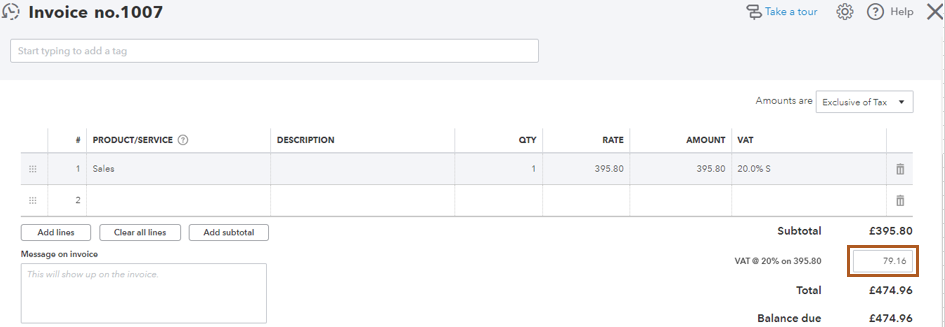
Additionally, you can make VAT adjustments in QBO to correct errors in VAT-related transactions in your accounting records.
If you need further assistance or have any additional questions about recording adjustments, please don't hesitate to ask. We're always around to help.


