Turn on suggestions
Auto-suggest helps you quickly narrow down your search results by suggesting possible matches as you type.
Showing results for
Let's make sure that you're able to view the preview window so you can save your reports, richard96.
You'll want to make sure to allow pop-up blockers. Then, update and repair Adobe Reader so you'll be able to preview the page. To do this, you can follow the steps below.
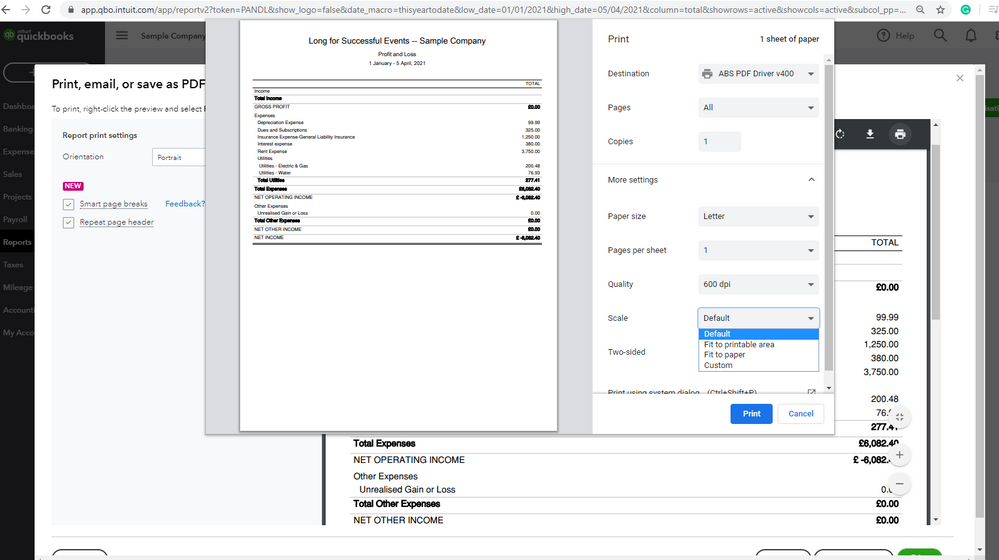
In addition, you'll want to ensure that you're using the correct paper size, so you'll have some options to choose from for your P60 payroll reports. You can also select the Fit to paper option on the preview settings to make sure that your report fits the paper size that you've selected. I've attached a screenshot so you'll be visually guided.
For your reference, you can customise reports in QuickBooks Online by applying multiple filters to make sure that it only shows the desired information.
Please feel free to reply to this thread if you have any other concerns in saving and previewing reports. I'll always be right here to assist you further.