LIMITED TIME OFFER get 90% off for 6 months
cancel
Showing results forΒ 
Search instead forΒ 
Did you mean:Β 
Announcements
Accept credit card payments in QuickBooks Online.Explore QuickBooks Payments

Reply to Message

View discussion in a popup

Replying to:
JasroV
QuickBooks Team

Reply to Message

Yes, you can, @williambetteridg.


You can toggle the Date to arrange the transactions by most recent entry. Here's how.


In your QuickBooks Online (QBO):
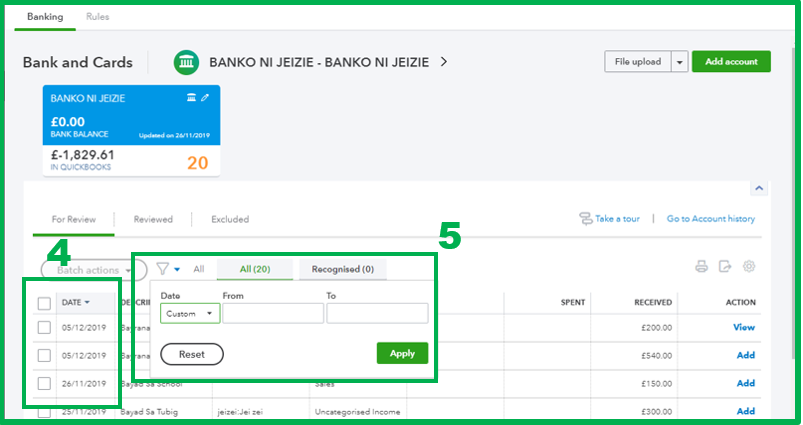
  1. Go to the Banking menu and select the Banking tab.
  2. Choose your preferred bank.
  3. Under the For Review tab.
  4. Toggle the Date column and ensure the arrow is facing down.
  5. You can also click the Filter icon and adjust it to your desired date. 2.PNG
  6. Once done, click Apply.

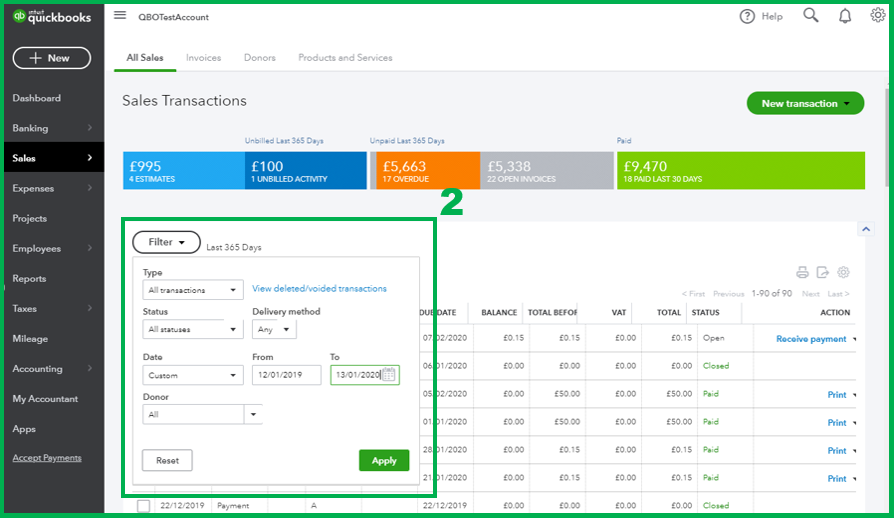
However, if you're referring to your sales transactions, you can go to the Sales menu and select the All Sales tab. From there:
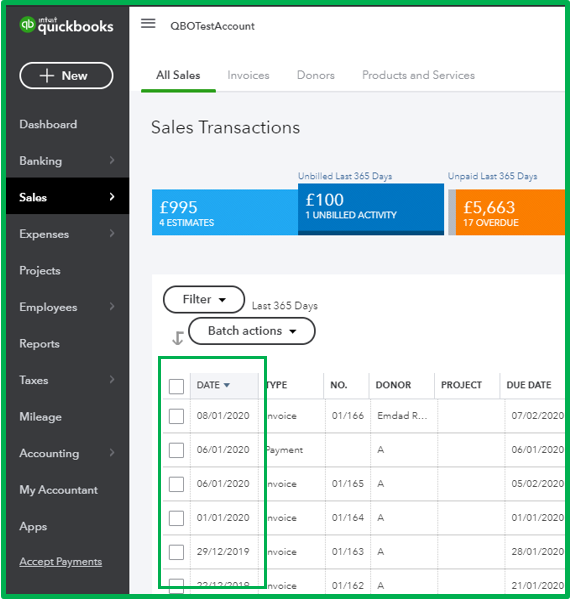
  1. Toggle the Date column and ensure the arrow is facing down. 3.PNG
  2. You can also select Filter and adjust it to your preferred date.
  3. Click Apply. 4.PNG

In case you want to learn some tips or tricks on managing your QBO account, you can always visit our Help articles page for reference.


Don't hesitate to get in touch with us if you have other concerns or questions. I'd be happy to help. Take care!


View solution in original post

Need to get in touch?

Contact us